15
4
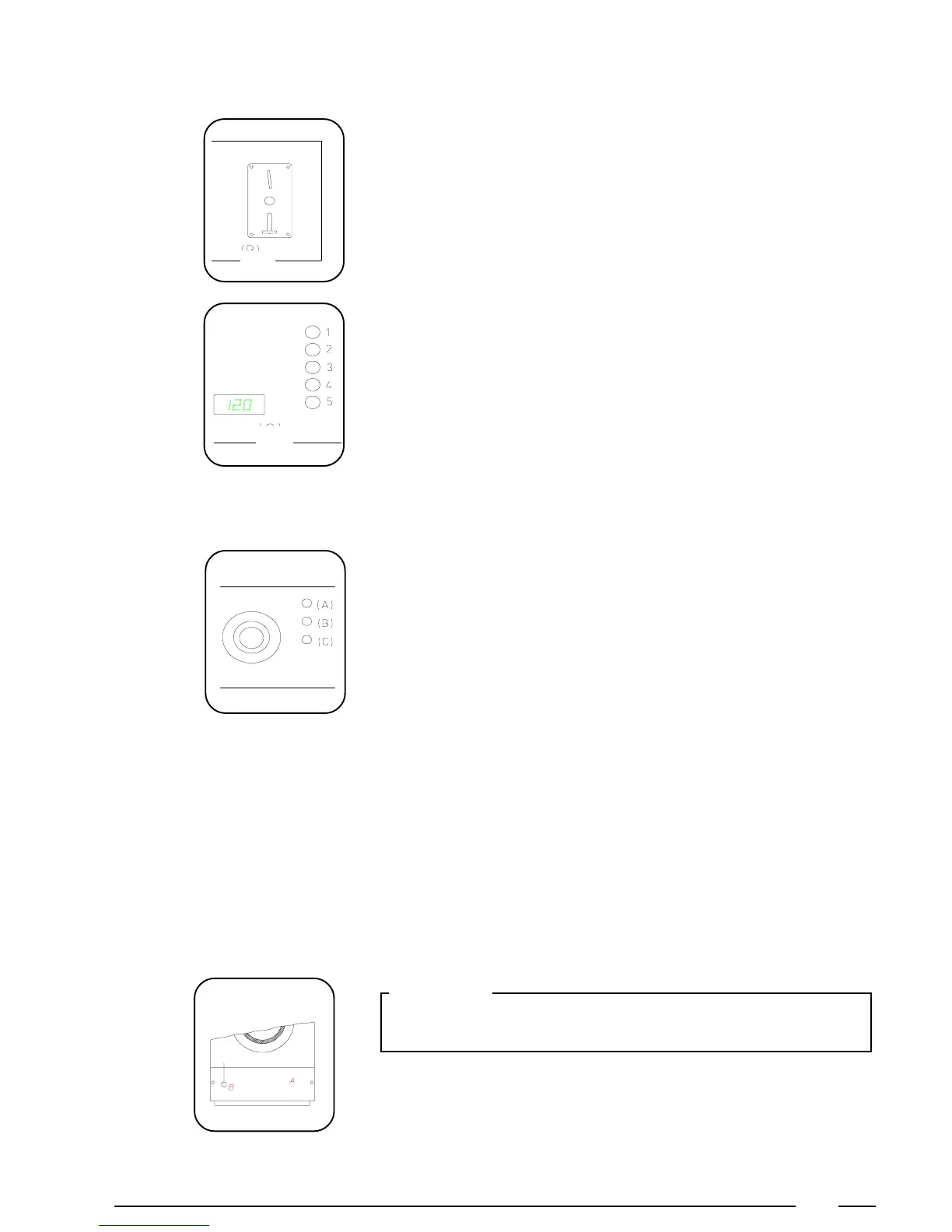
Machine with token switch
By inserting the token, the machine starts and the pilot light (A) on the fascia
panel will light up.
Machine with coin meter
The amount necessary to start the program is indicated on the display. This total
amount is reduced by the value of each inserted coin. The amount still due
appears each time after a coin has been inserted. When this value becomes 0
the cycle will start, the display will turn off and the red pilot light (A) on the fascia
panel will light up.
Start the machine
End of a cycle
When the red pilot light on the fascia panel turns off, the wash cycle has come to
an end and you can open the door.
Opening the door in case
of an emergency
When you want to open the door in case of an emergency (power breakdown,
deficiencies, etc...) remove the service panel (A) at the bottom and pull the left
suspended ring (B) while you press the red button on the doorhandle and open
the door.
Important:
Before opening the door, be sure there is no water left in the tub, and that the
drum has come to a complete stop.
When the middle orange pilot light (B) lights up, the liquid bleach may be added
manually (Compartment D).
When the bottom orange pilot light (C) lights up, the linen softener is automatically
added or the starch may be added manually (Compartment D).
Orange pilot lights



 To Next Page