EasyManua.ls Logo

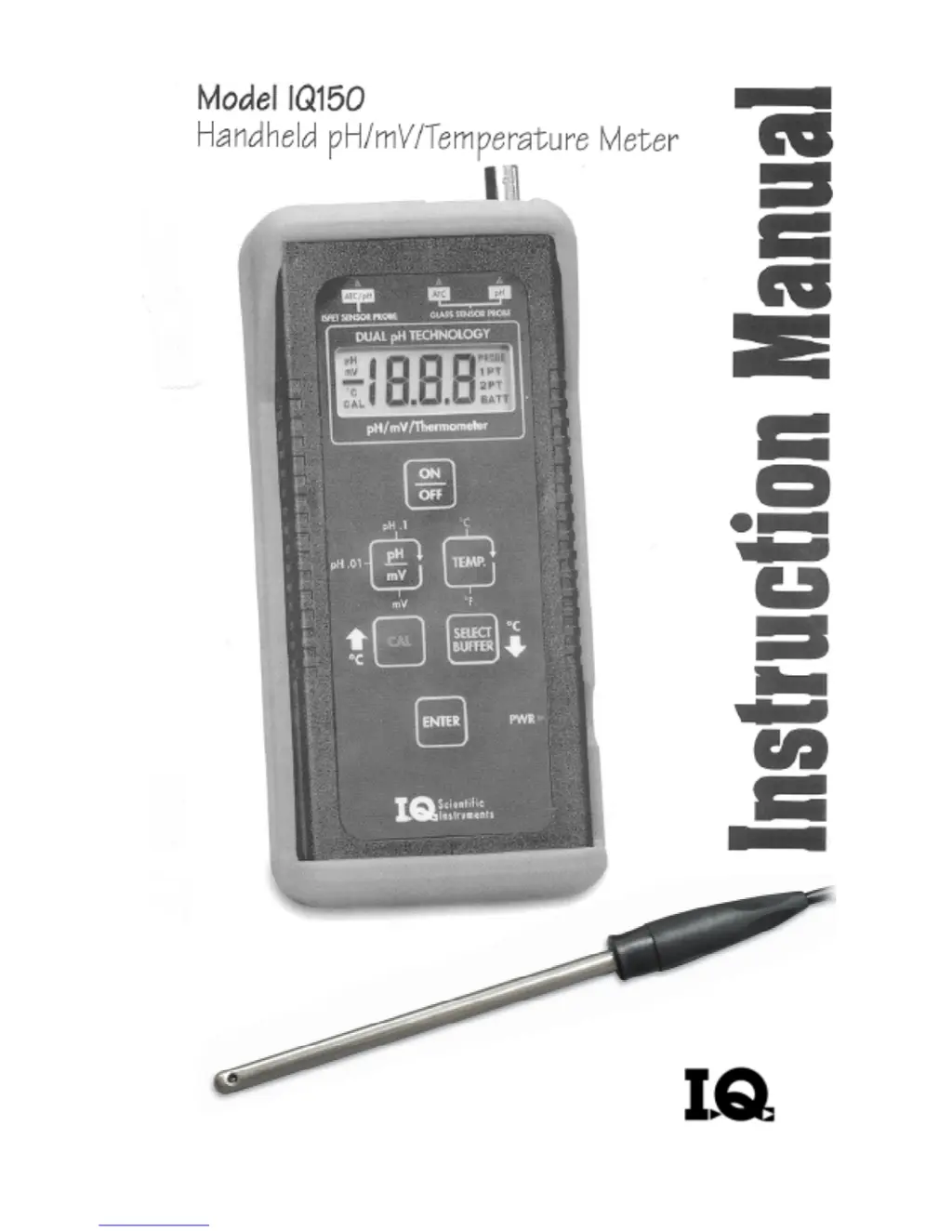
IQ IQ150 - User Manual

IQ IQ150
25 pages
Print Icon
To Next Page IconTo Next Page
Loading...

Questions and Answers

  • R
    ronald53Aug 7, 2025
    Why won't my IQ IQ150 Measuring Instruments calibrate and the display keeps flashing?
    • M
      morgandeniseAug 7, 2025
      If you're having trouble calibrating your IQ Measuring Instruments and the display doesn't stop flashing during calibration, it could be due to several reasons. Start by cleaning and reconditioning the probe, as the sensor surfaces may be dirty. Ensure proper flow in the reference junction by following the warm buffer cleaning procedure. Recalibrate using fresh buffers to rule out contamination or expiration. Remove any other devices from the solution, such as stirrers or water baths, that might cause interference. Check the battery level and use an AC adapter or replace the battery if the BATT icon is displayed. Shield the probe from direct sunlight. If the problem persists, the probe may need replacing.
  • C
    Connie HaleAug 17, 2025
    How to fix no display on IQ IQ150 Measuring Instruments?
    • A
      Amy MccormickAug 17, 2025
      If your IQ Measuring Instruments has no display, it might be because the Auto Power Off feature has cleared the display. Try pressing the ON/OFF key. If that doesn't work, check the power source. You may need to replace the 9V battery or use an AC power adapter.
  • P
    peter17Aug 21, 2025
    What to do if the BATT icon is displayed on my IQ IQ150?
    • C
      Christine AveryAug 21, 2025
      If the BATT icon is displayed on your IQ Measuring Instruments, it means the battery is low. Replace the battery following the battery replacement directions.
  • L
    laura88Aug 27, 2025
    What does it mean when the PROBE icon is flashing on my IQ Measuring Instruments?
    • R
      Ronald CarterAug 27, 2025
      If the PROBE icon is flashing on your IQ Measuring Instruments, it indicates slight ISFET probe damage. While the probe is still usable, consider keeping a replacement probe on hand.
  • M
    Mrs. Victoria MillerNov 1, 2025
    What to do if my IQ IQ150 meter continually displays 14.00 or 0.00?
    • M
      Michelle VargasNov 1, 2025
      If your IQ Measuring Instruments meter continually displays 14.00 or 0.00 with the electrode attached, ensure the ISFET probe is detected by the meter; the PROBE icon should be visible. If it's not, power off the meter, disconnect, and reconnect the probe, listening for a click. Power the meter back on. If the PROBE icon still isn't displayed, the ISFET probe may need replacement. Also, ensure the probe is properly calibrated by carefully following the two-point calibration instructions. Make sure the probe is placed in the solution and gently shake it to remove any air bubbles. If no probe is attached, turn off the meter, attach the pH probe, and then turn the meter back on. Clean the probe following the provided cleaning instructions, and if the issue continues, the probe may be damaged ...
  • C
    Cynthia StoneNov 11, 2025
    Why is the pH icon flashing and reading unstable on my IQ IQ150 Measuring Instruments?
    • J
      James WillisNov 11, 2025
      If your IQ Measuring Instruments shows an unstable reading and the pH icon keeps flashing, there could be several reasons. Start by cleaning the probe following the manual's cleaning procedures. Also, clean the probe and meter connectors with methanol and a cotton swab, ensuring they are completely dry before reconnecting. Make sure the reference junction is flowing by following the warm buffer cleaning procedure. Ensure the ISFET probe is properly hydrated by soaking it in a neutral buffer (pH 7.00) for at least five minutes. Remove any interfering devices from the solution and unplug equipment like water baths or stirrers. Shield the probe from direct sunlight if working outside. Be aware that a stable reading might not be possible in very low ionic strength solutions or if the pH or tem...

Summary

Getting Started

Two-Point Calibration Guide

Step-by-step guide for performing a two-point calibration.

Introduction

Important Notice

Critical usage and warranty information.

ISFET Probe Lifespan

Information on the expected life and maintenance of ISFET pH probes.

Performance Guidelines

Usage Tips

Recommendations for optimal meter and probe usage.

Prohibited Actions

Warnings and actions to avoid for proper operation.

Meter Features

Display Features

Explanation of the meter's display indicators and symbols.

Keypad Functions

Description of the purpose of each button on the meter.

Electrode Connection

pH Measurement and Calibration

Calibration Best Practices

Guidance for achieving accurate pH calibration results.

Calibration Procedures

Steps for one-point and two-point pH calibration.

Aborting Calibration

Instructions on how to stop the calibration process.

Temperature Compensation

Automatic Compensation

How the meter automatically compensates for temperature.

Manual Compensation

Steps to manually set temperature compensation for BNC electrodes.

Measurement Modes

mV Measurement

How to perform measurements in millivolt mode.

Temperature Measurement

How to measure temperature using the meter.

Probe Maintenance

ISFET Probe Care

Cleaning and reconditioning methods for ISFET probes.

BNC Electrode Care

Cleaning and reconditioning methods for BNC electrodes.

Power and Battery

Battery Replacement

How to replace the meter's 9v battery.

Automatic Shutoff & AC Adapter

Information on auto-shutoff and AC adapter usage.

Troubleshooting

Display Issues

Actions for no display or low battery indicators.

Reading Issues

Causes and solutions for unstable or fixed readings.

Calibration Problems

Steps to resolve issues during the calibration process.

Error Codes

E01-E03 Errors

Explanation and resolution for meter/probe malfunctions and BNC offset error.

E04-E09 & Flashing PROBE

Explanation for BNC/ISFET slope/offset errors, wrong buffer, and probe warnings.

IQ IQ150 Specifications

General IconGeneral
BrandIQ
ModelIQ150
CategoryMeasuring Instruments
LanguageEnglish