User Interface
Canis014D07 User Manual 24
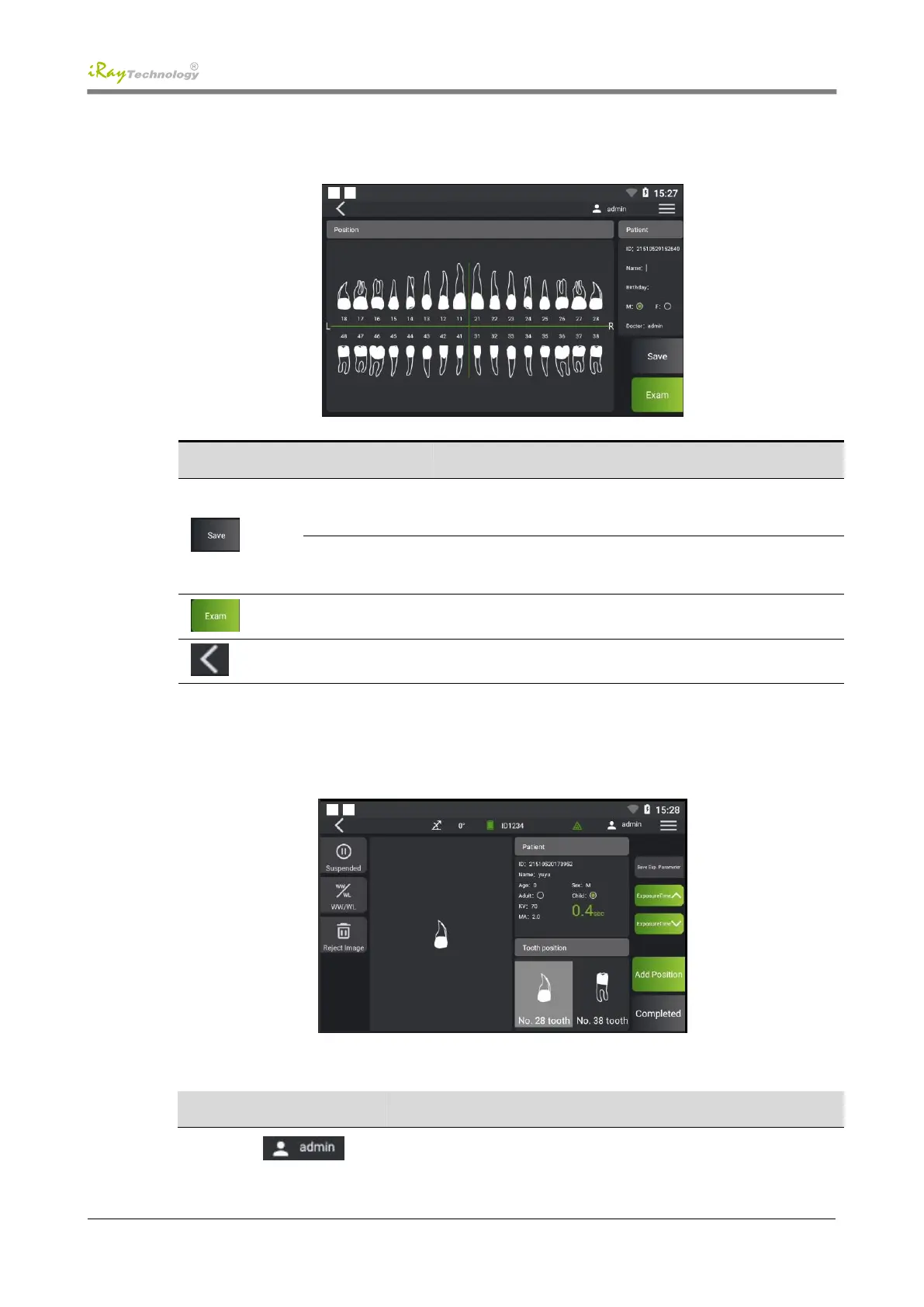
5.3 Patient Information Page
Modify patient information, touch the name, birth date, gender, and
click [Save] to save the modified information
Addition of tooth
position
Touch the corresponding tooth position and click [Save] to add the
tooth position to be examined
Jump to the image acquisition page to examine the selected patient
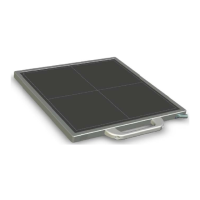
5.4 Image Acquisition Page
The detailed functions of the buttons on this interface are described in the following table:
Current logged-in username


 To Next Page