User Interface
Canis014D07 User Manual 28
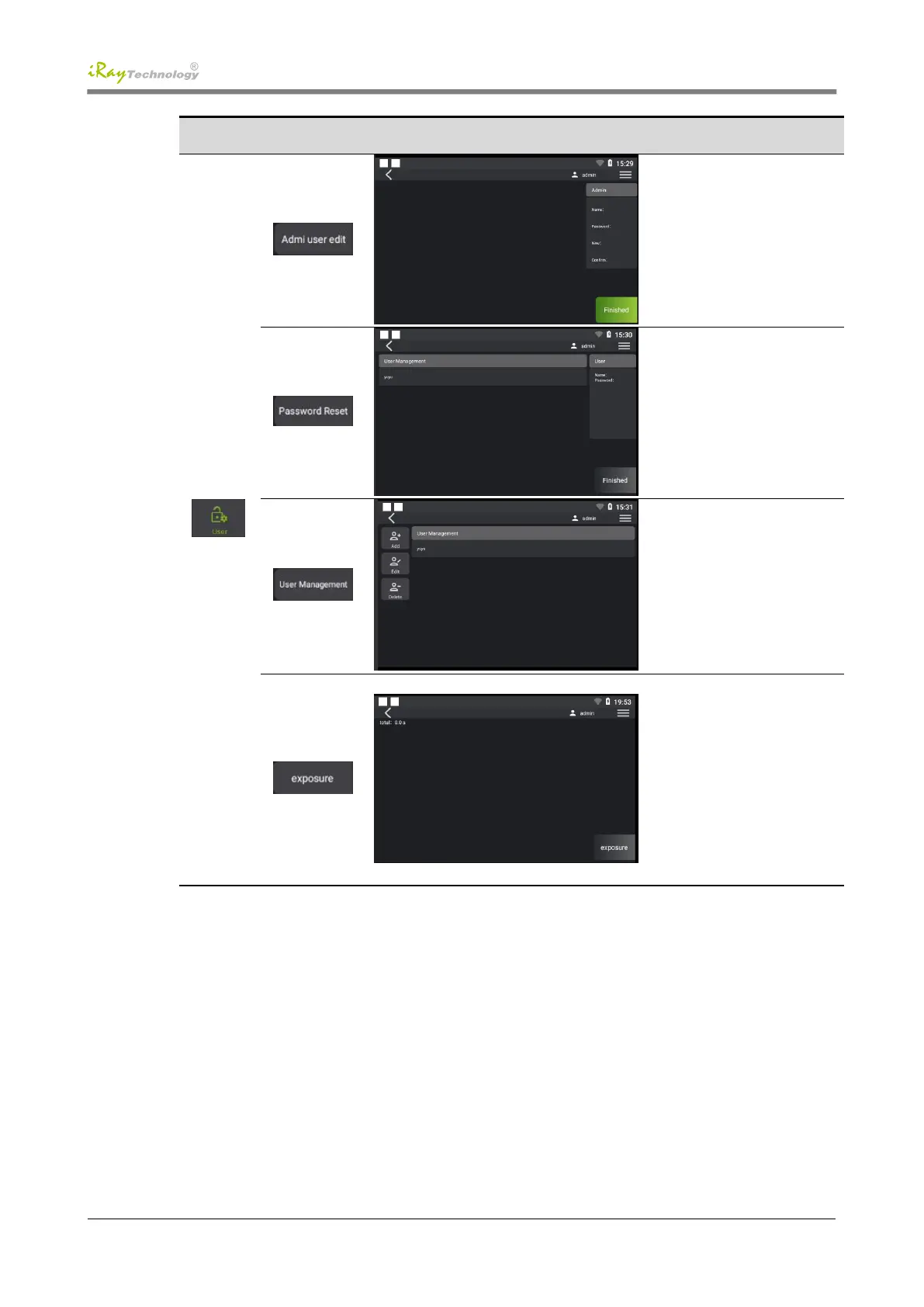
Change the password of the
administrator account, click
[OK] to change the password
Reset the users' password: click
[Reset Password] to change the
account's password to 123456
Add, modify and delete users:
click an account you want to
operate and then click the
corresponding add, modify and
delete buttons to proceed to the
next step
The first boot prompts the user
to start the exposurefor the first
time; after six months, it
prompts the user that exposure
is required every six months;
Exposure process: 60KV 2MA
2s repeated 10 times with 15s
interval; 70KV 2MA 2s
repeated 10 times with 15s
interval


 To Next Page