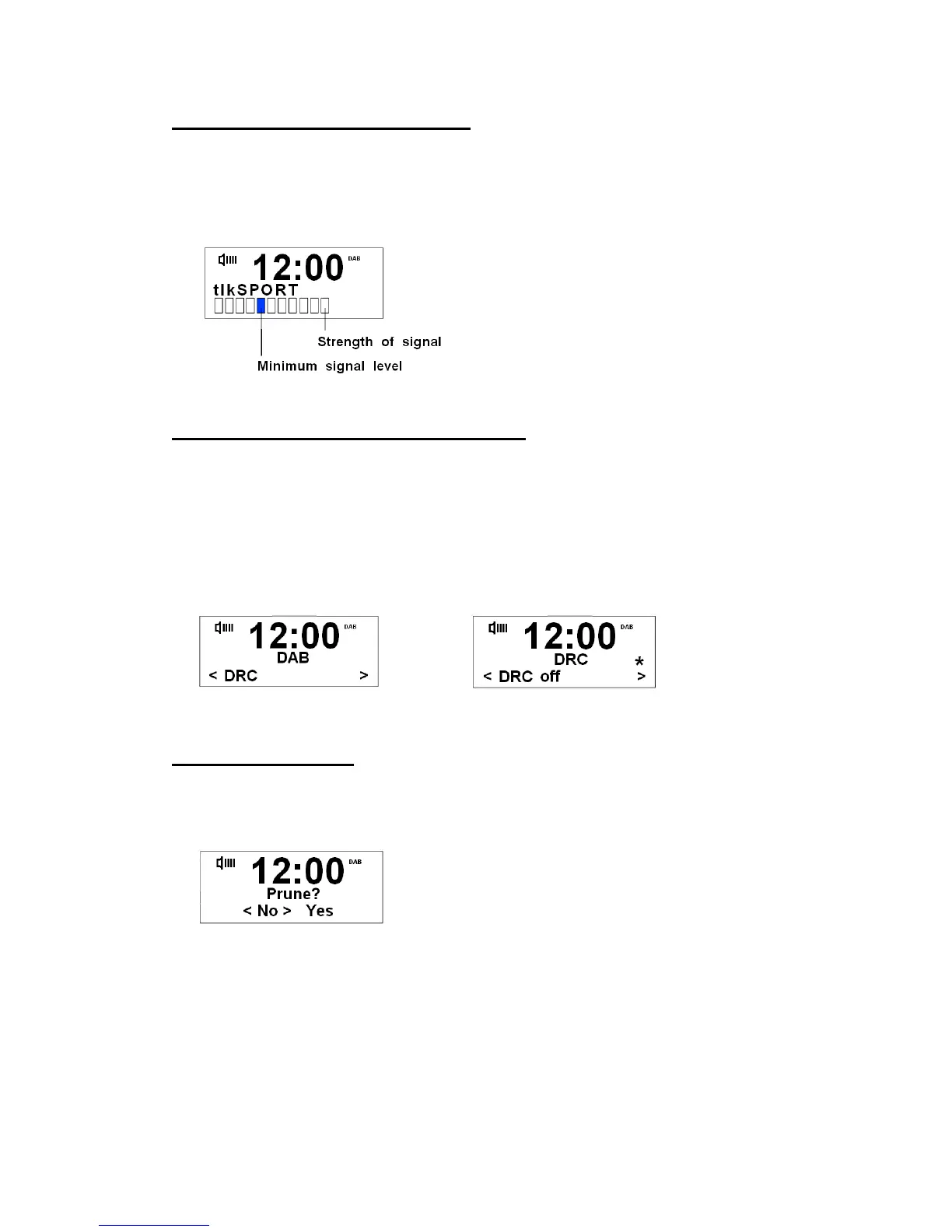
To Show the Signal Strength
During play a DAB/DAB+ program, the path for showing current station’s signal strength is
pressing MENU
Display Signal strength, press SELECT to confirm. The LCD screen
display will show a signal bar with the strength of the current station.
The indicator on the signal bar shows the
minimum acceptable signal level.
Note: Stations with signal strength below the
minimum signal level will not provide a
steady stream of audio.
DRC (Dynamic Range Control) value
You can set the level of the compression stations to eliminate the differences in dynamic
range or sound level between radio stations.
Note: Set DRC to off indicates no compression,
set DRC to low indicates little compression,
set DRC to high shows maximum compression.
1. Press MENU, and then press or
to < DRC >, press SELECT to confirm.
to your expected option, press SELECT to confirm.
The way to Prune
Note: doing this can have only active broadcasting stations available.
1. Press MENU, press or
to < Prune >, press SELECT to confirm.
2. Press or
to ‘Yes’, press SELECT to confirm.


 To Next Page