THE BOX THE WHITE LINE
6
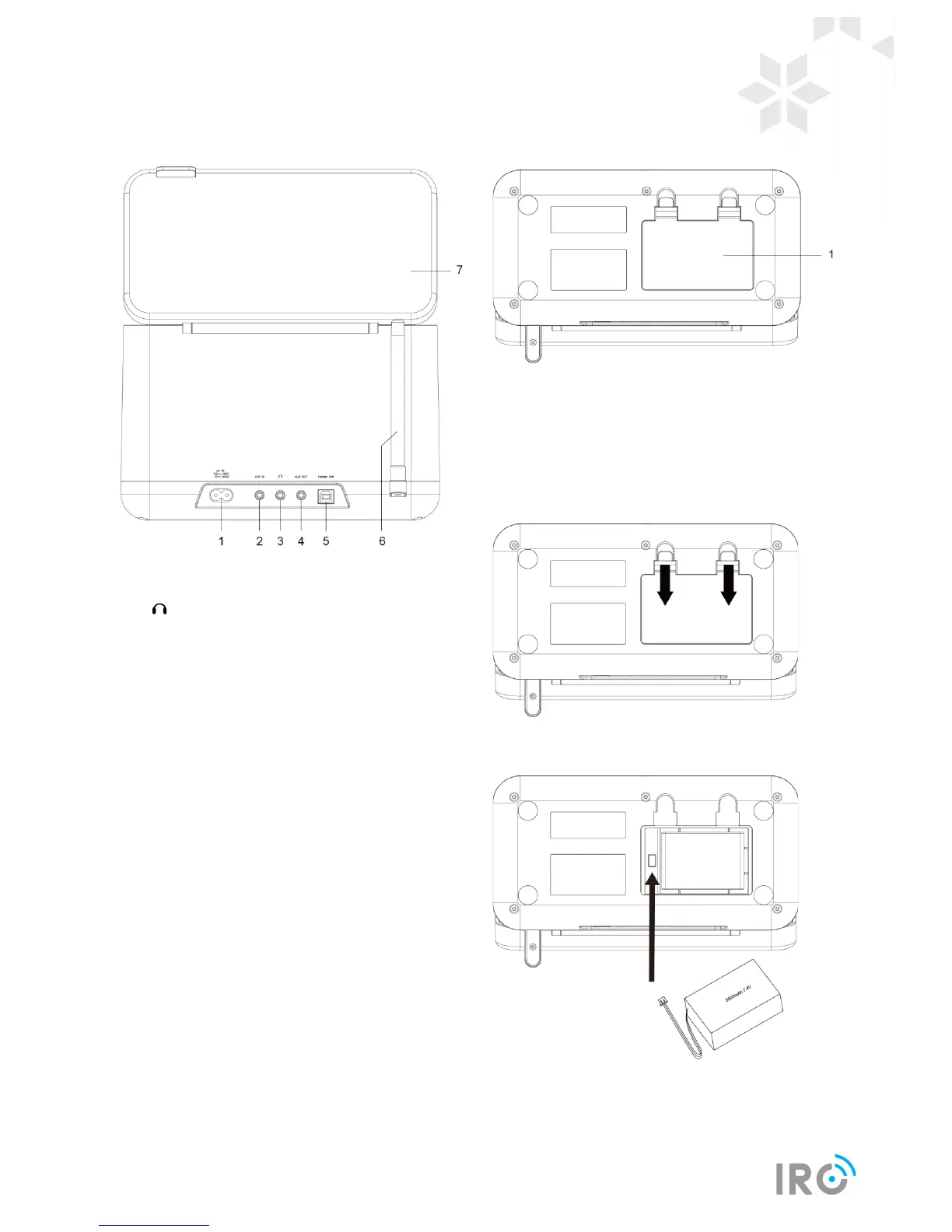
Unit Back view
1. AC IN socket
2. AUX IN socket
3. Headphones socket
4. AUX OUT socket
Connect to audio cable. This enables your radio
stream music to external speaker and you can
operate your audio device directly for playback
features
5. Update Port
Please leave this for service professional only!
6. DAB/FM antenna
7. Cover
Unit Bottom View
1. Rechargeable battery compartment
Installing Battery
1. Press and pull the cover to open the battery
compartment.
2. Install the provided battery. Make sure the cable
connected firmly to the internal socket.
3. Close the battery compartment cover.



 To Next Page