THE TRANSISTOR THE WHITE LINE
5
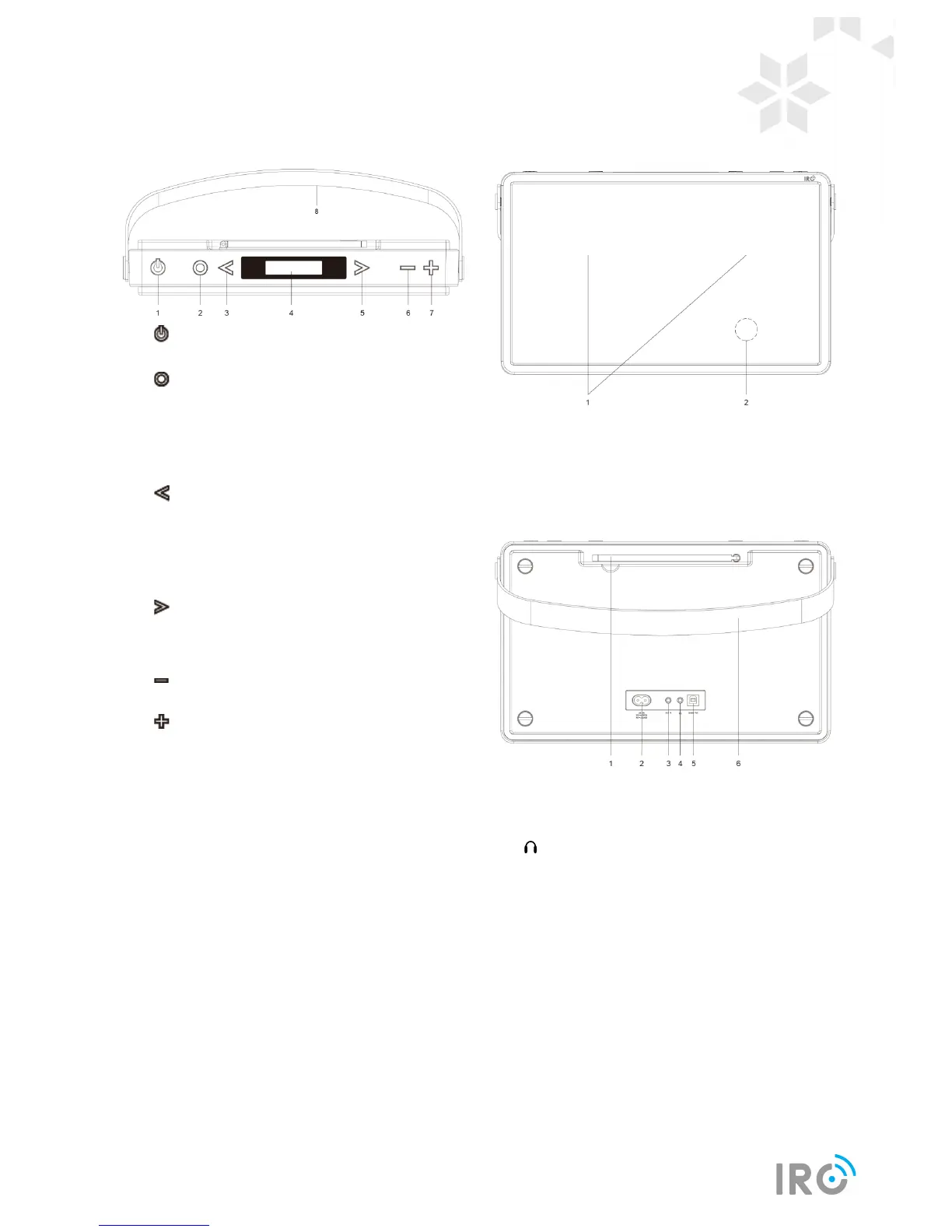
Unit Top View
1. button
Press to switch radio on or standby.
2. button
Press to switch among DAB, FM, Bluetooth and
Aux in mode.
Press and hold to display menu.
In menu setting, press to confirm selection.
3. button
Press to browse previous option.
Press to skip to previous track in Bluetooth
mode.
4. Display
5. button
Press to browse next option.
Press to skip to next track in Bluetooth mode.
6. button
Press to decrease volume.
7. button
Press to increase volume.
8. Handle
Unit Front View
1. Speaker
2. NFC chip
Unit Back view
1. DAB/FM antenna
2. AC IN socket
3. AUX IN socket
4. Headphones socket
5. Update Port
Please leave this for service professional only!
6. Handle



 To Next Page