zero
0908
1
2
3
4
5
6
7
8
9
10
11
12
13
14
15
16
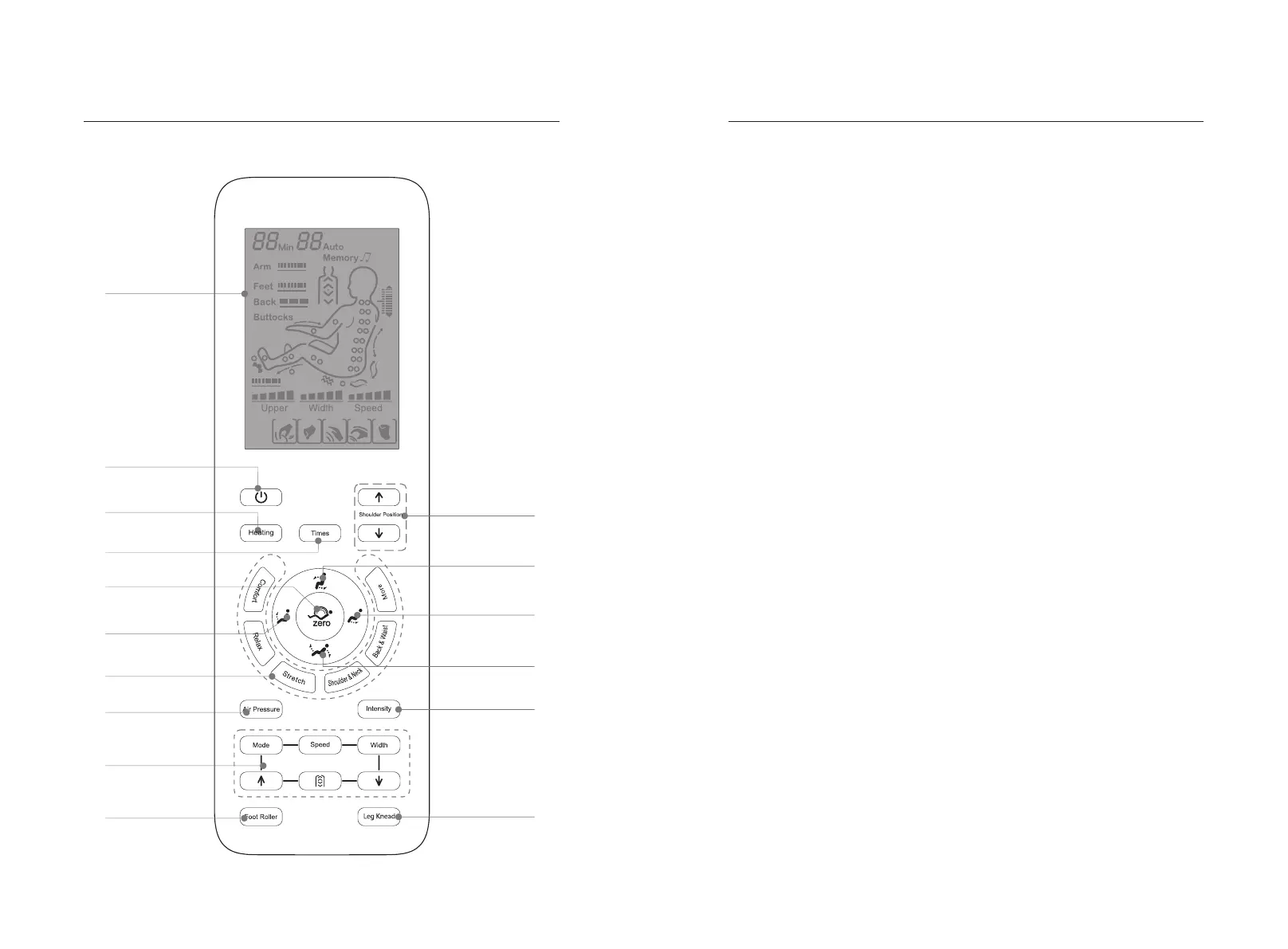
1.LCD:
·Display all massage functions.
2.Power switch:
·Turn on or off all massage functions.
3.Heat key:
·Turn on/off the heating massage function.
4.Timing key:
·Timing adjustment.
5.Automatic lying key:
·There are three automatic lying modes, which can automatically switch according
to your own needs.
6.Legrest up key:
·Adjust the legrest up function.
7.Automatic massage button:
·Please refer to Page 11 of this manual for details.
8.Air pressure mode key:
·Turn on/off air pressure massage function. (Please refer to Page 12 of this manual
for details.)
9.Manual massage button:
·Please refer to Page 12 of this manual for details.
10.Foot roller key:
·Please refer to Page 12 of this manual for details.
11.Shoulder adjustment key:
·Manual adjustment of the shoulder position for Shiatsu massage point.
12.Up key:
·Adjust the backrest up function and the legrest down function.
13.Legrest down key:
·Adjust the legrest down function.
14.Lying key:
·Adjust the backrest down function and the legrest up function.
15.Air pressure intensity key:
·Adjust air pressure intensity function.
16.Leg Knead key:
·Press this button to start or stop the calf rubbing.
Method of UsageMethod of Usage
Note: Specific display is subject to the actual product!


 To Next Page