Iridium GO! exec Quick Start Guide 54 Iridium GO! exec Quick Start Guide
Device Setup in Two Easy Steps
Required: Iridium GO! exec App:
Search and download the
Iridium GO! exec App using
high-speed Internet.
Optional: Search and download the
following from the App Store
SM
and Google Play™ on
high-speed network.
Iridium Mail App
This app is optimized for email,
sharing of photos and small les,
and receiving weather forecasts.
Using Iridium Mail App:
Registration is free and required in order to use the
app. Go to https://www.iridium.com/mailandweb/
and complete registration.
Third-Party Apps
For additional Iridium GO! exec
customized apps, visit:
www.iridiumgoexec.com/apps.
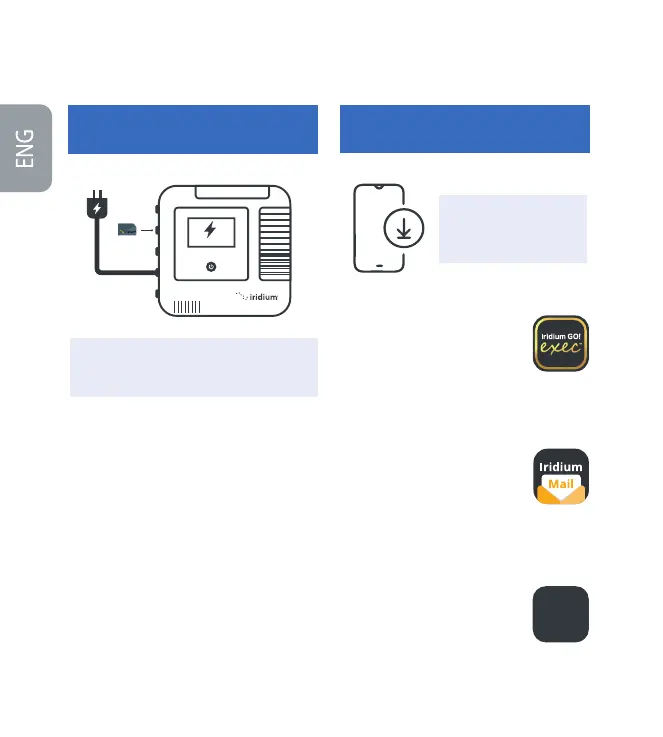
Insert the SIM card correctly, as shown on the
icon above the SIM slot.
Plug in device to the provided USB-C charger
and allow to fully charge.
Power on device by swiveling up the antenna
or holding touch power button for 5 seconds.
After powering on the device (power up
sequence approx. 30 seconds) follow prompts/
instructions on device screen and complete
device setup.
Note: Admin pin setup is optional
Make sure to close open aps securely to
maintain water-resistant seal.
1.
2.
3.
4.
1.
2.
IMPORTANT: Prior to rst use, the device must
be connected to the USB-C wall charger and
plugged into the wall power outlet.
IMPORTANT: High-speed
internet is required for
this step.
STEP 1:
Charge and Set up Iridium GO! exec Device
STEP 2:
Install App and Set up Smart Device
APPS
3
rd
-Party
Apps
connected


 To Next Page
 Loading...


