English
6
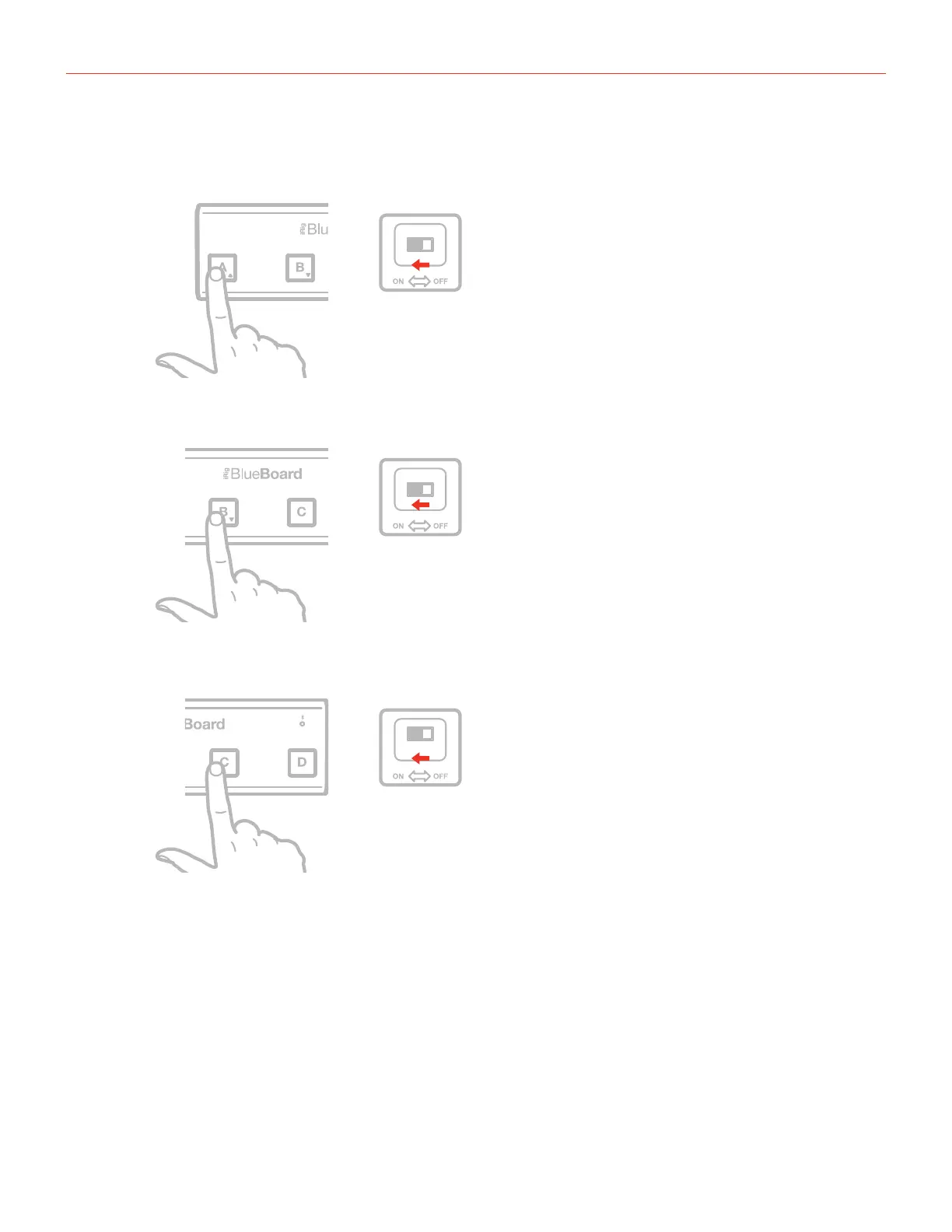
2. Choose which mode you want to start up by pushing and holding either the A, B or C button and the ON
switch on the BlueBoard (features available only with Firmware v.1.2.0).
ONHOLD
BlueBoard mode
ONHOLD
MIDI over Bluetooth mode 1
(requires Firmware v1.2.0)
ONHOLD
MIDI over Bluetooth mode 2
(requires Firmware v1.2.0)


 To Next Page