Need help?
Do you have a question about the iRig BlueBoard and is the answer not in the manual?
Select the desired startup mode (BlueBoard or MIDI over Bluetooth) by holding a button and the ON switch.
Launch Amplitube or VocaLive app and follow pairing procedure for connection.
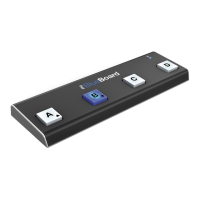
Start the device by holding button 'B' and switching it ON; Status LED flashes blue.
Details transmitting notes (C3, D3, E3, F3) and CC messages for expression pedals.
 General
| Connectivity | Bluetooth |
|---|---|
| Number of Footswitches | 4 |
| Expression Pedal Inputs | 2 |
| Power | Batteries |
| Compatibility | iOS, Mac, Android |
| Dimensions | 27cm x 9cm x 2.5cm |
| Weight | 250g |
| Type | MIDI controller |
| Charging | USB |

 To Next Page