English
9
Connecting to Amplitube or VocaLive app
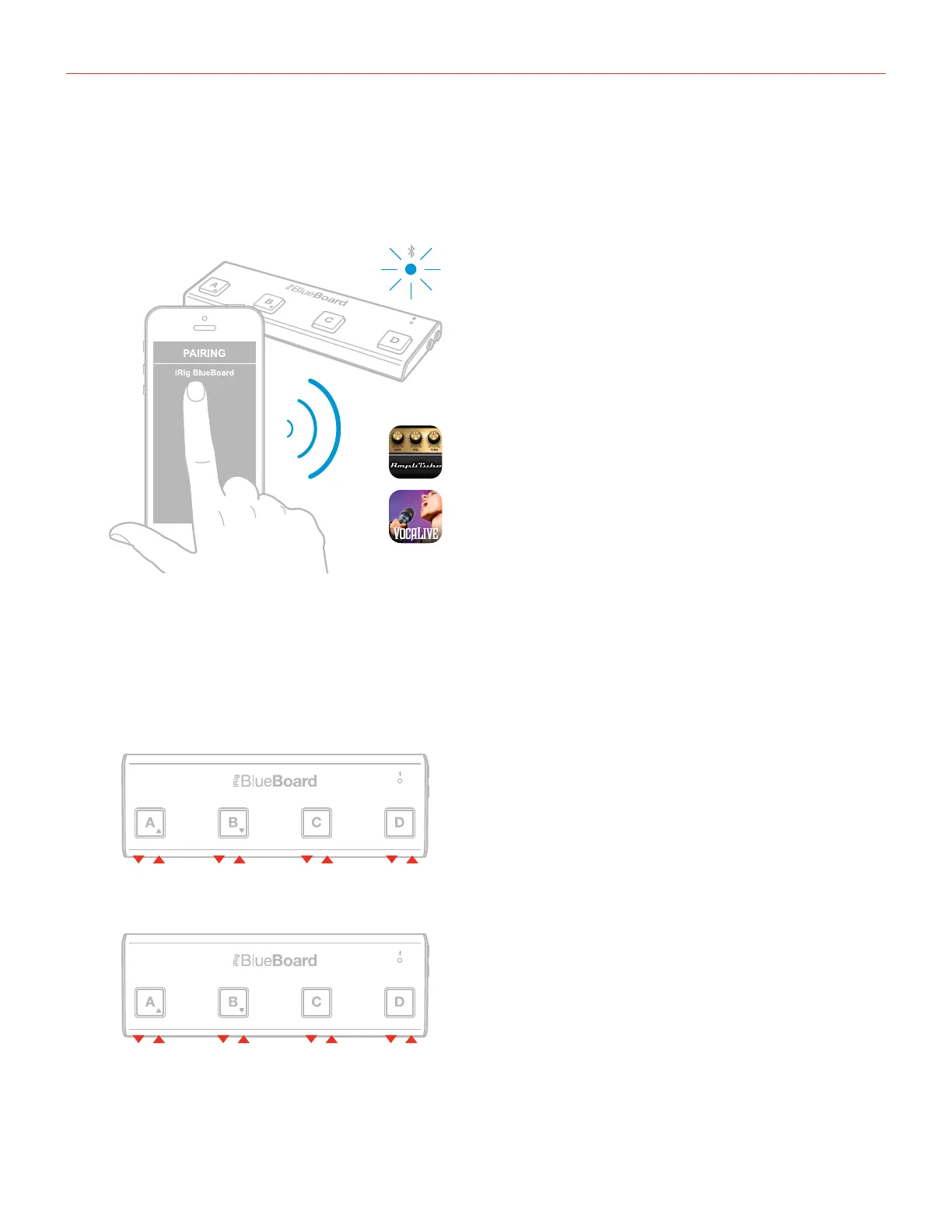
Launch the “Amplitube” or “VocaLive” app. From the app, follow the procedure to connect to iRig BlueBoard.
Once the connection is successful, the iRig BlueBoard status led will light up steady blue.
Note: Please refer to the user manual of the app for detailed information on pairing procedure.
MIDI over Bluetooth modes (requires Firmware v.1.2.0)
Now iRig BlueBoard can work as a standard BTLE MIDI device, making it able to directly communicate with
apps (that support MIDI over BlueTooth) without the need of an in-between “bridge” app.
MIDI over Bluetooth mode 1
MIDI over Bluetooth mode 2
C3 D3 E3 F3
CC#20 CC#21 CC#22 CC#23
In MIDI over Bluetooth mode 1,
iRig BlueBoard sends MIDI notes
when the A, B, C, D foot switches
are pressed.
In MIDI over Bluetooth mode
2, iRig BlueBoard sends MIDI
Control Changes when the A, B, C
and D foot switches are pressed.


 To Next Page