Need help?
Do you have a question about the IRIS ID IrisTime iT100 Series and is the answer not in the manual?
Lists related documents for iT100 installation and operation.
Describes different ways the iT100 can be used, including standalone, ITMS, API, and SDK.
Lists key features of the iT100 device, such as cameras, display, and connectivity.
Explains the two operating modes: Interactive and Continuous, for device functionality.
Details the types of identification/verification available, including Iris, Face, and Card.
Lists standard components provided with every iT100 unit.
Details extra items included with specific iT100-Axx model packages.
Lists items that are not included but may be required for installation.
Provides a table of general technical specifications for the iT100 series.
Lists optional accessories available for purchase, such as power adapters and mounting plates.
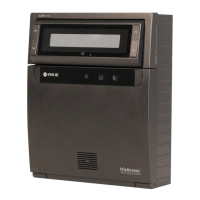
Identifies and describes the components on the front of the iT100 device.
Illustrates the rear view of the iT100 with the installation plate attached.
Shows the rear view of the iT100 with the installation plate removed, highlighting ports and buttons.
Depicts the bottom view of the iT100, identifying ports and covers.
Discusses recommended mounting heights and environmental factors for installation.
Outlines the different options available for physically mounting the iT100 device.
Covers essential requirements for wiring and power supply for the iT100.
Details the physical steps for installing the iT100, including back plate removal.
Explains how to surface mount the iT100 using the included installation plate.
Provides instructions for making secure wiring connections to the iT100.
Guides through the final steps to complete the iT100 device installation.
Instructions for setting the initial administrator password for the iT100.
Steps to configure IP address and network settings for wired and Wi-Fi connections.
Explains the process for activating the iT100 in standalone or iTMS modes.
Describes using a utility via network connection for software updates.
Details updating the software using a file on a USB flash drive.
Explains software updates via the iTMS application for managed devices.
Field to edit and display the device name on the main screen and logs.
Displays device type, kernel, serial number, OS, hardware, and software versions.
Allows viewing of open source licenses used in the iT100 software.
Procedure to update system software via USB port of the iT100.
Initiates a warm reboot of the iT100 device.
Resets the device to factory defaults, clearing user data and settings.
Configures the internal dry contact relay and its time interval for triggers.
Configuration for General Purpose Inputs/Outputs for sensors and external devices.
Sets the timeout for inactivity before closing admin screens.
Defines how long the results dialog box is displayed after an attempt.
Enables visual and audio guidance for user positioning during enrollment.
Displays additional enrollment guides like removing glasses/masks.
Enables voice announcements and allows uploading custom voice files.
Instructions for downloading custom applications via URL.
Selects between Interactive (user touch) and Continuous (proximity) operation modes.
Sets the authentication method for individual users or the device.
Enables additional checks for biometric authenticity (Iris, Face, Lens).
Detects if a user is wearing a mask and enforces access control or provides guidance.
Configures capturing face images during transactions for audit purposes.
Selects the on-screen text and voice prompt language.
Adjusts the brightness of the iT100 LCD display.
Adjusts the volume level and touch sound settings for the iT100.
Enables or disables available on-screen keyboards for input.
Selects or adds video or static images for the iT100 LCD screen background.
Configures time zone, 24-hour format, NTP server, and manual date/time entry.
Configures Ethernet (DHCP/Static) and Wi-Fi network settings.
Enables and configures the built-in card reader, specifying reader types.
Enables and configures the thermal camera for temperature monitoring and alerts.
Guides through activating the iT100 for standalone operation.
Explains the process of activating the iT100 for use with the iTMS system.
Procedure to deactivate the iT100 from its current activation mode.
Describes user enrollment and management functions when using iTMS.
Steps to log into the User Management section via the Admin Login screen.
Details on setting up the default admin account for access and management.
Steps to add or enroll new users into the iT100 system.
How to associate multiple cards with a user's record for Wiegand output or verification.
Guides on enrolling biometric data (Face and Iris) with optional position and precaution guides.
Explains how to modify existing user records, including personal info and settings.
Procedure for deleting a user's entire record from the device/system.
Describes user identification/verification when the device is in Interactive mode.
Details user identification/verification in Continuous mode via proximity sensor.
Explains how identification results (Identified/Failed) are displayed on the screen.
Provides download paths for the iT100 software update utility for various OS.
Links to download production or development versions of the iT100 software.
Guidelines for creating voice announcement files in .mp3 format with specific naming conventions.
Steps to upload custom voice announcement .mp3 files to the iT100 via USB.
 General
| Brand | IRIS ID |
|---|---|
| Model | IrisTime iT100 Series |
| Category | IP Access Controllers |
| Language | English |


 To Next Page