Make a call
Learn how to make a call with your new phone.
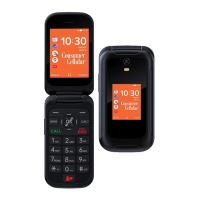
1. Type in the phone number. To type in the + character,
used for international calls, and press * button twice.
2. Press CALL.
3. To end the call, press PWR END.
Answering a call
When you receive a phone call, press CALL or the Left
Navigation Key to answer the call.
Reject a Call
When you receive a phone call, press PWR END or the
Right Navigation Key to reject the call.
Press the navigation key and select options to reject the
call and send a text message to the caller.
14


 To Next Page