Home
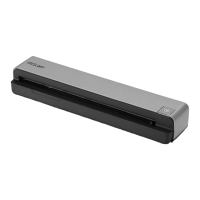
IRIScan
Scanner
Executive 4
Page 12
IRIScan Executive 4 - Page 12
16 pages
Manual
Save Page as PDF
To Next Page
To Next Page
To Previous Page
To Previous Page
Loading...
12
Quick User Gui
de
–
IRIScan
TM
Executive 4
Question:
Should the sc
anner feel warm to
the touch?
Answer:
It is normal for the scan
ner to emit a
small amount
of
heat after prolong
ed
use. However, i
f there are strange
odors coming from the
scanner or the
scanner feels a li
ttle bit hot to the
touch, turn the scan
ner off
immediatel
y.
6.3 Product Support
Should you still
exper
ience i
ssues using the IR
IScan Executive
4, consult the
T
echnical Support section
of
www.irislink.c
om
.
11
13
Table of Contents
Main Page
Software Installation
3
Important Notes
3
Supported Documents
4
Using the Scanner
5
Basic Scanning
6
Maintenance
8
Troubleshooting
10
Specifications
13
Legal Information
13
Warranty
13
Safety Instructions
14
USB Power Supply
14
FCC Radio Frequency Interference Statement
15
European Union Regulatory Notice
16
Disposal of Waste Equipment by Users in Private Households in the European Union
16
Related product manuals
IRIScan Book Executive 3
18 pages
IRIScan Book 2 Executive
61 pages
IRIScan Anywhere Wifi
12 pages
IRIScan BOOK 3
13 pages
IRIScan Pro 3 Wifi
166 pages
IRIScan Book 5
18 pages
IRIScan Anywhere 5 WiFi
2 pages
IRIScan Anywhere 3
26 pages


 To Next Page