EasyManua.ls Logo

IRiver E10 - Page 15

IRiver E10
38 pages
Print Icon
To Next Page IconTo Next Page
To Previous Page IconTo Previous Page
Loading...
м
Managing
Digital
Media
Contents
Copying
Saved
Recordings
from
E10
to
Your
Computer
You
can
backup
the
saved
recordings
from
E10
to
your
computer
using
Windows
Explorer.
1.
Connect
E10
to
your
computer,
and
execute
My
Computer
or
Windows
Explorer.
The
recorded
files
are
located
in
E10:/Recordings
folder.
2.
Select
the
recording
you
want
to
backup,
and
drag
it
to
your
computer.
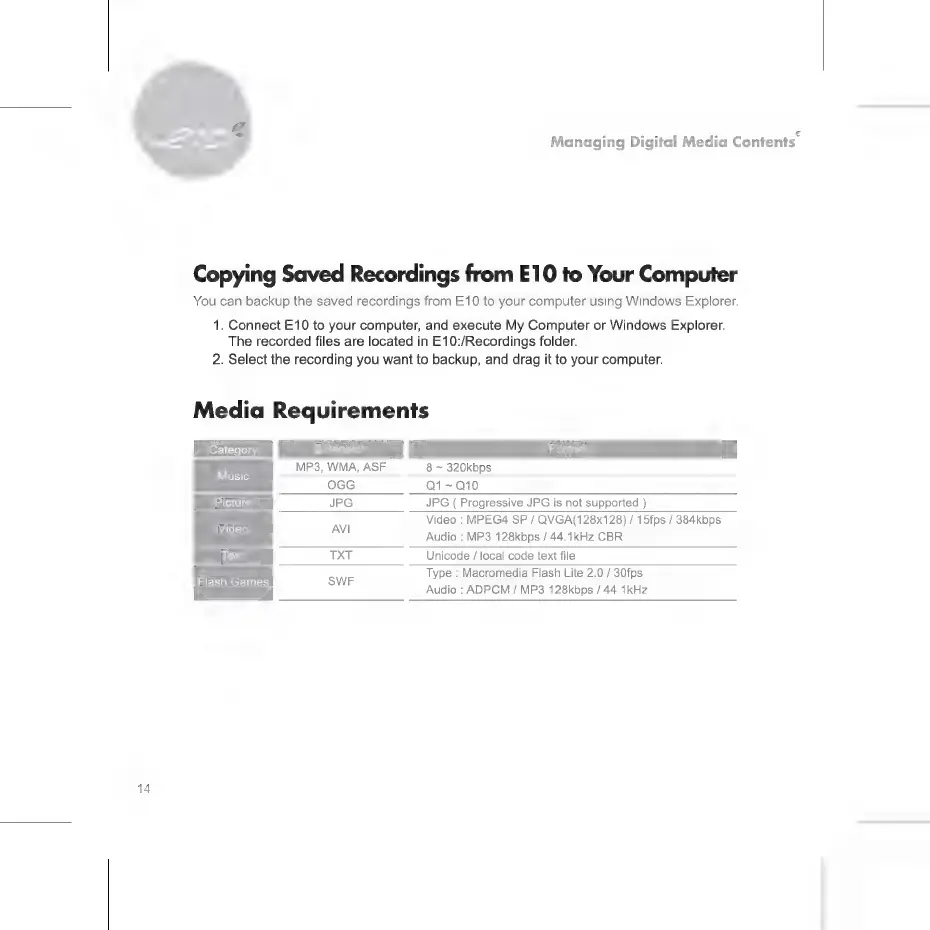
Media
Requirements
Category
s
MP3,
WMA,
ASF
8
~
320kbps
usic
OGG
01-010
Picture
JPG JPG
(
Progressive
JPG
is
not
supported.)
Video
:
MPEG4
SP
/
QVGA(128x128)
/
15fps
/
384kbps
Audio
:
MP3
128kbps
/
44.1kHz
CBR
Text
TXT
Unicode
/
local
code
text
file
Type
:
Macromedia
Flash
Lite
2.0
/
30fps
Audio
:
ADPCM
/
MP3
128kbps
/
44.1kHz
Video
АМ
Flash
Games
SWF

Related product manuals