EasyManua.ls Logo

IRiver E10 - Page 28

IRiver E10
38 pages
Print Icon
To Next Page IconTo Next Page
To Previous Page IconTo Previous Page
Loading...
Extras
|
Universal
Remote
Control
E10
works
as
a
simple
universal
remote
control
that
can
be
used
on
some
of
the
TVs
in
the
market.
Basic
Features
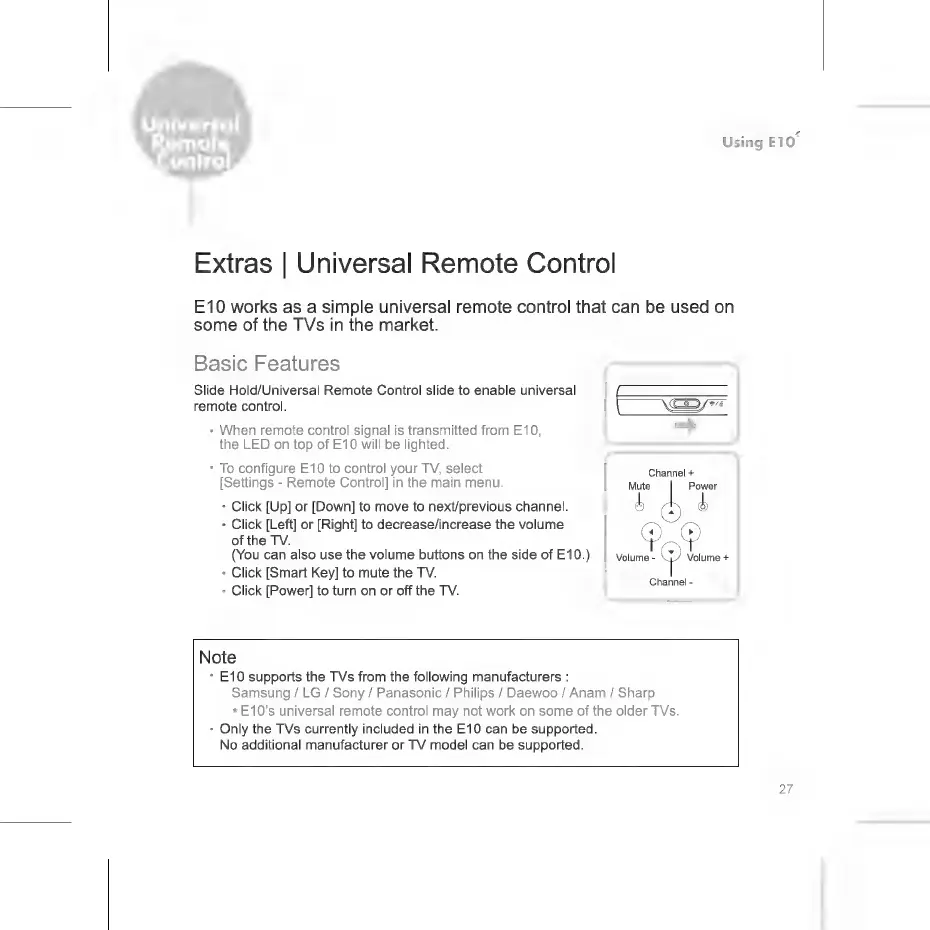
Slide
Hold/Universal
Remote
Control
slide
to
enable
universal
remote
control.
q
a
*
When
remote
control
signal
is
transmitted
from
E10,
the
LED
on
top
of
E10
will
be
lighted.
*
To
configure
E10
to
control
your
TV,
select
Channel
+
[Settings
-
Remote
Control]
in
the
main
menu.
Mute
Power
*
Click
[Up]
or
[Down]
to
move
to
next/previous
channel.
1
b
*
Click
[Left]
or
[Right]
to
decrease/increase
the
volume
=
T
of
the
TV.
Y
©
(You
can
also
use
the
volume
buttons
on
the
side
of
E10.)
|
volume-
СО
volume
+
*
Click
[Smart
Key]
to
mute
the TV.
*
Click
[Power]
to
turn
on
or
off
the
TV.
Channel
-
Note
*
E10
supports
the
TVs
from
the
following
manufacturers
:
Samsung
/
LG
/
Sony
/
Panasonic
/
Philips
/
Daewoo
/
Anam
/
Sharp
*E10’s
universal
remote
control
may
not
work
on
some
of
the
older
TVs.
*
Only
the
TVs
currently
included
in
the
E10
can
be
supported.
No
additional
manufacturer
or
TV
model
can
be
supported.

Related product manuals