Need help?
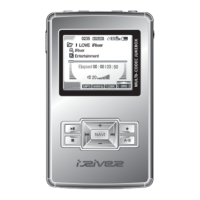
Do you have a question about the IRiver H10 5GB and is the answer not in the manual?
Expresses gratitude for purchasing the iriver H10 and introduces the manual.
Provides information on accessing the iriver website for support, updates, and FAQs.
Outlines copyrights, certifications, trademarks, and limited liability for the product and manual.
Details important safety instructions and precautions for using the product to prevent damage or injury.
Details the vivid color display, large capacity, ID3 tag database, and familiar software of the H10 player.
Identifies and lists all the included components and optional accessories for the H10 player.
Details the location of buttons and ports on the H10 player, remote control, and cradle.
Explains the different screens and displays on the H10 player's LCD, including music and radio modes.
Provides instructions on connecting the player to PC, power, cradle, and accessories.
Guides users through the process of installing necessary software, such as Windows Media Player 10.
Provides instructions on powering the player on/off and starting music playback.
Explains how to adjust volume and switch between different player modes.
Guides users through selecting and playing music files on the H10 player, including controls and EQ.
Explains how to configure various playback modes like Repeat and Shuffle for music playback.
Describes how to use playlists for managing and playing music titles on the player.
Provides instructions on transferring music and playlists from a PC using Windows Media Player.
Details how to tune into FM radio stations, scan frequencies, and save favorites.
Explains how to record voice memos, line-in audio, and FM radio broadcasts.
Guides users on how to view JPG image files stored on the player and transfer them.
Details how to read text files (.TXT) stored on the H10 player and transfer them.
Explains how to navigate and access all files on the player using the browser function.
Provides an overview of the player's settings menu structure and categories.
Explains how to navigate through the settings menu and its submenus.
Guides users on how to customize various function settings within the menu.
Details customization options for Sound settings like EQ, SRS, Beep, Play Mode, and Fade In.
Explains settings related to Voice, FM, and Line-In recording quality and volume.
Details timer functions for power-off, sleep, backlight, and recording schedules.
Covers extra settings like Reset, Language, Scan Speed, Tag Info, Auto Preset, Tuner Region, and Copyright.
Provides solutions for common problems encountered with the H10 player.
Lists the technical specifications and features of the H10 player.
Details FCC compliance information and regulatory statements for the device.
 General
| Brand | IRiver |
|---|---|
| Model | H10 5GB |
| Category | MP3 Player |
| Language | English |


 To Next Page