Need help?
Do you have a question about the IRiver SlimX iMP-900 and is the answer not in the manual?
Introduction to the iRiver website for product information, support, and firmware downloads.
Details rights and responsibilities regarding manual content and copyrighted software.
Mentions compliance with CE and FCC regulations.
Lists registered trademarks, including Microsoft products.
States the manufacturer's disclaimer of responsibility for damages from misuse.
Safety precautions related to the power supply and AC adapter usage.
Safety guidelines for handling the player, including avoiding water, magnets, and dropping.
Highlights the player's thin profile with a depth of 13.7 mm.
Supports MP3, WMA, OGG, ASF, and standard Audio CD formats.
Offers up to 120 hours of playback with internal and external batteries.
Allows for the latest features and updates via firmware upgrades.
Features a 4-line LCD supporting 40 languages, including Chinese.
Includes overcharge protection and a discharging function to maximize battery life.
Provides skip protection using anti-skip technology and buffering.
Offers 6 preset EQ modes: Normal, Rock, Jazz, Classic, U Bass, Metal.
Allows custom EQ and enhanced bass/surround sound with Xtreme 3D.
Features auto scanning and frequency memory for easy FM radio listening.
Recognizes discs in Packet Write or Multi-session format.
Supports Winamp M3U playlists, up to 20 lists.
Utilizes a Graphic User Interface for menu navigation.
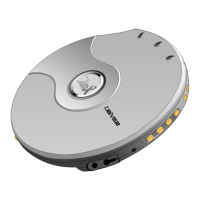
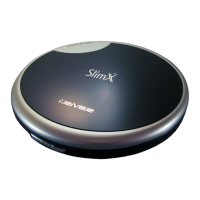
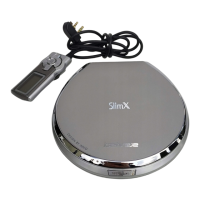
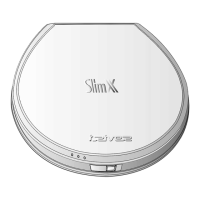
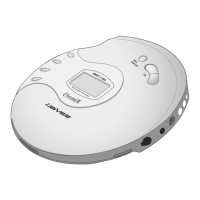
The main device unit.
Accessory for controlling the player remotely.
Essential documentation for product usage and warranty.
Audio output accessories for listening to music.
Power supply for charging the player.
Accessory for transporting and protecting the player.
Internal power source for the player.
Accessory for extended battery life.
Identifies controls on the front of the player, like LINE OUT and EARPHONE jack.
Details rear controls, including DC IN and EXTENSION BATTERY PORT.
Shows the battery compartment inside the player.
Identifies buttons and functions on the remote control unit.
Explains the display elements during music playback, like track number and battery status.
Describes the LCD display during FM radio operation, showing frequency and preset channels.
Step-by-step guide for connecting the AC adapter to charge the player.
Instructions for inserting and securing rechargeable batteries.
Guide for inserting batteries into the external battery pack.
Instructions for connecting the remote control and earphones to the player.
Details the process of recharging internal batteries using the AC adapter.
Explains the discharge and charge function for battery maintenance.
Step-by-step guide for basic music playback operations.
Instructions for powering on and tuning into FM radio stations.
How to automatically scan for and find FM stations.
Guide to selecting previously saved FM stations.
Steps to store desired FM stations into memory.
How to remove saved FM stations from memory.
Process for automatically saving the first 20 found FM stations.
How to navigate through tracks and folders using player controls.
How to select and adjust equalizer presets for sound customization.
Options for Repeat and Shuffle modes to control music playback.
How to repeat a specific segment of a track.
How to queue songs for playback in a desired order.
Steps to create and activate a custom playlist of songs.
How to play the programmed list of songs.
How to stop or cancel the current program playback.
How to skip tracks backward or forward by 10 at a time.
Explanation of the anti-skip feature for preventing playback interruptions.
Guide to creating and playing M3U playlists using Winamp.
Overview of customizable settings and options.
How to navigate and select main menu categories.
Process of moving from a main menu to its sub-menus.
How to select options within a sub-menu.
How to exit main and sub-menus to return to the initial setting.
Setting to resume playback from the last position or track.
Option to select the display language, supporting 40 languages.
Enhanced Anti-skip feature for CDs, with adjustable protection levels.
How to set the sorting order for files and folders.
Function to set or change a password for player security.
Option to reset player settings to factory defaults.
Settings for charging rechargeable batteries, including discharge/charge option.
Setting to enable or disable reading of Multi-session CDs.
Adjusts the LCD backlight time and adapter-on behavior.
Allows adjustment of the LCD screen contrast.
Displays audio signal visualization at play mode.
Controls display of ID3 tag information or file name.
Sets display to show elapsed or remaining time of the current track.
Adjusts the battery indicator level for different battery types.
Automatically powers off the player after a set time, with beep options.
Automatically turns off power at stop mode in CD function.
Controls fast scanning within tracks or songs in folders.
Allows skipping 10 songs or 1 folder forward/backward.
Sets the speed for fast scanning (1x, 2x, 4x, 6x).
Adjusts the character scroll speed on the LCD for vertical and horizontal text.
Defines behavior for -10/+10 button for track skipping or folder skipping.
Automatically pauses playback after loading a disc or song.
Options for Repeat and Shuffle modes to control music playback.
Plays the beginning of tracks or highlights at specific points.
Configures skip, beep, and time settings for study purposes.
Sets beep volume for button operations, designed for blind users.
Allows input of custom text or name, up to 12 characters.
Adjusts the 5-band equalizer settings from -15dB to +15dB.
Enhances 3D sound with options for Bass Boost and 3D EQ.
Selects Bass Center Band levels and Bass Boost gain.
Allows adjustment of 3D sound preference with 5 band steps.
Sets volume to 35 when AC adapter is attached for stereo system use.
Adjusts the balance of sound output between left and right earphones.
Limits equalizer frequency to prevent sound distortion.
Automatically changes EQ based on ID3 TAG genre information.
Allows selection of various EQ modes, excluding Normal EQ.
Sets the beep volume for button operations ON/OFF or level.
Gradually increases volume at playback start to prevent sudden loudness.
Steps to set a new password for player security.
Procedure to change an existing password or confirm a new one.
Instructions on how to download and install firmware updates from the iRiver website.
Frequently asked questions regarding player operation and features.
FAQs about copying MP3 files to CD, burning requirements, and tape-to-CD conversion.
FAQs concerning track listening, playlist limits, file formats, and sound issues.
FAQs on media support, VBR files, and sound quality after conversion.
Steps to troubleshoot power issues, checking batteries and HOLD switch.
Solutions for disc loading errors, checking CD condition and insertion.
Troubleshooting steps for audio issues, checking volume, connections, and file integrity.
Troubleshooting steps for AC adapter and remote control functionality.
Tips for improving battery life and addressing corrupted LCD display.
Solutions for FM reception and charging issues, checking connections and settings.
Guidelines for handling discs to prevent damage and ensure data integrity.
Safety advice regarding liquids, foreign objects, and using the correct adapter.
General precautions related to playback, file types, and track display.
Technical specifications for audio output, S/N ratio, and FM frequency range.
Details supported CD types, file formats, bit rates, and tag information.
Specifications for power supply, dimensions, weight, and playback time.
FCC compliance statement and conditions for operation.
General safety warnings regarding radiation exposure, fire hazards, and hearing.
 General
| Type | Portable CD Player |
|---|---|
| Disc Formats | CD, CD-R, CD-RW |
| Supported Formats | MP3, WMA |
| Signal-to-Noise Ratio | 90 dB |
| Frequency Response | 20 Hz - 20 kHz |
| MP3 Bitrates | 8 - 320 kbps |
| Display | LCD |
| Power Source | AC adapter |
| Headphone Output | 3.5mm |
| Additional Features | ID3 tag support |


 To Next Page