
 Need help?
Do you have a question about the Ironside 202255 and is the answer not in the manual?
Answers common user questions about charger, sound quality, connectivity, and startup issues.
Provides essential notes for first-time use, charging, and environmental considerations.
Lists critical safety instructions to prevent damage, injury, and hazards.
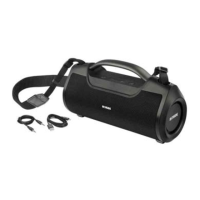
Lists the items included with the Bluetooth speaker, such as cables and manuals.
Details the speaker's buttons, ports, and indicator lights for basic operation.
Instructions for powering the speaker on/off and establishing a Bluetooth connection.
Guidance on adjusting volume, controlling songs, and switching sound effects (EQ).
How to answer, end, or reject calls using the speaker's handsfree function.
Steps for connecting two speakers wirelessly for stereo sound.
Instructions for connecting and playing audio via the 3.5mm AUX input.
Details on charging the speaker and important battery-related notices.
Information on automatic power off and the dual functions of the USB port.
Explains the meaning of different indicator lights for various modes.
Describes how to switch between Bluetooth, AUX, and U Disk modes.
Details on charging status, low battery indication, and power off.
Lists key technical details including model, version, capacity, and dimensions.

 To Next Page
 General