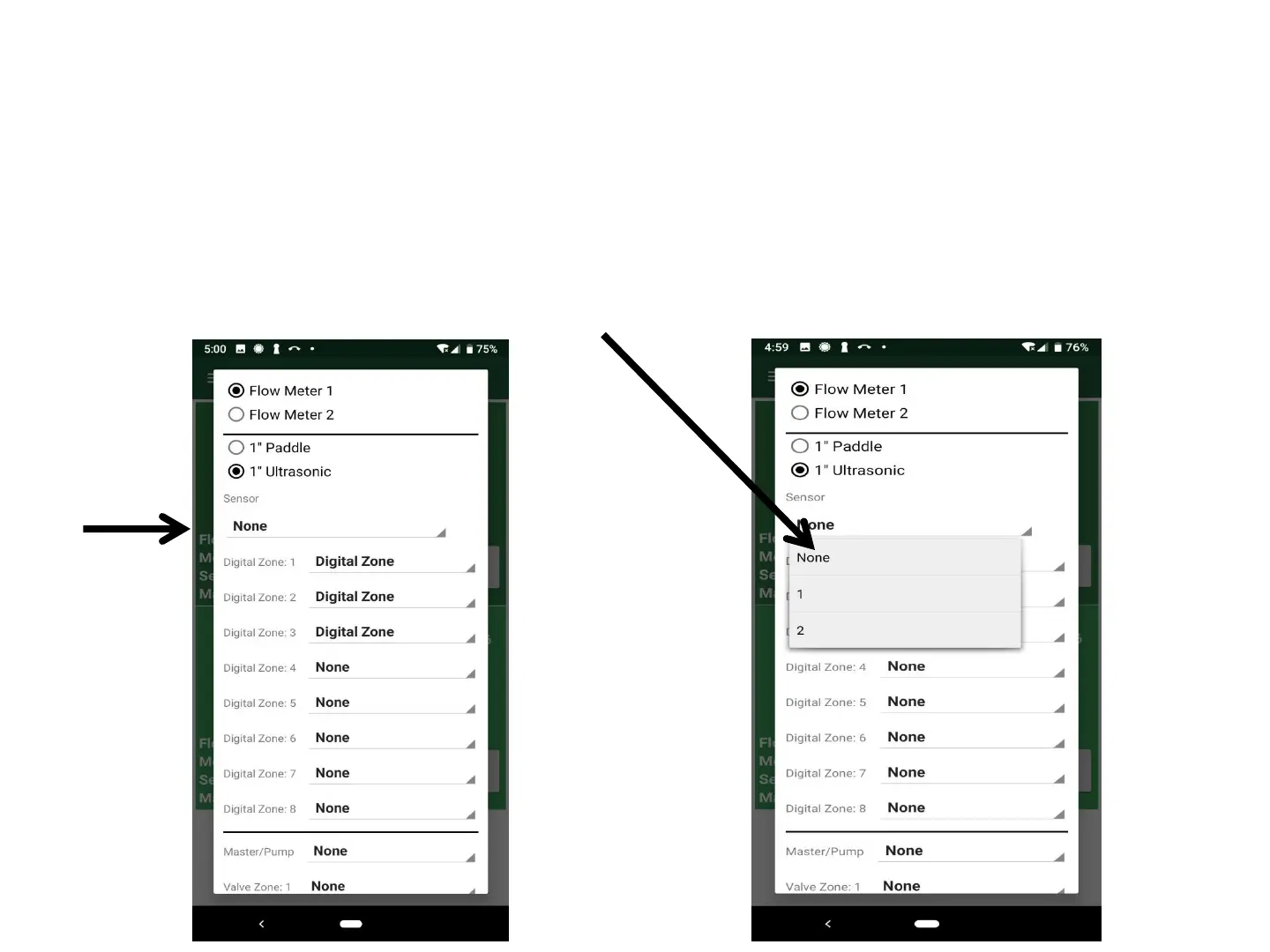
System Settings: Step 4
Select Sensor Inputs for any Rain or Soil Moisture Sensors (SMS)
(No Sensor Inputs is the default)
A. Click “Sensor: None”(default)
B. Sensor Input Menu appears
C. Select “None”, “1”, or “2” Sensor inputs
No Sensor Inputs (Default)
1 Sensor (Rain sensor or SMS)
2 Sensor (Rain and Soil Moisture)
13



 To Next Page