EasyManua.ls Logo

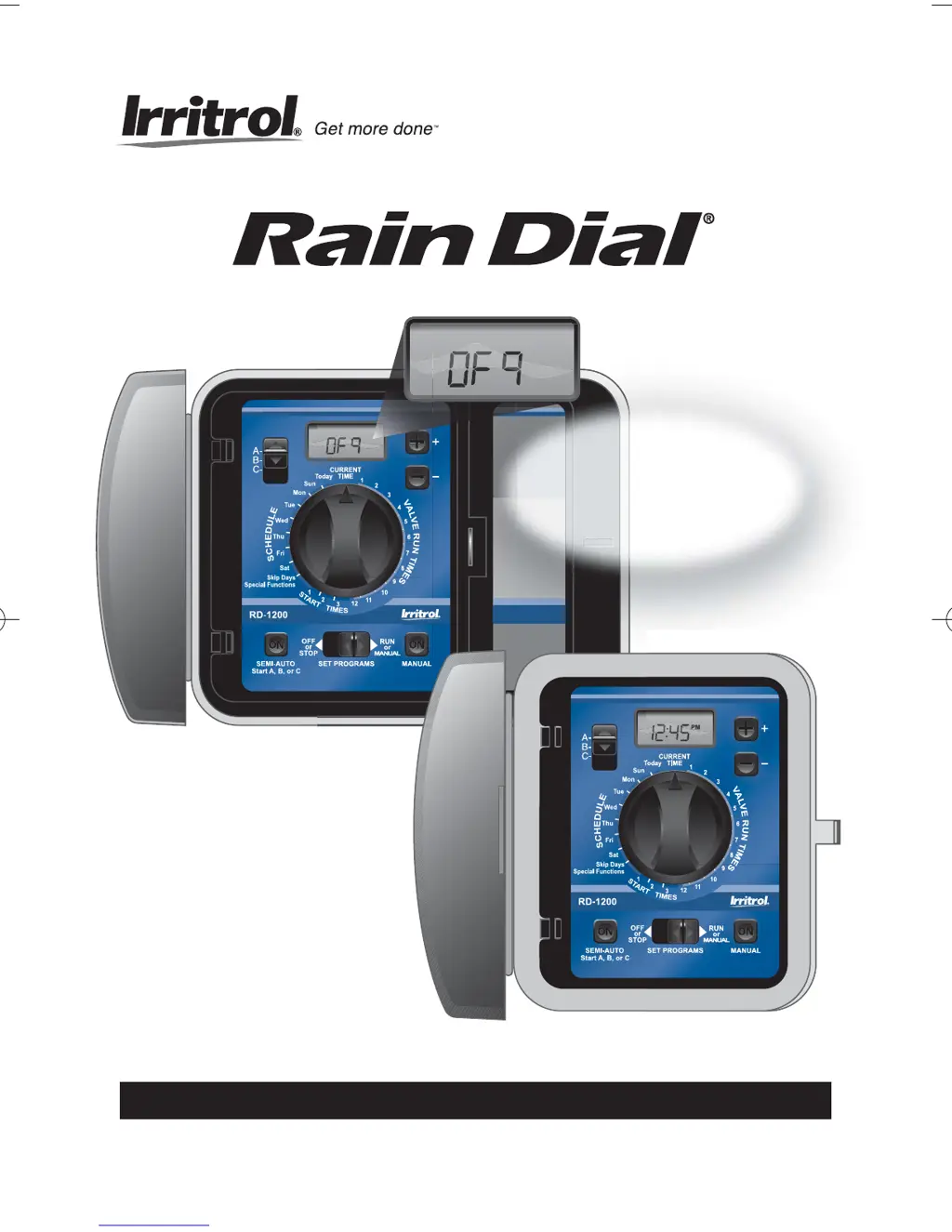
Irrtitrol Rain Dial RD-1200 - User Manual

Default Icon
40 pages
Print Icon
To Next Page IconTo Next Page
Loading...
O
I
ndoor and Outdoor Models RD-600 • RD-900 • RD-1200
O
6-, 9- and 12-Station Irrigation System Controller
User’s Guide
• Setup
• Installation
• Programming
• Troubleshooting
NNeeww RRaaiinn DDeellaayy FFeeaattuurree
Postpones automatic
watering up to 9 days!
(See page 24 for details.)
Rain Dial UGuide New 4/3/07 8:10 AM Page i

Questions and Answers

  • D
    Dalton OwensAug 5, 2025
    What to do if no valves operate on my Irrtitrol Controller?
    • T
      Tanya BarronAug 5, 2025
      If no valves are operating, several issues could be the cause. First, check that the Function Switch is set to either the Run or Manual position, not OFF. A defective valve solenoid could also be the problem, so test and replace it if necessary. Ensure all wire connections are secure, paying special attention to the common wire or “VC” connection. Also, verify that the current day is correctly set in the display and that Skip Days are programmed correctly. Make sure Start Times are properly set and that Rain Delay is turned off.
  • T
    Timothy BellAug 9, 2025
    Why is the current time wrong and flashing on my Irrtitrol Controller?
    • E
      elizabeth19Aug 9, 2025
      If the current time is wrong and flashing, and the display shows “FUS” and a station number, it usually indicates a power outage occurred without battery backup. Install or replace the battery and then reset the time. Another possible cause is excessive current load due to a shorted wire or defective solenoid. Inspect the wiring and splices for a short circuit and replace any defective solenoids.
  • K
    kdavidsonAug 13, 2025
    What to do if my Irrtitrol Rain Dial RD-1200 program won’t display?
    • A
      Amber MoodyAug 13, 2025
      If the program won’t display on your Irrtitrol Controller, ensure the Function switch is in the Run position. Also, if the controller is currently in a watering cycle, you will need to check or change the program with the Function switch in the Set Programs position.
  • G
    Gary YoungAug 17, 2025
    How to reset the Irrtitrol Rain Dial RD-1200 display after a power outage?
    • L
      lindseymichaelAug 18, 2025
      If your Irrtitrol Controller displays incorrect information after a power outage or being unplugged, the battery may be weak, dead, or not installed. Remove AC power and the battery for one minute. Then, install or replace the battery and restore power.
  • J
    Jonathan FrostAug 22, 2025
    What to do if some valves do not operate on my Irrtitrol Rain Dial RD-1200 Controller?
    • B
      Barry BarnettAug 22, 2025
      If some of the valves do not operate, it could be due to a defective solenoid or a loose wire connection. Test and replace the solenoid if necessary. Also, ensure that all wire connections are secure and check for connection continuity.
  • F
    fclarkAug 27, 2025
    Why is my Irrtitrol Rain Dial RD-1200 Controller display blank?
    • U
      uchungAug 27, 2025
      If your Irrtitrol Controller display is blank, it indicates a loss of power. Check the circuit breaker panel, wiring connections, transformer, and the 2A fuse.
  • F
    Francisco JenkinsAug 30, 2025
    What to do if the Irrtitrol Rain Dial RD-1200 valve will not turn off?
    • L
      Lauren KingAug 30, 2025
      If a valve will not turn off even with the Function switch in the OFF position, it may be due to a valve malfunction or an open manual On (bleed) mechanism. Carefully turn the solenoid or manual bleed screw clockwise to close and shut off the valve. If the problem persists, repair or replace the valve as necessary.

Summary

Key Features

Getting Started

Installation Procedures

Connecting the Valve Wires

Routing and connecting valve wires to controller terminals.

Connecting the Earth Ground

Connecting the controller to an earth ground for protection.

Connecting the Power Source

Connecting the AC power source for indoor and outdoor models.

Station Test Run Feature

Enables a test run for all stations operated in sequence.

Getting the Most from Your Rain Dial Controller

Basic Programming Procedures

Setting Current Time and Day

Step-by-step guide to setting the controller's time and day.

Setting Valve Run Time

How to assign watering duration for each station.

Setting Program Start Times

Setting up to three start times for each watering program.

Setting Watering Day Schedules

Setting up Weekday, Skip Days, or Odd/Even date schedules.

Setting Skip Days Schedule

Procedure for setting watering intervals based on days.

Setting Odd;Even Date Schedule

Procedure for setting watering days based on calendar dates.

Special Functions and Features

Rain Delay Feature

Postpones automatic watering activity for a specified number of days.

Diagnostic Circuit Breaker

Detects and bypasses stations with short circuits or faulty solenoids.

Manual Operations

In Case of a Problem...

Troubleshooting

Lists problems, possible causes, and corrections for controller issues.

Replacing the Fuse

Remote Control Feature

Irrtitrol Rain Dial RD-1200 Specifications

General IconGeneral
Stations12
Number of Zones12
Start Times per Program4
Manual WateringYes
Rain DelayYes
Display TypeLCD
Rain Sensor InputYes
Backup BatteryNo
DisplayYes

Related product manuals