4 of 30
1 USER INTERFACE
1.1 Status and black-out
The interface has the following operating modes:
- “off” (device is not powered);
- “stand-by” (the device is powered but switched off);
- “on” (the device is powered, switched on and awaiting start-up of an operating cycle);
- “run” (the device is powered, switched on and running an operating cycle).
“switch on or the device” means from “stand-by” to “on” and reverse mode.
BLACK-OUT If the power supply fails and restores during “stand-by” or “on”, the unit back to its previous status.
If the power supply fails and restores during “run” mode, the device will operate as follows:
- if blast chilling or freezing was in progress, the cycle will resume, taking into account the duration of the power loss;
- if a conservation cycle was running, this will continue using the same settings;
- if a proofing or slow cooking cycle was running, the cycle will continue where it left off.
1.2 Prima accensione del dispositivo
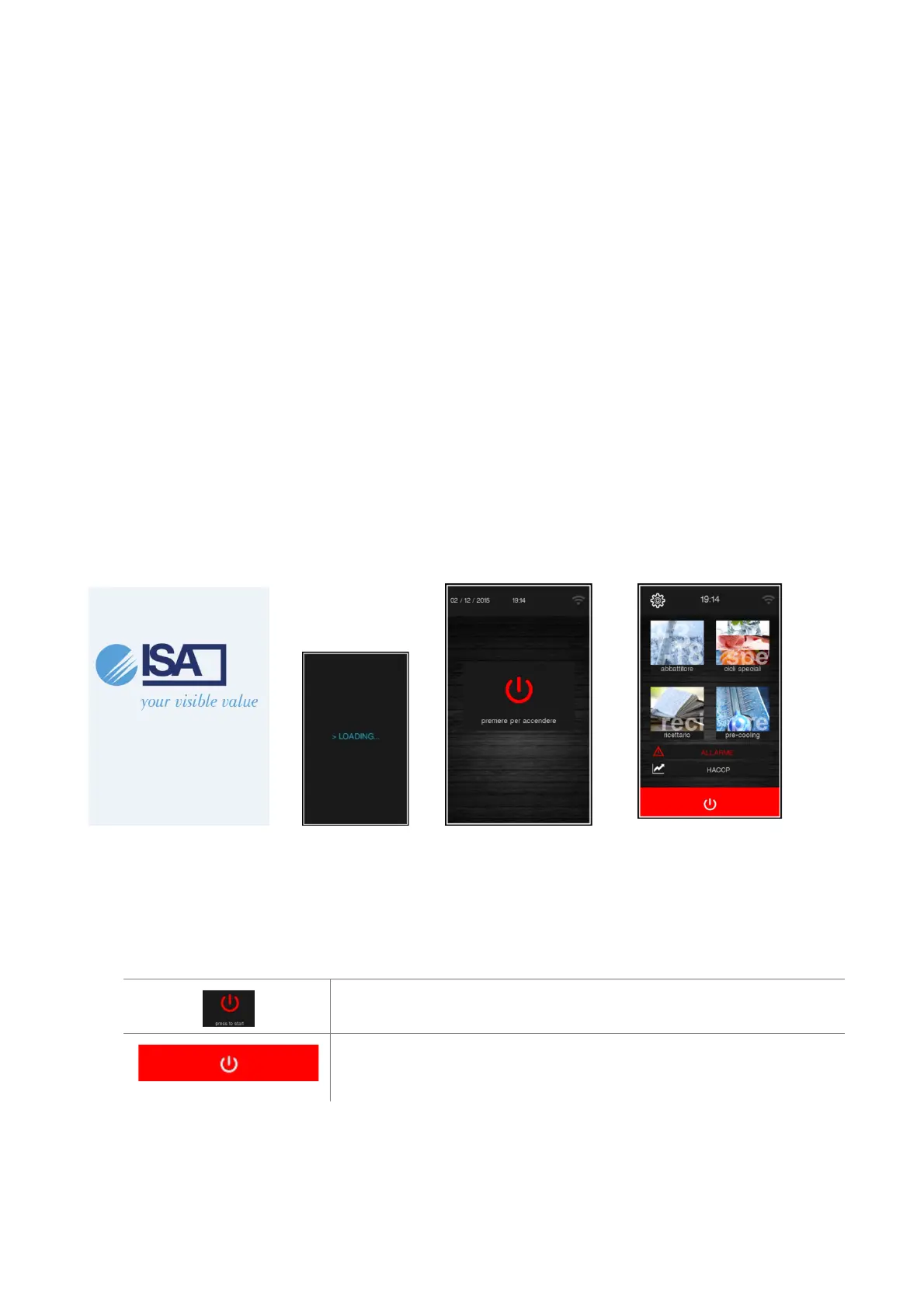
After connecting the power supply, the Splash page is on for some seconds. Then the unit loads the STAND-BY page,
Push the "on" button to access to the HOME PAGE
SPLASH STAND-BY HOME
RTC ALARM For long blackout the “RTC” clock alarm indicates that the data adjustment is necessary under Service
menu.
1.3 Switching the device on and off
To switch the device off, press the red area at the bottom of the Home screen.
To switch the device on, press the central area in the On/Stand-by screen and
the Home screen will open.


 To Next Page