17 of 30
4.1 Fish sanitation
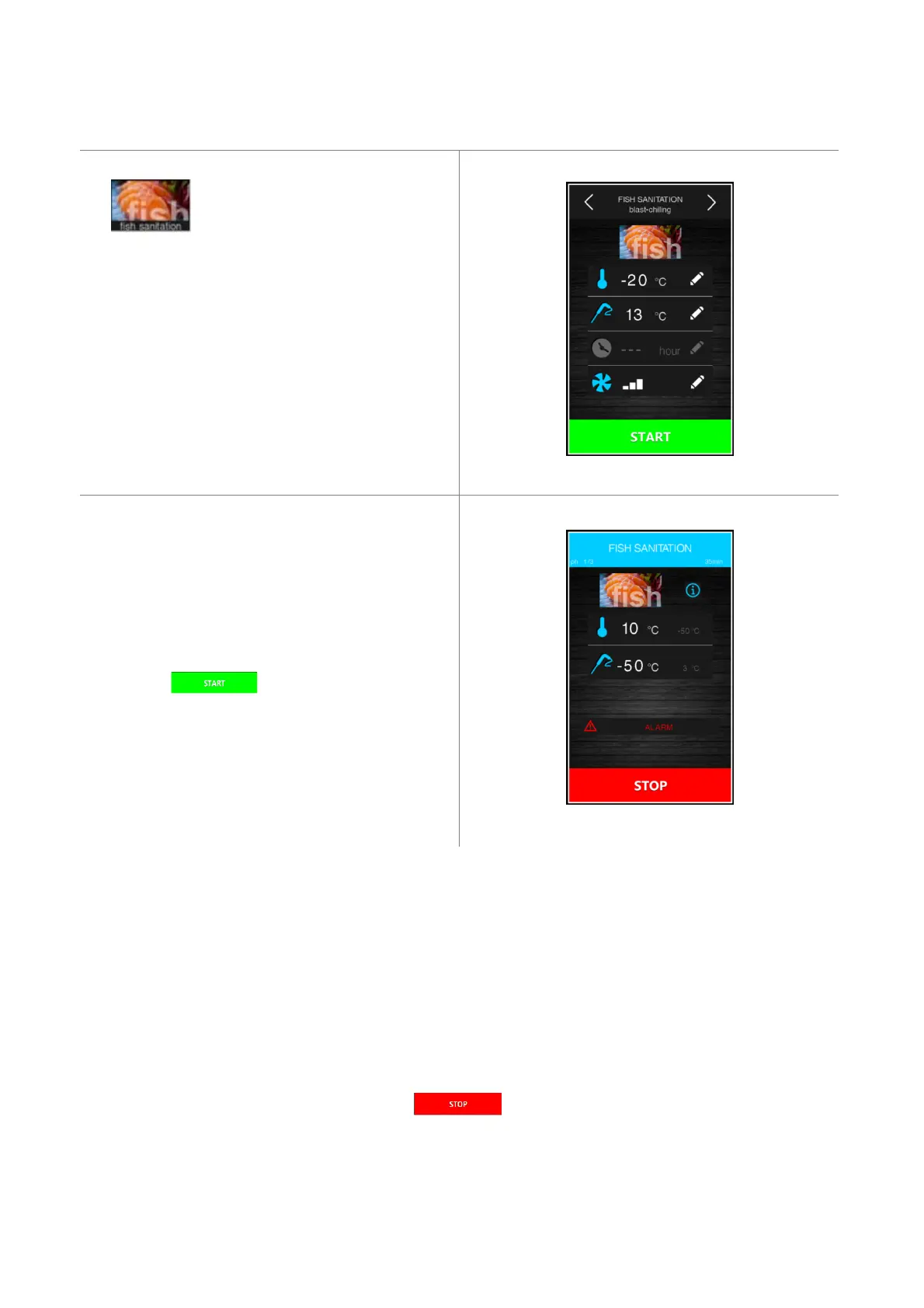
Pressing this area enables selection of
a fish sanitation cycle.
This special cycle consists of the following phases:
- blast chilling with the cabinet set point set by
parameter r19 and with the product temperature set
point set by parameter r20;
- holding for the time period set by parameter r21 and
the cabinet set point given by r20;
- conservation with the cabinet set point given by r22.
The arrows at the top make it possible to move between
the various sanitation phases to see/modify the set
points.
After the function is selected, the screen with the pre-
settings will be shown, that can be modified.
Pressing the key starts up the sanitation.
While a sanitation cycle is in progress the device will
show the temperature to end blast chilling, the working
set point during blast chilling and the duration of the
holding phase.
The sanitation cycle starts with the blast chilling phase. When the temperature recorded by the needle probe reaches
the temperature to end blast chilling, the device will move on automatically to holding.
The temperature to end blast chilling (set by r20) is also the working set point during holding.
When the holding period has elapsed, the device will move on automatically to conservation.
The probe insertion test is always carried out at the beginning of the cycle: if the test is not completed, the buzzer
sounds and the cycle is interrupted.
During blast chilling the device shows the temperature recorded by the needle probe, the cabinet temperature and the
time elapsed since the start of the blast chilling process.
The cycle may be interrupted early by pressing the key.


 To Next Page