27 of 30
6 PRE-COOLING MODE
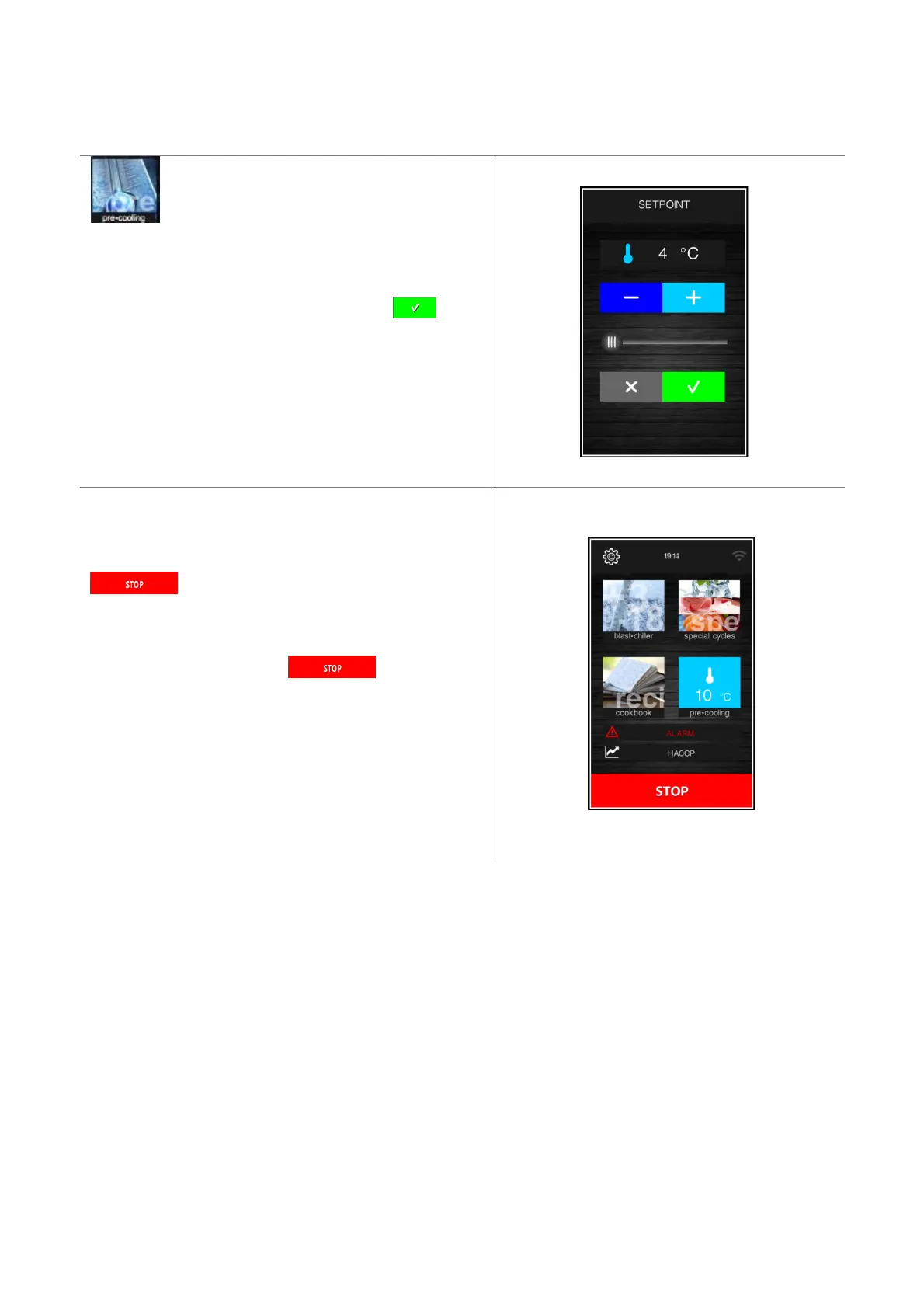
Pressing this area on the Home page enables
selection of a pre-cooling cycle. This cycle is
similar to a normal blast chilling cycle and it may
precede all operating cycles.
Pressing the area in question opens the following screen.
Set the required set point value and press area to start
the cabinet pre-cooling cycle. The screen below will be
displayed showing the pre-cooling cycle in process.
FAN SPEED The fan speed is fixed and set by parameter F28.
This screen makes it possible to select further cycles or the
key can be pressed to stop pre-cooling.
Once the required cabinet set point has been reached, the
buzzer sounds and the cycle continues maintaining the cabinet
temperature achieved until the key is pressed or
until a blast chilling/blast-freezing cycle starts up. If pre-
cooling is underway, it will be automatically stopped when
another cycle is selected and started.


 To Next Page