£
isel- Ê«>VÌʵիiÌÊÊ*
1
2
È /ÀÕLiÃÌ}
ÊÊÊÊÊÊÊÊÊÊ>ÕÌ ÊÊ>ÕÃi
,ii`Þ
Equipment can not be turned on No mains power is available check the mains circuit,
power plug, multiple socket outlet
Mains switch is not turned on turn on the mains switch
Fuse is defective *ÕÊÌiÊ«ÜiÀÊ«Õ}
replace the fuse (see below)
POWER button does not function Hood not closed close the hood
Emergency-Off not released release Emergency-Off
Fuse is defective *ÕÊÌiÊ«ÜiÀÊ«Õ}
replace the fuse (see below)
Software does not work correctly Equipment not turned on turn on the equipment (mains switch)
Power stage not turned on activate power stage (POWER button)
Driver not loaded install the driver
Connection is not correct check the cable connectors
Tooling machine (spindle) Not released by the software reset the equipment and perform
does not function a reference movement
Rotary switch at the turn on the tooling machine
tooling machine is off
Fuse is defective *ÕÊÌiÊ«ÜiÀÊ«Õ}
replace the fuse (see below)
Scaling of the axes Leadscrew pitch does not corres- Change the leadscrew pitch in the
is not correct pond to the setting in the software driver program to 4 or 10 mm
First movements do not correspond EPROM contents a program Delete the EPROM (s. page 16)
to the programm
ÕÃiÊÀi«>ViiÌ
*ÕÊÌiÊ«ÜiÀÊ«Õ}ÊLivÀiÊV>}}Ê>ÞÊvÕÃit
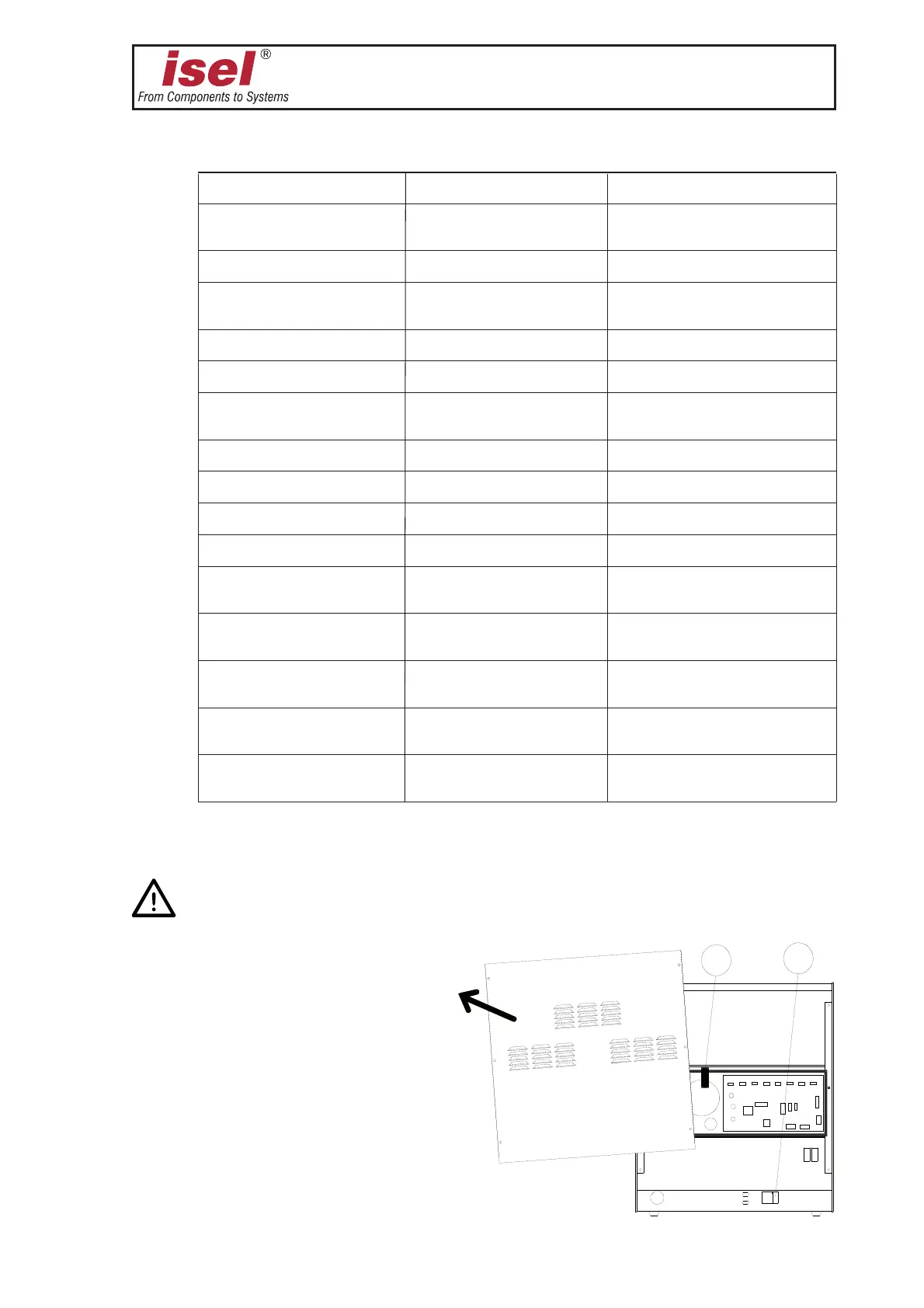
The main fuses of the machine
➀ are amenable from the outside. They are located directly
beside the power plug.
Remove the large rear-panel for
changing the other fuses. You find the
main fuse for the motor voltage
➁ in
front of the transformer in the black
plastic holder (
➀ + ➁: 6.3 A each ).
The remaining fuses are located on
the controller printed circuit board.


 To Next Page
 Loading...