Ishida AC-4000 / AC-4000B Receipt Operation & Setup
Keyboard
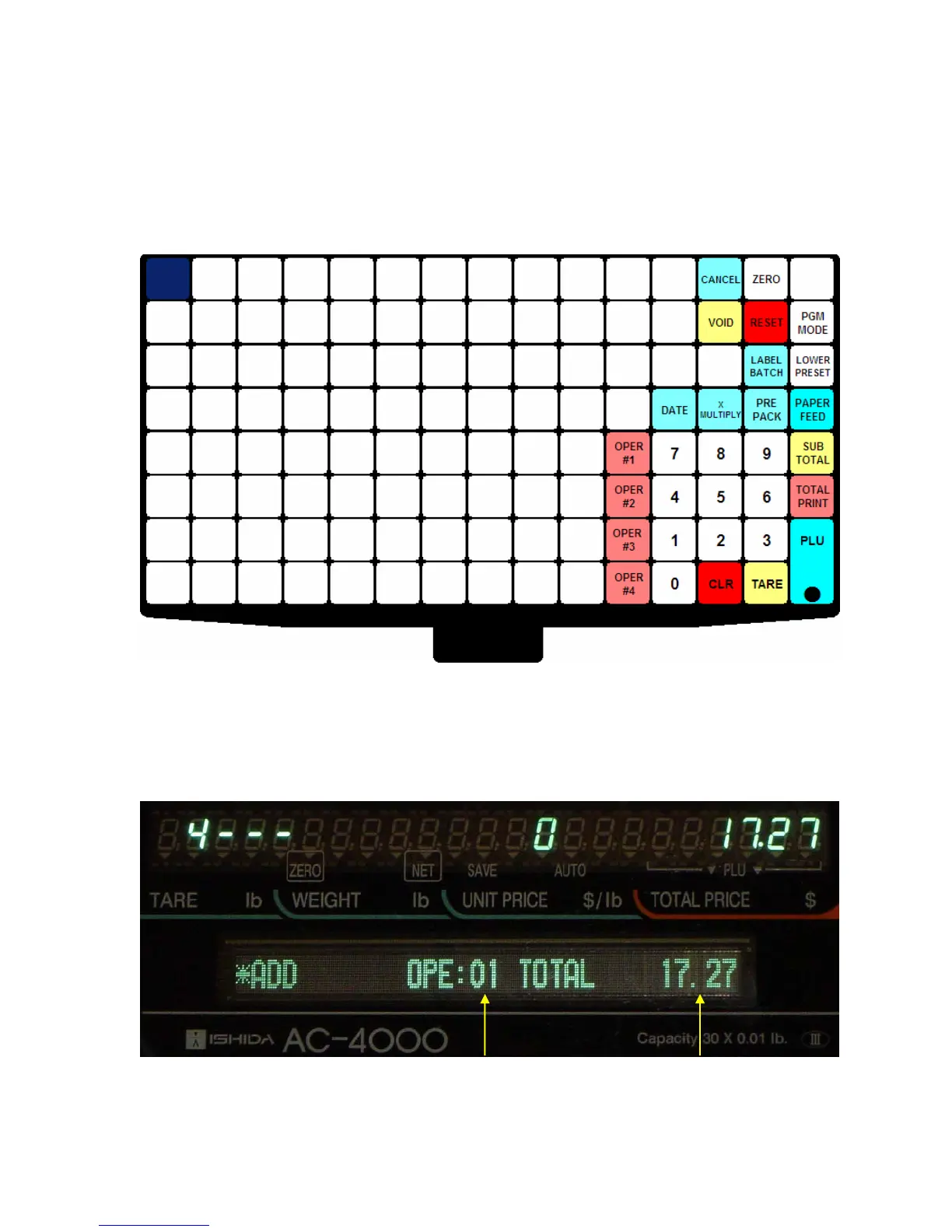
The following key functions are added for receipt operation.
CANCEL: use to delete all accumulated items for an Operator.
VOID: use to delete the last item accumulated by an Operator.
SUB TOTAL: use to change between the normal display and the Sub Total display.
TOTAL PRINT: use to complete a transaction and prints the receipt.
Figure 1. Receipt Operation Keyboard with Sample Operator Preset Keys Programmed
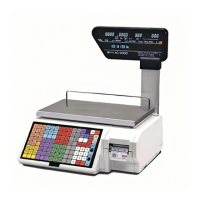
Sub-Total Display
The image below identifies the data shown on the Sub-Total display.
Ke
In
ut
Transaction Count Total Price
Total Price
Operator Number
Figure 2. The Sub-Total Display
Release 0, December 2007 2/4 AC-4000_Receipt_Manual



 To Next Page