5-45
COMFORT AND CONVENIENCE
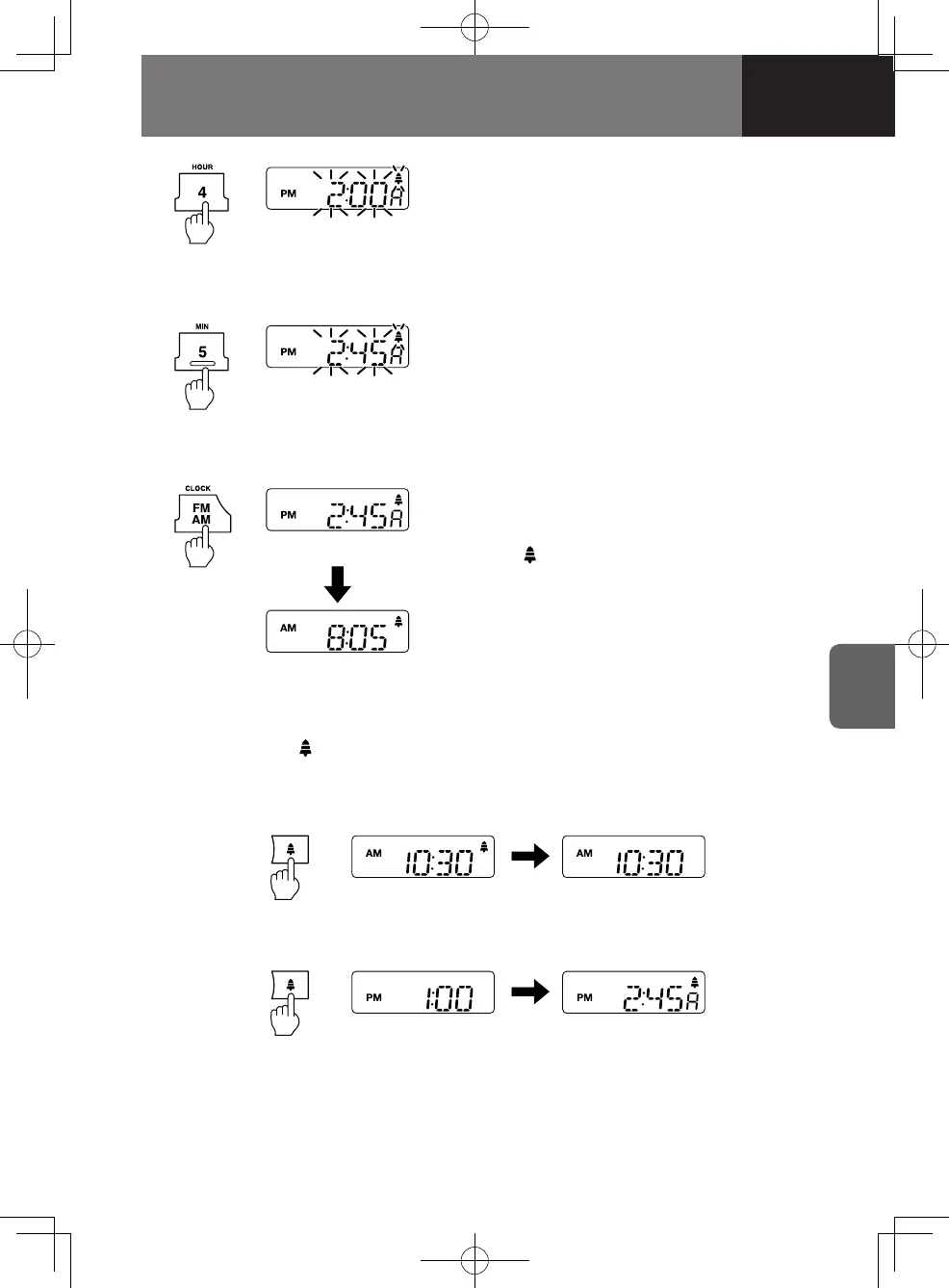
Time flashes
Time flashes
Alarm set
Present time
3. Adjust the hour by pressing the preset
button "4/HOUR" for less than 2
seconds.
Press and hold the preset button
"4/HOUR" for 2 seconds or more to
advance the hour continuously.
4. Adjust the minutes by pressing the
preset button "5/MIN" for less than 2
seconds.
Press and hold the preset button
"5/MIN" for 2 seconds or more to
advance the minutes continuously.
5. Press the AM/FM Button "AM/FM/
CLOCK" for less than 2 seconds, the
display returns to the time of day, and
"
" is shown in the top right of the
display to indicate that the alarm has
been set.
Turning the Power Off
Turning the Power On
Switching the Alarm On/Off
Press and hold the " " button for 2 seconds or more until you hear the "beep" to
switch the alarm ON/OFF.
4608498sec05COMFORTANDCONVEN5-455-454608498sec05COMFORTANDCONVEN5-455-45 2015/11/0214:11:272015/11/0214:11:27



 To Next Page