-09-
-10-
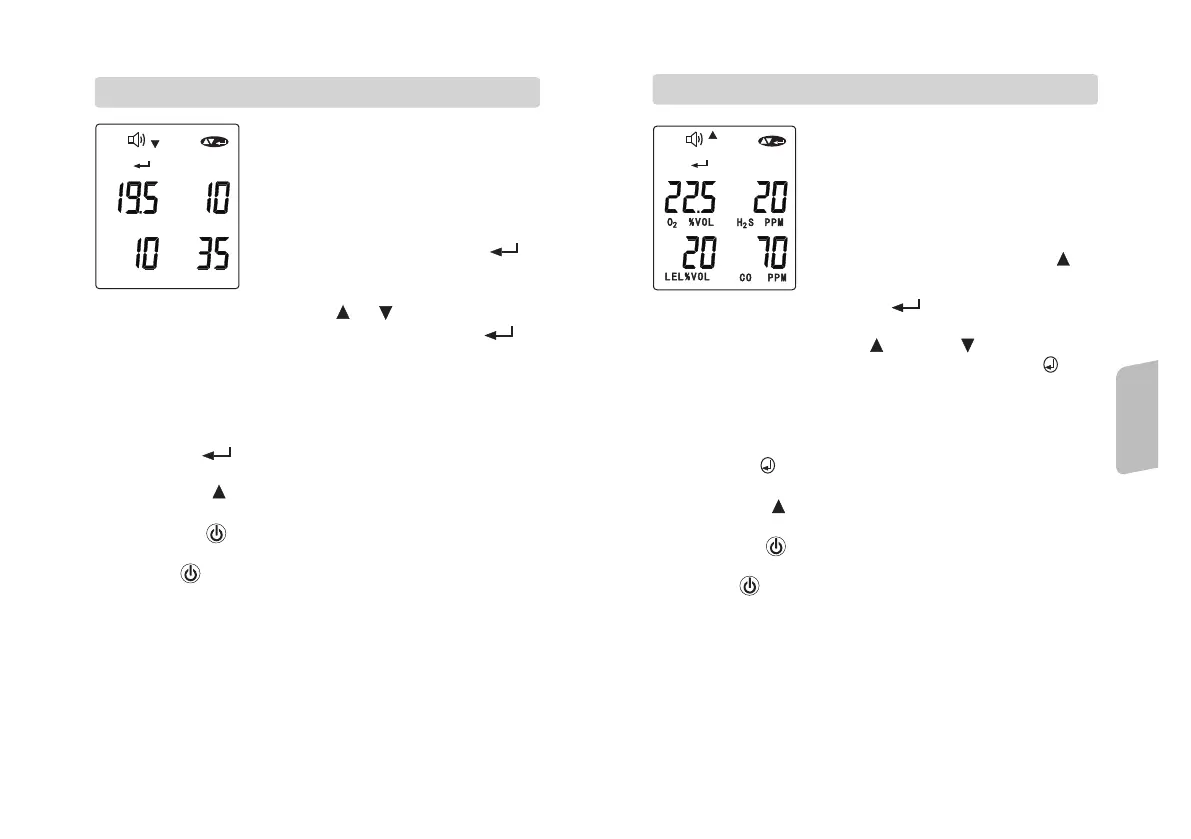
1. the high alarm setting mode is the
second configuration screen of the unit.
2. in the mode the display will show
(speaker) (down) (enter) and
(up/down/enter) icon along with the 4
gases high alarm value.
3. if no change is required, press
button to move to nest setting mode.
1. Low alarm setting mode is the first
configuration screen, the display will
show the (speaker) (down) (enter) and
(up/down/enter) icons along with the
four low alarm set readings of the 4
gases.
2. if the change is desired, press
button, the first gas low alarm value
will be flashing.
2.8. LOW ALARM SETTING MODE
3. To adjust the value by depress or button.
4. Once the setting is confirmed and completed, press to
next gas low alarm setting.
5. Continue this setting procedure until 4 gas low alarm value
are set, the display will show (speaker) (down) (enter) and
(up/down/enter) icon along with the 4 new low set alarm
value.
6. Depress the button for re-enter this setting mode again
for further adjusted setting if required.
7. Pressing the button to move the setting to high alarm
setting mode.
8. Depress the button, the unit will back to low alarm
setting mode with no changes will be saved.
9. Depress button for second time, the unit will be back to
the original gas monitoring mode.
2.9. HIGH ALARM SETTING MODE
4. If the changed is needed, press button to have the first
high alarm value will be flashing.
5. To adjust the value by press button or button.
6. Once the setting is confirmed and completed, press
button to next high alarm setting.
7. Continue this setting procedure until 4 gases high alarm value
are set. The display will show (speaker) (down) (enter) and
(up/down/enter) icon along with the 4 new set alarm value.
8. Depress the button for re-enter this setting mode again
for further adjusted setting if required.
9. Dressing the button to move the setting to next TWA
value setting mode.
10. Depressing button , the unit will back to high alarm
setting mode with no changes will be saved.
11. Depress button for second time, the unit will be back to
the original gas monitoring mode.
O % V O L
2
H S P P M
2
L E L % V O L
C O P P M
,
\
,
\
Operation
Explanations



 To Next Page