-13-
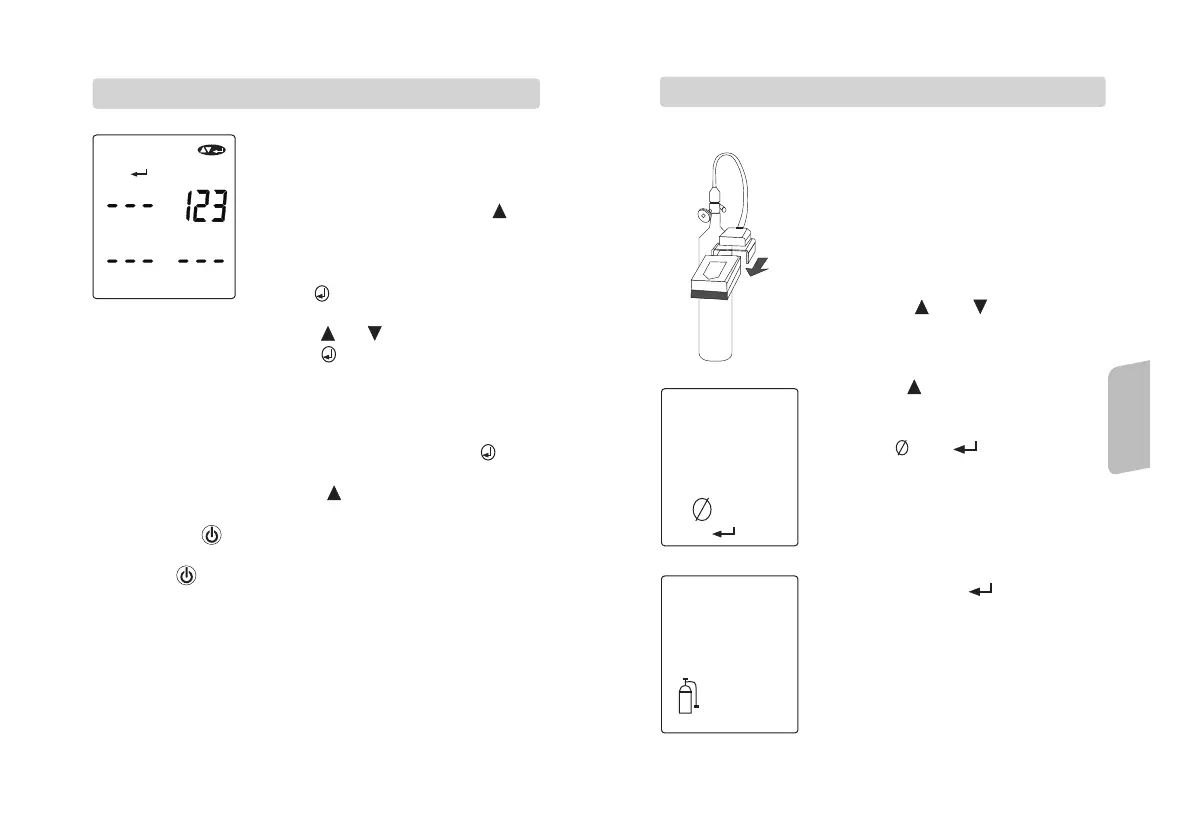
1. The next setting is the security code
setting, The display will show (enter)
(up/down/enter) and the manufacturing
preset security 123.
2. If no change is required, press
button to move into other LEL setting
mode.
3. If security code need to be changed,
press button, then the preset code
will be flashing.
2.12 SECURITY CODE SETTING CODE
4. To adjust the first digit, press or button, once
the value is confirmed, press button to set the second
digit.
5. Continue this procedure until three digits are set the display
will show (enter) (up/down/enter) icons along with the new
security code.
6. If further change of security code is required, press
Re-enter this setting mode again.
7. If no change is needed, press button move to next LEL
setting mode.
8. Pressing the button will bring you back to the security
mode again, with no changes on security code is saved.
9. Pressing button second time , the display will be back to
normal gas monitoring mode.
,
\
Operation
Explanations
-14-
1. This is the final setting mode for
zero/calibration mode.
2. The user wants to enter this mode
with correct security code.
3. The unit could be easy to calibrate
by using a cylinder of a standard
gas.
4. To enter in this mode, to press both
button of and in normal gas
monitoring mode, and key in the
correct security code to enter in this
calibration mode.
5. To press button 4 times, then will
enter to this instrument calibration
mode. In this mode the display
shows and icons, press
button again for start the calibration
with the icon cylinder is flashing.
6. Please make sure the unit is
connected with the gas cylinder
firmly before the cylinder icon
flashing for 6 seconds.
7. Then to press the button, the
display will shows cylinder and
clock with the calibrating value.
8. If the calibration is succeeded, the
dispay will shows P icon represent
pass.
2.10 INSTRUMENT CALIBRATION MODE



 To Next Page