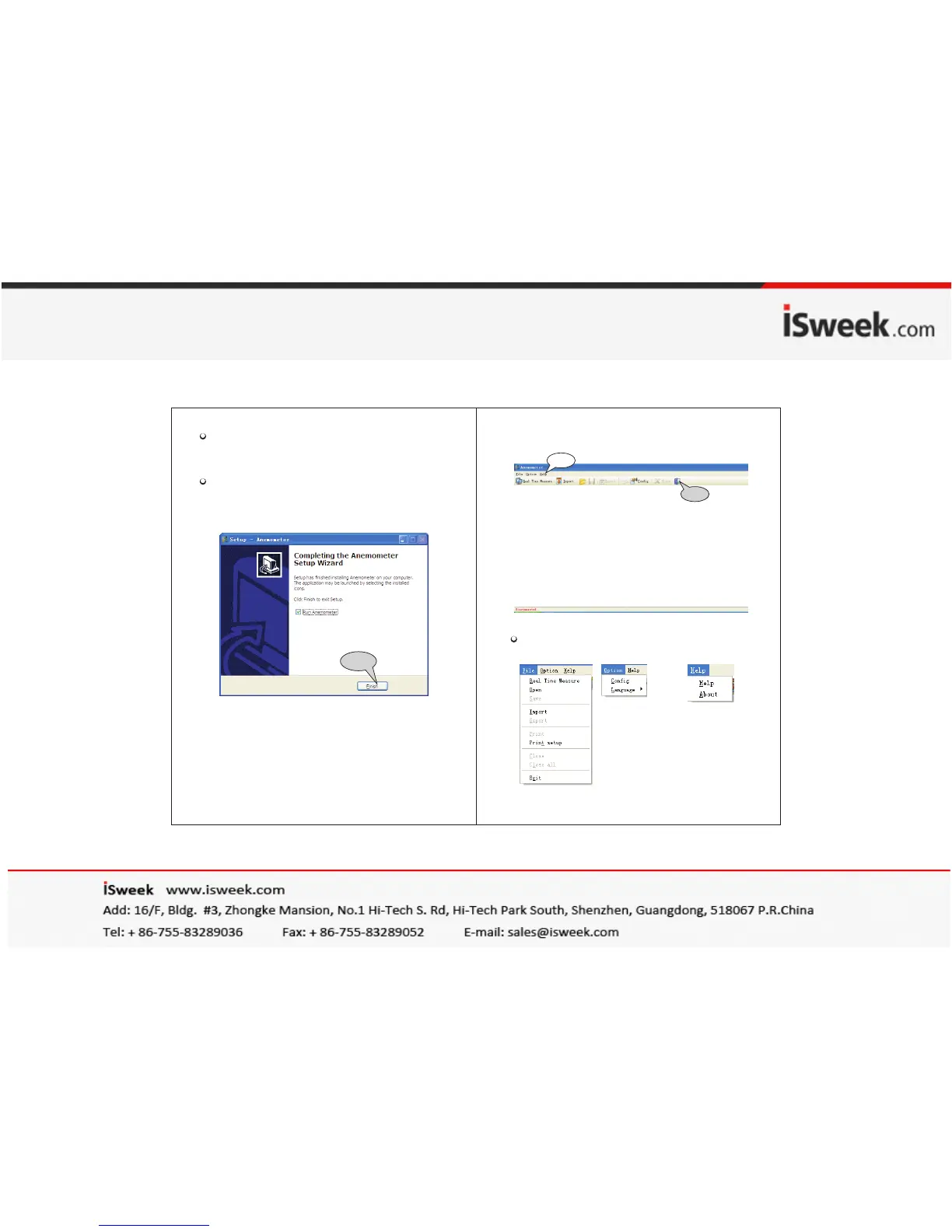
Please follow the install shield wizard and click on
"NEXT",and select " Create a desktop icon" .
Until "Finish" is shown,select "Run Anemometer"
to complet software installation, as figure below:
FINISH
Menu introduction as shown in following figure:
File menu bar: Option menu bar: Helpmenu bar:
3). Software interface:
Menu
Bar
-20-
-21-
NOTE:
1).Double click the software shortcut on the desktop
( to start from menu, the route is Start /Programme /
Anemometer ) ;
2). If you want to delete this software ,please open "
Controlling Panel " then double click "add/delete
program" Choose "Anemometer" on the list then
click the "delete" button.
Tool
Bar


 To Next Page