iSYSTEM, March 2017 14/66
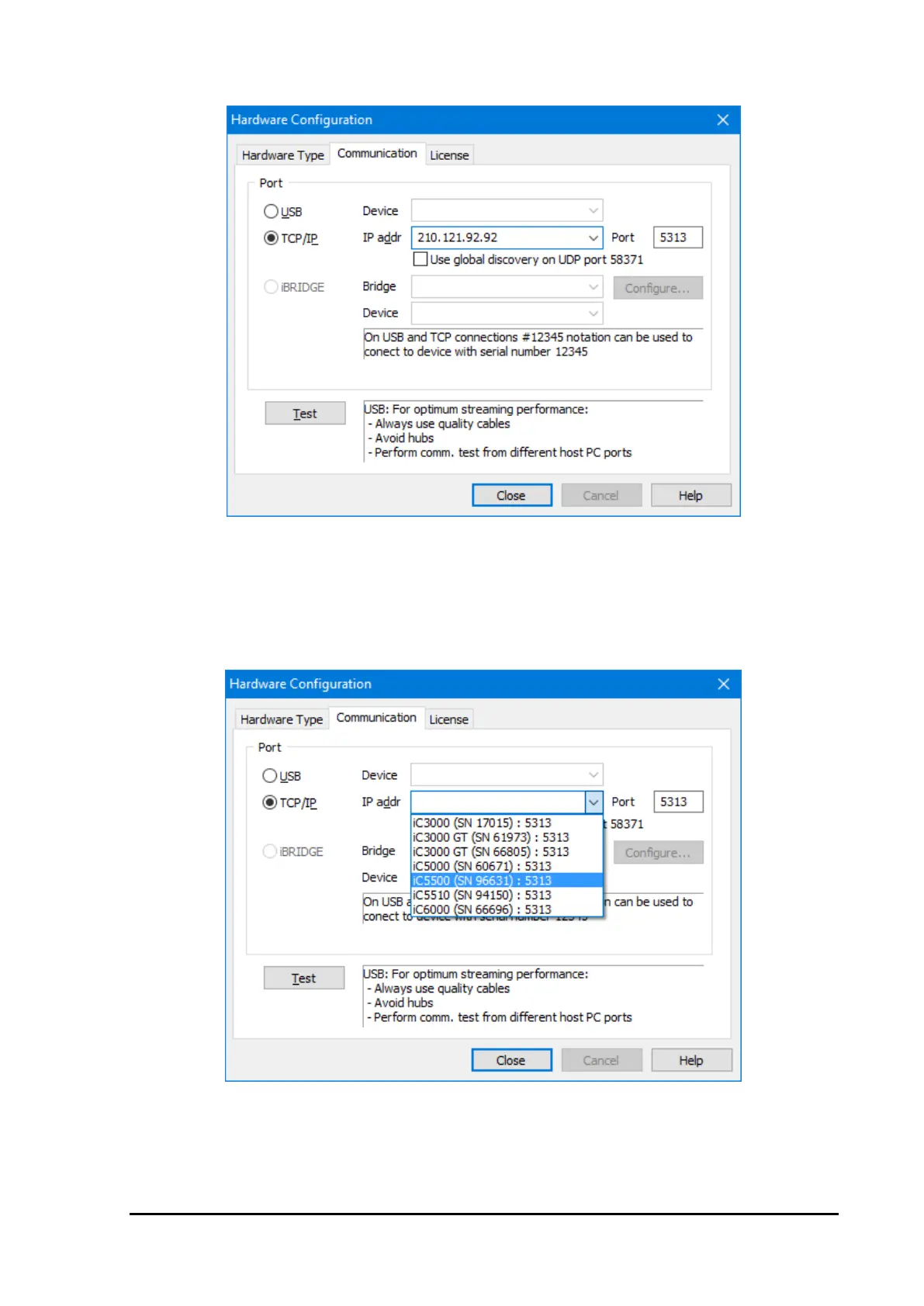
Hardware/Communication tab
Select the TCP/IP button and enter the IP Address and the TCP Port, as entered above into the Emulator.
Connect the Emulator to the Ethernet, if not already connected, and click on the ‘Test’ button. The
communication should be up and running.
Configuration with Automatic Discovery
Select the Hardware/Communication tab.
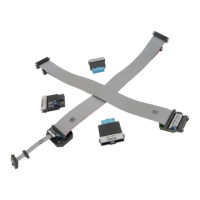
Display of discovered emulators
First, select ‘TCP/IP’ type of communication. Then select the ‘Use global discovery on UDP port 58371’.
In the pull-down window all emulators found on the network will be shown. The correct emulator can be
identified by its serial number. Select the emulator and press the ‘Test’ button to ensure the communication is
possible.


 To Next Page