Need help?
Do you have a question about the it ITSB-203B and is the answer not in the manual?
Identifies front-facing buttons, ports, and indicators on the speaker.
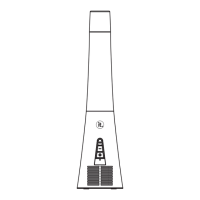
Identifies rear-facing power and connectivity ports on the speaker.
Addresses troubleshooting steps when no audio output is detected.
Provides guidance for resolving issues with insufficient audio volume levels.
Offers solutions for problems encountered when connecting or maintaining Bluetooth pairing.
This document describes a Countertop Bluetooth® Speaker, model ITSB-313B, designed to provide a versatile audio experience. It combines Bluetooth connectivity with traditional audio inputs, making it suitable for various listening preferences. The device is intended for indoor use and emphasizes user safety through clear warnings and operational guidelines.
The Countertop Bluetooth® Speaker serves as a central audio hub, allowing users to stream music wirelessly via Bluetooth or connect external audio sources through its auxiliary input. Its primary function is to amplify and reproduce audio with clarity, providing an enjoyable listening experience in a home or office environment. The speaker features an integrated rechargeable battery, enabling portable use without constant reliance on a power outlet. This portability enhances its versatility, allowing users to move it between rooms or even outdoors for temporary use, provided it is protected from environmental elements.
The speaker is equipped with a control panel that allows users to manage playback, volume, and input sources directly on the device. This includes buttons for power, play/pause, track navigation, and volume adjustment. An LED indicator provides visual feedback on the device's status, such as power on/off, Bluetooth pairing mode, and charging status. The design prioritizes ease of use, ensuring that even users unfamiliar with Bluetooth technology can quickly set up and operate the speaker.
To begin using the speaker, users must first ensure it is adequately charged. The device comes with a USB charging cable, which can be connected to a standard USB power source. During charging, the LED indicator will illuminate, typically in red, and change color or turn off once charging is complete. A full charge ensures maximum playtime, which is crucial for portable use.
Once charged, the speaker can be powered on by pressing and holding the power button. The LED indicator will light up, signaling that the device is active. For Bluetooth connectivity, the speaker automatically enters pairing mode upon power-on if no device is currently connected. In pairing mode, the LED indicator will typically flash, indicating that it is discoverable by other Bluetooth-enabled devices. Users can then open the Bluetooth settings on their smartphone, tablet, or computer and select "ITSB-313B" from the list of available devices. A successful connection is usually confirmed by a distinct chime or a change in the LED indicator's behavior, such as a solid blue light.
After pairing, users can stream audio wirelessly from their connected device. The speaker's control buttons allow for direct management of playback. The play/pause button can start or stop the current track, while the track navigation buttons (forward and backward) allow users to skip between songs. Volume can be adjusted using dedicated volume buttons on the speaker, providing an alternative to controlling volume directly from the source device.
For non-Bluetooth audio sources, the speaker includes an auxiliary input jack. Users can connect devices such as MP3 players, CD players, or older smartphones using a 3.5mm audio cable. When an auxiliary cable is plugged in, the speaker typically switches to AUX mode automatically, or users may need to manually select the input source using a dedicated mode button if available. In AUX mode, audio playback is controlled entirely from the connected source device, though the speaker's volume controls remain active.
The speaker is designed for indoor use and should be placed on a stable, flat surface to ensure optimal sound projection and prevent accidental falls. It is important to keep the speaker away from direct sunlight, heat sources, and moisture to prevent damage. When not in use, it is recommended to power off the device to conserve battery life.
Maintaining the Countertop Bluetooth® Speaker is straightforward and primarily involves proper handling and cleaning. The exterior of the speaker can be gently wiped with a soft, dry cloth to remove dust and fingerprints. Avoid using abrasive cleaners, solvents, or harsh chemicals, as these can damage the finish and internal components. If the speaker becomes excessively dirty, a slightly damp cloth can be used, but ensure no moisture enters the speaker grilles or ports.
Battery maintenance is crucial for prolonging the device's lifespan. While the speaker features a rechargeable battery, it is advisable to fully charge it before first use and periodically recharge it, even if not used frequently, to prevent deep discharge, which can reduce battery capacity over time. If the speaker will be stored for an extended period, it is recommended to charge it to about 50-70% capacity rather than leaving it fully discharged or fully charged.
Regularly inspect the charging port and auxiliary input for any debris or damage. If lint or dust accumulates in the ports, it can interfere with proper connections. Use a soft brush or compressed air to gently clear any obstructions. Avoid inserting sharp objects into the ports, as this can cause irreversible damage.
The device is designed to be user-friendly, and internal maintenance is not required or recommended. Attempting to open the speaker enclosure will void the warranty and may expose users to electrical hazards. If the speaker malfunctions, it is best to consult the manufacturer's support or a qualified service technician.
Proper storage is also part of maintenance. When not in use, store the speaker in a cool, dry place, away from extreme temperatures and humidity. Keeping it in its original packaging or a protective case can help prevent scratches and minor impacts during storage or transport.
The speaker is built to comply with FCC regulations, meaning it is designed to minimize interference with other electronic devices. If users experience interference, simple troubleshooting steps like relocating the speaker or ensuring proper separation from other electronics can often resolve the issue. This self-maintenance aspect helps ensure a consistent and reliable audio experience.
 General
| Brand | it |
|---|---|
| Model | ITSB-203B |
| Type | Portable Bluetooth Speaker |
| Bluetooth Version | 4.2 |
| Bluetooth Range | Up to 10m |
| Input Voltage | 5V |
| Color | Black |

 To Next Page