10
8. To fast forward / rewind within a track, press and hold down the corresponding skip button until
the desired position is reached.
9. To stop playback, press the STOP
button
Important:
- Never place more than one disc on the tray.
- The disc must be placed in the center of the disc tray. An incorrectly loaded disc can
permanently damage the tray door mechanism.
- Do not push the CD tray – always use the OPEN/CLOSE button.
- It takes a moment for the unit to load a disc, during which all buttons will be temporarily
deactivated.
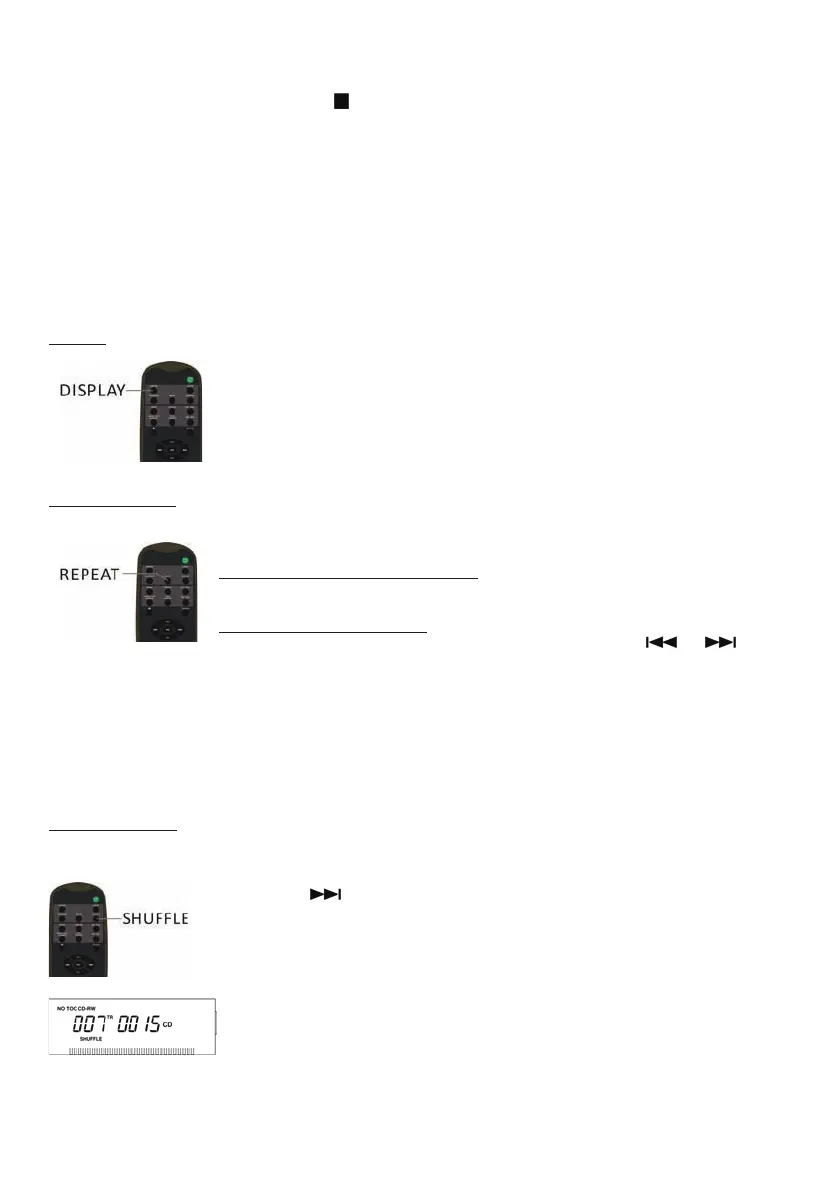
Display
Each time the DISPLAY button is pressed, the display mode will cycle
between the following options:
- Track Number + Track Play Time (Default Display Mode)
- Track Play Time Countdown
- Track Play Time
Repeat Playback
Each time the REPEAT button is pressed, the repeat mode will cycle through
the following options:
REPEAT ALL (Repeat the entire CD)
The entire CD will be played repeatedly.
REPEAT 1(Repeat one track)
The current track will be played repeatedly. If you press the ( or )
button to
select another track, the track you select will be played repeatedly.
Notes:
- If one of the following buttons is pressed, the repeat mode will be cancelled.
OPEN/CLOSE, POWER, AM/FM, PHONO, AUX/Bluetooth, TAPE, CD/USB
- Repeat playback works with finalized discs only.
Shuffle Playback
To play the tracks on a CD in a random sequence, press the SHUFFLE button during playback.
Notes:
- Pressing (
) during shuffle playback will randomly select the next track.
- If one of the following buttons is pressed, shuffle mode will be cancelled.
OPEN/CLOSE, POWER, AM/FM, PHONO, AUX/Bluetooth, TAPE, CD/USB
- When the SHUFFLE playback of all the tracks has been finished, the unit
stops and the shuffle mode is cancelled.
- A track cannot be repeated during shuffle playback.
- Shuffle playback doesn’t work during programmed playback.
- Shuffle playback works with finalized discs only.


 To Next Page