EasyManua.ls Logo

it ITVS-760B - User Manual

it ITVS-760B
27 pages
Print Icon
To Next Page IconTo Next Page
Loading...
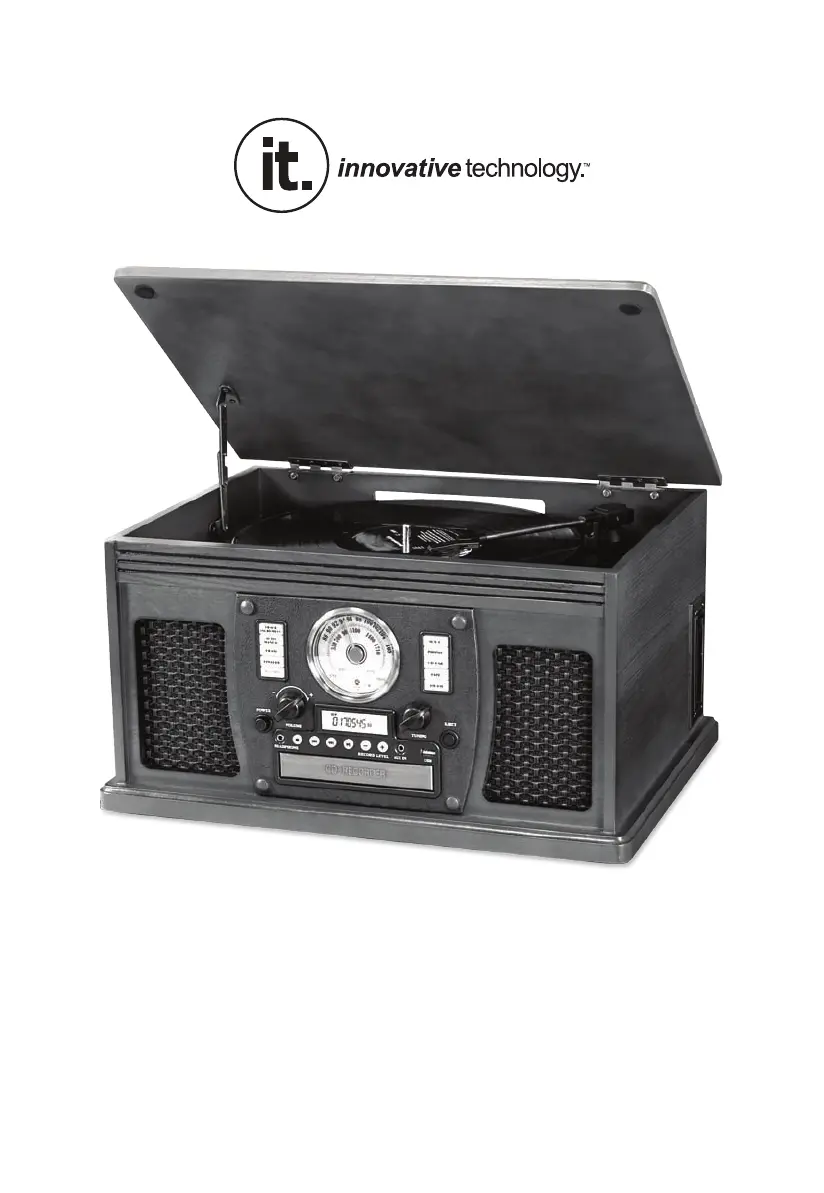
MODEL: ITVS-760B
WOODEN MUSIC CENTER
WITH BLUETOOTH AND RECORDABLE CD PLAYER / USB

Questions and Answers

  • M
    Marcus JohnstonAug 19, 2025
    Why is there no sound output from my it ITVS-760B speakers?
    • S
      Susan RayAug 20, 2025
      If your it Stereo System is not producing any sound, there could be several reasons: * The volume might be too low, so try adjusting it. * The input selector might not be set to the correct source. Ensure it matches the device you're using for playback.
  • T
    Taylor WheelerAug 21, 2025
    Why is the sound distorted on my it ITVS-760B Stereo System?
    • S
      sherry82Aug 22, 2025
      If your it Stereo System is producing distorted sound, the antenna might not be properly oriented. Try re-orienting the antenna until the reception improves.
  • J
    Jesus DavisAug 25, 2025
    Why is there noise/distortion in the sound output of my it ITVS-760B?
    • C
      Christopher BarnettAug 25, 2025
      If you're experiencing noise or distortion in the sound output from your it Stereo System, it might be too close to a TV or another device that's causing interference. Try turning off the TV or other appliance and relocating the unit.
  • L
    lwhiteAug 26, 2025
    Why is the CD playback noisy or skipping on my it Stereo System?
    • Q
      qhannaAug 26, 2025
      If your it Stereo System's CD playback is noisy, stops, or skips, the CD might be scratched, damaged, or warped. Try replacing the CD with an undamaged one. Alternatively, the disc might be very dirty, in which case you should carefully clean the CD.
  • W
    William ChoiAug 28, 2025
    Why is there no sound output with an external audio device plugged into the rear AUX in jack of my it Stereo System?
    • J
      Joanna WaltersAug 28, 2025
      To resolve the issue of no sound output with an external audio device plugged into the rear AUX in jack on your it Stereo System, unplug the front AUX in jack if both AUX in jacks (front and rear) are plugged in.
  • W
    William PattersonAug 29, 2025
    Why is there no sound from my it ITVS-760B Stereo System in Bluetooth mode?
    • N
      Nicholas BrandtAug 30, 2025
      If your it Stereo System has no sound, make sure the unit is switched to Bluetooth mode. Also, check that the volume is turned up on both your device and the unit. If that doesn't work, move your Bluetooth device closer to the unit. Finally, try turning both your Bluetooth device and the unit off and then on again.
  • J
    jacob06Aug 31, 2025
    How to fix an it Stereo System that will not power on?
    • A
      Amanda CrossAug 31, 2025
      If your it Stereo System won't turn on, the first thing to check is whether it's properly connected to a power source. Make sure the unit is plugged into the AC power supply.
  • H
    Heather ParksSep 2, 2025
    What to do if my it Stereo System fails to respond?
    • D
      Derrick HatfieldSep 3, 2025
      If your it Stereo System is not responding, it might be due to external factors like electrostatic discharge. Try disconnecting the power cord and any external audio devices. Then, plug the power cord back in after one minute.
  • J
    Julie GarciaSep 4, 2025
    Why does my it ITVS-760B CD stop immediately after starting?
    • T
      Tara MortonSep 5, 2025
      If your it Stereo System's CD stops immediately, pauses, or stops during playback, it could be due to the following reasons: * The CD might be inserted upside down; make sure the printed side is facing up. * The CD could be dusty, dirty, or have condensation on it; carefully clean and dry the CD.
  • T
    Theresa WilkersonSep 6, 2025
    Why are the buttons on my it ITVS-760B Stereo System not functioning correctly?
    • J
      Janet AndersonSep 6, 2025
      If your it Stereo System's buttons are not functioning correctly, it could be because the unit is currently processing information (indicated by “--- Busy” on the display). Wait until the unit finishes processing. If that doesn't work, try turning the unit off and then on again to restart it.

Summary

Important Safety Instructions

Setup and Basic Operation

Initial Setup

Instructions for initial setup, including needle cover removal and power connection.

Remote Control Functions

Listening to Vinyl Records

Listening to CDs

CD Playback Features

Programmed CD Playback

Listening to the Radio

External Audio Device Connectivity

AUX Mode Operation

How to connect and play audio from external devices via AUX input.

Bluetooth Mode Operation

Instructions for pairing and streaming audio wirelessly via Bluetooth.

Listening to Cassette Tapes

Recording to CD

CD Recording Process

Recording and Finalization

Step-by-step guide for recording audio to CD and finalizing the disc.

CD Recording Management

CD-RW Erasing and Management

USB Memory Stick Playback

USB Playback Modes

Recording to USB

USB Recording Process

Troubleshooting Guide

Radio and CD Player Issues

Troubleshooting for radio reception and CD playback errors.

Device-Specific Troubleshooting

Phono, AUX, and Bluetooth Issues

Solutions for turntable performance, AUX connectivity, and Bluetooth pairing problems.

it ITVS-760B Specifications

General IconGeneral
Brandit
ModelITVS-760B
CategoryStereo System
LanguageEnglish