18
Notes:
- If one of the following buttons is pressed, the repeat mode will be cancelled.
OPEN/CLOSE, POWER, AM/FM, PHONO, AUX/BLUETOOTH, TAPE, CD/USB.
Shuffle Playback
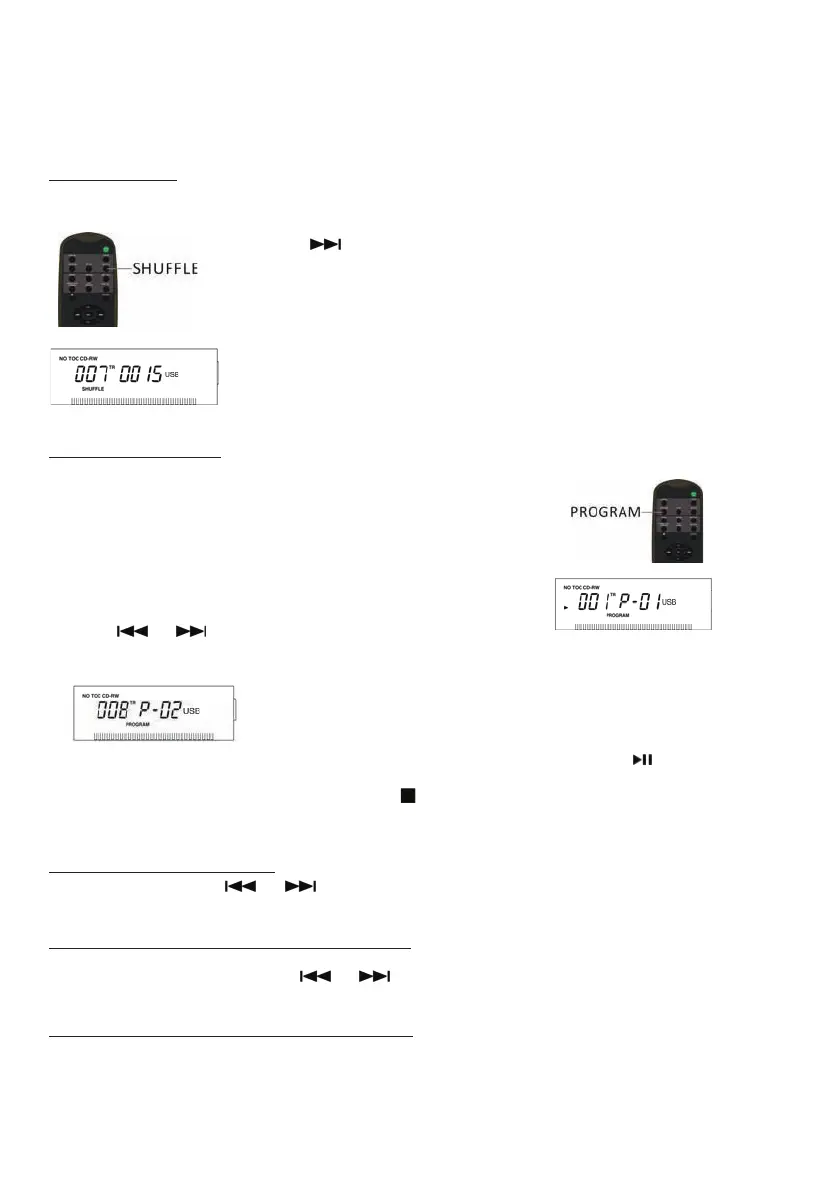
To play the tracks on a USB in a random sequence, press the SHUFFLE button during playback.
Notes:
- Pressing (
) during shuffle playback will randomly select the next track.
- If one of the following buttons is pressed, shuffle mode will be cancelled.
OPEN/CLOSE, POWER, AM/FM, PHONO, AUX/BLUETOOTH, TAPE, CD/USB
- When the SHUFFLE playback of all the tracks has been finished, the unit
stops and the shuffle mode is cancelled.
- A track cannot be repeated during shuffle playback.
- Shuffle playback doesn’t work during programmed playback.
Programmed Playback
Up to 32 tracks can be programmed to play in the desired order.
Notes:
- Shuffle playback does not work during programmed playback.
1. Press “CD/USB” to enter USB mode, then insert a USB memory
stick into USB slot.
2. While the USB is stopped, press the PROGRAM button.
3. “PROGRAM” and “P-01” appears on the display.
4. Press (
or ) to select a track number.
5. Press the PROGRAM button again to set the current track.
6. “P-02” is displayed. Repeat steps 4 thru 5 to program the additional tracks.
7. When the selection of track numbers has been finished, press the PLAY button (
) to start
program playback.
8. To cancel the program mode, press the STOP (
) button twice.
To check the programmed order
In the stop mode, press ( or ) repeatedly to show the track numbers that have
been programmed.
To add a track to the end of the programmed order:
In the stop mode, press the PROGRAM button.
Select a track number by pressing (
or ), then press the PROGRAM button.
The current track will be added to the end of the program.
To delete the last track from the programmed order:
In the stop mode, press the CLEAR button to delete the last track from the program.


 To Next Page