
 Need help?
Do you have a question about the iTach Flex WiFi and is the answer not in the manual?
Connect to the iTach Flex WiFi unit using its unique MAC ID as the network name.
Configure the Flex unit by entering your network's SSID and passphrase through a web browser.
Enable WPS mode by holding the side button for 4 seconds for a quick wireless connection.
Verify IR Link Port settings and connect the IR emitter to test IR command execution.
Configure the Flex Link Port for serial communication and connect the RS232 cable.
Use the iLearn application to capture remote control commands by pointing the remote at the Flex.
Reset the Flex unit to its factory default settings by holding the reset button for 8 seconds.
The iTach Flex WiFi is a versatile device designed to integrate various control functionalities into a network environment, primarily focusing on infrared (IR) and serial (RS232) communication. It aims to provide a bridge between modern network-based control systems and traditional devices that rely on IR or serial commands, such as home theater equipment, lighting systems, and other legacy hardware. By leveraging WiFi connectivity, the iTach Flex WiFi offers a flexible and scalable solution for automation and control, reducing the need for extensive wiring and simplifying system integration.
The primary function of the iTach Flex WiFi is to translate network commands into IR or serial signals, and vice versa, enabling network-based control of a wide range of devices. It acts as a gateway, receiving commands over a WiFi network and then emitting the corresponding IR or serial signals to control connected equipment. This allows users to manage their devices from a centralized control system, a mobile application, or any network-enabled interface.
One of its core capabilities is IR control. The device can learn and store IR codes from existing remote controls, allowing it to replicate those signals on demand. This is particularly useful for controlling consumer electronics like televisions, DVD players, audio receivers, and projectors, which typically rely on IR for remote operation. By integrating these devices into a network, users can create sophisticated automation routines, schedule events, and control their entertainment systems from anywhere within their network.
In addition to IR, the iTach Flex WiFi also supports serial (RS232) communication. Many professional and industrial devices, as well as some higher-end consumer electronics, use RS232 for control. The iTach Flex WiFi can send and receive serial data, making it compatible with a broad spectrum of equipment, including matrix switchers, projectors, and certain lighting control systems. This dual functionality (IR and serial) makes the iTach Flex WiFi a highly adaptable tool for various control applications, from home automation to commercial installations.
The device is designed to be easily discoverable and configurable within a network. Initially, it operates as an unsecured ad-hoc WiFi device, allowing for straightforward initial setup. Once connected to a network, it can be configured to join an existing WiFi infrastructure, integrating seamlessly into the user's home or business network. This network integration is crucial for its function, as it allows the device to receive commands from and report status to other network-connected controllers or applications.
The iTach Flex WiFi is engineered for ease of use and flexible deployment. Its initial setup process is designed to be intuitive: upon powering up, the device broadcasts its own WiFi network, identified by its unique MAC ID. Users can connect to this network from a computer or mobile device, access a web-based configuration interface, and then configure the iTach Flex WiFi to join their existing home or office WiFi network. This web interface allows for the selection of the network SSID and the entry of the corresponding passphrase, ensuring secure integration into the desired network. The device supports DHCP for automatic IP address assignment, simplifying network configuration.
For quick and secure network integration, the iTach Flex WiFi also supports Wi-Fi Protected Setup (WPS). This feature allows users to connect the device to a WPS-enabled router by simply pressing a button on both the iTach Flex WiFi and the router, streamlining the connection process without manual entry of network credentials.
Once connected to the network, the iTach Flex WiFi's Flex Link Port can be configured for either IR or serial functionality. When configured for IR, it operates as a "Single IR Emitter," allowing it to send IR commands to devices. The device comes with an IR emitter that connects to this port. For serial control, the port can be set to "Serial," requiring the connection of a supplied Serial Flex Link cable. This cable provides a standard DB9 connection, facilitating communication with RS232-controlled devices. The baud rate and other serial settings can be adjusted through the web interface to match the requirements of the controlled hardware.
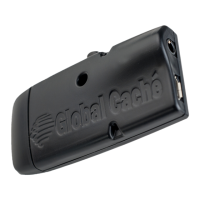
The physical design of the iTach Flex WiFi includes a metal cradle, which provides a convenient and secure mounting solution. This cradle allows the device to be easily attached to various surfaces, ensuring optimal placement for IR emission or serial cable management. The device can be gently pushed into and pulled from the cradle, offering flexibility for installation and maintenance.
A key usage feature is its built-in IR learner. This allows the iTach Flex WiFi to "learn" IR codes directly from existing remote controls. Users can point their remote at a small hole on the top center of the Flex and use the iLearn application (available for download) to capture and store the IR signals. This eliminates the need to manually search for or program IR codes, making it simple to integrate virtually any IR-controlled device into the system. The learned codes can then be triggered via network commands, providing comprehensive control over a wide array of IR-enabled equipment.
The device's LED indicator provides visual feedback on its status. During network connection, the LED blinks, and once successfully connected, it blinks once per second. This visual cue helps users monitor the device's operational state and troubleshoot connectivity issues.
The iTach Flex WiFi incorporates several features to facilitate maintenance and troubleshooting, ensuring reliable and continuous operation.
One of the most important maintenance features is the ability to reset the device to factory defaults. This is particularly useful in situations where configuration settings have become corrupted, or if the device needs to be reconfigured from scratch. The reset process is initiated by pressing and holding a dedicated reset button, located around the side of the Flex Link Port, for 8 seconds. Releasing the button after this duration will restore all settings to their original factory state, allowing for a fresh configuration. This ensures that users can always recover from misconfigurations or network changes that might otherwise render the device inaccessible.
The LED indicator also plays a role in maintenance and troubleshooting. During the reset process, the LED provides visual cues: it blinks quickly at 4 seconds to confirm WPS mode (if the button is released at that point) and blinks even faster at 8 seconds to confirm that the factory default reset has been initiated. These visual signals help users accurately perform maintenance procedures and understand the device's current state.
The web-based configuration interface, accessible via a browser, serves as the primary tool for ongoing maintenance. Through this interface, users can review and modify network settings, update IR codes, adjust serial parameters, and check the device's operational status. This centralized control panel simplifies management and allows for remote adjustments, reducing the need for physical access to the device for routine maintenance tasks.
The device's robust design and compliance with industry standards (FCC Part 15 and ICES-003) ensure its reliability and minimize the likelihood of interference with other electronic devices. This compliance contributes to a stable operating environment, reducing the need for frequent troubleshooting related to electromagnetic compatibility.
Furthermore, Global Caché provides comprehensive documentation and tutorials online, which serve as valuable resources for maintenance. Users can access detailed guides on configuration, troubleshooting, and advanced usage scenarios, empowering them to resolve issues independently and optimize the device's performance. The availability of support resources, including contact information for technical assistance, ensures that users have access to expert help when needed, further enhancing the maintainability of the iTach Flex WiFi.
In summary, the iTach Flex WiFi is designed to be a low-maintenance device, with features like factory reset, clear LED indicators, and a user-friendly web interface that empower users to manage and troubleshoot it effectively. Its robust construction and comprehensive support resources further contribute to its long-term reliability and ease of maintenance.
 General
| Power Supply | 5V DC |
|---|---|
| IR Learning | Yes |
| Connectivity | WiFi (802.11b/g/n) |
| Setup | Web-based interface |
| API | HTTP, TCP |
| Supported Protocols | IR, Serial (RS-232) |
| Ports | IR Output, RS232, Ethernet |

 To Next Page