EasyManua.ls Logo

Itamar Medical OM2196381 - User Manual

Itamar Medical OM2196381
73 pages
Print Icon
To Next Page IconTo Next Page
Loading...
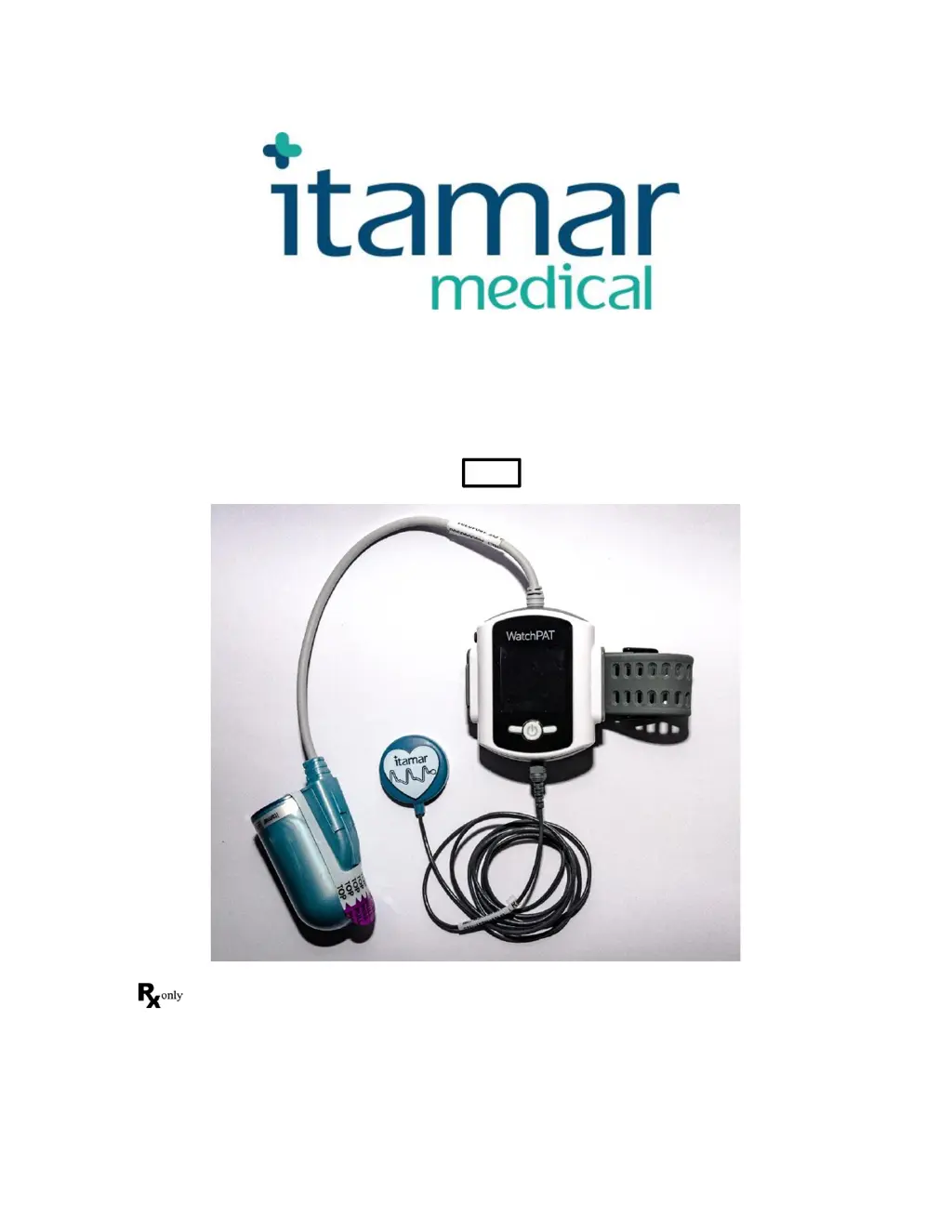
WatchPAT™300
Operation Manual
Itamar Medical REF OM2196381
Caution: Federal law restricts this device to sale by or on the order of a licensed healthcare
practitioner
Copyright © 2002 - 2019 By Itamar Medical Ltd.
WatchPAT™ and PAT
®
are trademarks of Itamar Medical, Ltd.

Table of Contents

Questions and Answers

  • K
    Kevin KellyAug 19, 2025
    What to do if my Itamar Medical Equipment device does not turn ON?
    • D
      Daniel SheaAug 19, 2025
      If your Itamar Medical equipment doesn't turn on, the battery may be low, defective, or not properly inserted. Try replacing the battery or ensuring it is correctly inserted.
  • M
    michael21Aug 21, 2025
    Why is my Itamar Medical Equipment showing a 'Used' probe error?
    • J
      Jay OsborneAug 21, 2025
      The 'Used' error on your Itamar Medical Equipment indicates that the probe has been previously used. Replace the probe to resolve this issue.
  • R
    reneeduffyAug 25, 2025
    What to do if my Itamar Medical Equipment display does not power up while connecting to PC?
    • J
      johnhillAug 25, 2025
      If the display doesn't power up when connected to a PC, it might be due to a depleted battery. Disconnect the Itamar Medical Equipment from the PC, remove the battery, and then reconnect to the PC.
  • A
    Andres FloresAug 26, 2025
    What to do if my Itamar Medical Equipment shows 'Bad' probe?
    • T
      teresa17Aug 26, 2025
      If your Itamar Medical Equipment indicates a 'Bad' probe, it means the probe is defective and needs to be replaced.
  • L
    Lori ReeseAug 28, 2025
    Why is my Itamar Medical Equipment recording time so short?
    • M
      Michelle RichardsonAug 28, 2025
      A short recording time on your Itamar Medical Equipment could be due to a couple of reasons: 1. The patient may have prematurely removed the WP300 or probe from their hand. In this case, explain the proper usage to the patient. 2. Insufficient battery charge may have caused the recording to terminate early. Try replacing the battery, or recharge it and try again.
  • K
    Kathleen GonzalezAug 30, 2025
    What to do if my Itamar Medical Equipment is showing a 'Missing' probe error?
    • N
      Nicole KellyAug 30, 2025
      If your Itamar Medical Equipment displays a 'Missing' probe error, it indicates that the probe is not attached. Attach the probe to resolve this.
  • M
    Michael BullockSep 1, 2025
    How to fix 'Battery error % full' on Itamar Medical Equipment?
    • A
      Angela RobinsonSep 1, 2025
      If your Itamar Medical Equipment displays a 'Battery error % full' message, it means the battery is either defective or uncharged. Replace the battery to fix this.
  • J
    John AyalaSep 3, 2025
    What to do if the Itamar Medical Equipment display does not power up while connecting to PC?
    • R
      Ricardo BensonSep 3, 2025
      If your Medical Equipment WatchPAT™ device display doesn't power up while connecting to a PC, or if it cannot communicate with zzzPAT, the battery may be depleted. Try disconnecting the device from the PC, removing the battery, and then reconnecting it to the PC.
  • R
    Rachel LowerySep 5, 2025
    How to fix a 'Battery error % full' on Itamar Medical Equipment?
    • M
      Mr. Christopher MartinezSep 5, 2025
      If your Itamar Medical Equipment shows a 'Battery error % full' message, it means the battery is either defective or uncharged. You should replace the battery.
  • L
    Lindsay ChanSep 8, 2025
    What to do if Itamar Medical Equipment device does not turn ON?
    • J
      Jeffrey ThomasSep 8, 2025
      If the Itamar Medical Equipment device does not turn on, the battery may be low, defective, or not properly inserted. Replace the battery or insert it correctly.

Itamar Medical OM2196381 Specifications

General IconGeneral
BrandItamar Medical
ModelOM2196381
CategoryMedical Equipment
LanguageEnglish

Related product manuals