-6-
Please click the "SET" key to confirm after your selection,
otherwise it is invalid, the main column will keep the previous
display. When you changed the choice but not confirm the LCD
screen after 2-3 seconds, it will remind by flashing, press the
"SET" key then the LCD stop flashing.
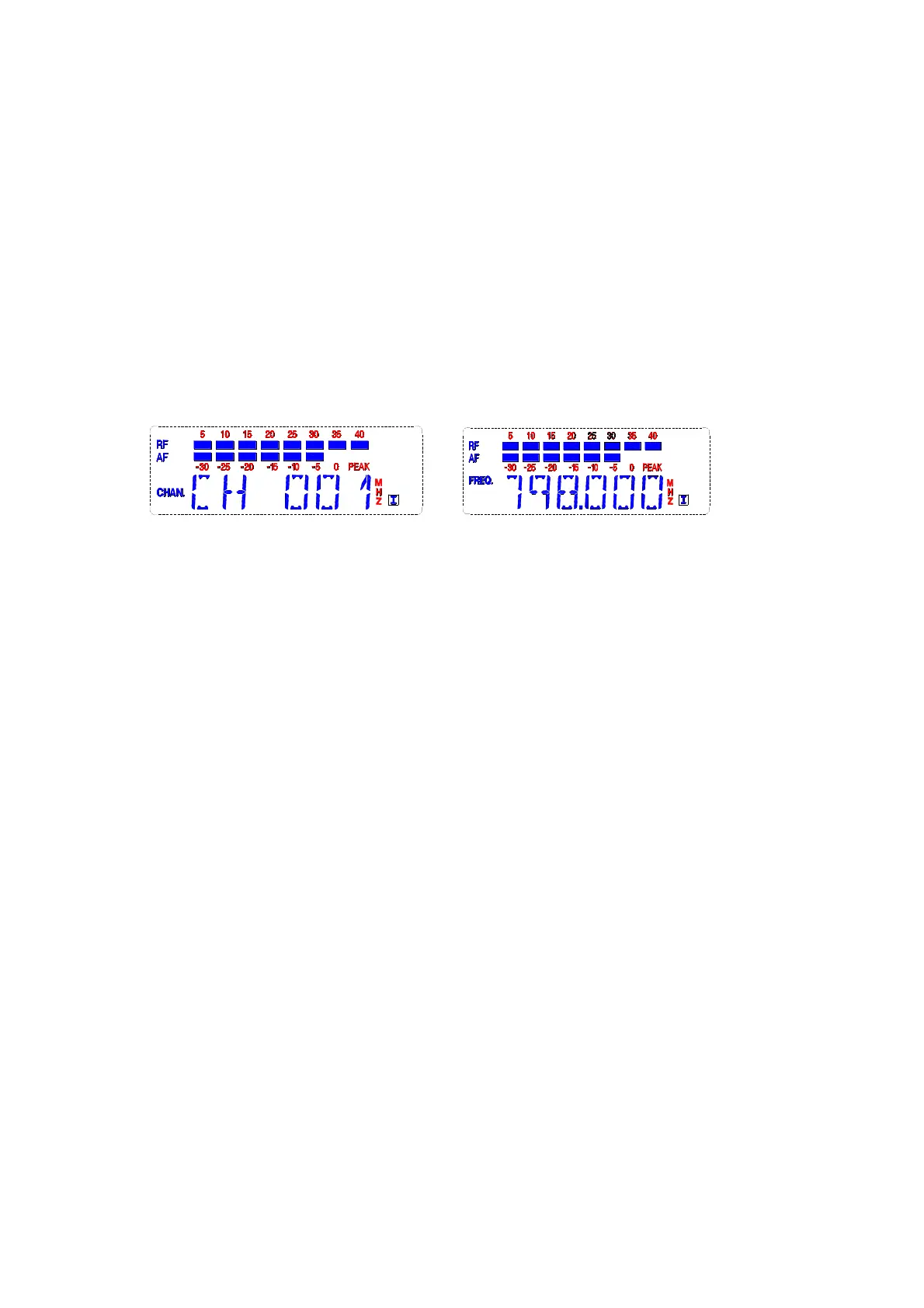
C Display and adjustment of Channel/frequency
Press “SET” to make the LCD display the below:
(Note:Which of the above will be showed depends on the previous
set)
This menu displays the current working frequency or channel
of the receiver, press “▲” key “▼”button to change the current
channel or frequency, after change the frequency or channel,
please press the "SET" key to confirm and make the receiver
works in the selected frequency or channel. Otherwise the
adjustment will be invalid, the receiver will still work in the previous
channel/frequency.
When you changed the choice but not confirm the LCD screen
after 2-3 seconds, it will remind by flashing, press the "SET" key
then the LCD stop flashing.
D Receiver noise control
Press “SET” to display the below:


 To Next Page
 Loading...