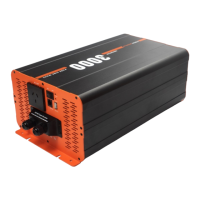
Connecting the inverter
Before connecting the DC input connections to the inverter, make sure
that the main and remote main switch (if remote is installed) (refer to
Figures 1, 2 and 7) are in the OFF position.
1. Connect one end of the positive DC input cable to the inverter’s
positive DC input terminal.
Connect the other end of the positive DC input cable to one of
the terminals of the fuse holder or circuit breaker. Then connect
another DC input cable from the other terminal of the fuse
holder/ circuit breaker to the positive terminal of your battery.
2. Connect one end of the negative DC input cable to the inverter’s
negative DC input terminal.
Connect the other end of the negative DC input cable to the
negative battery terminal.
Caution: When connecting the negative cable to the negative
terminal of the battery, some sparking may occur, this is due to
the internal capacitors charging up and is normal. It is best to
spread the load across 2 batteries connected in parallel (i.e., Have
the positive connection to the inverter on one battery, and the
negative battery connection to the last battery in the battery
array)
Caution: Please ensure that all DC connections are tight, as any loose
connections could result in overheating and could be a potential fire
hazard.



 To Next Page