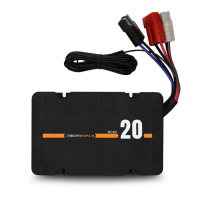
OPERATING THE ITECHDCDC20
USER GUIDE
Start the vehicle and let it idle.
The iTECHDCDC20 will now recognize that there is charge
being applied to the main starting battery.
Once the main starting battery has reached 12.8v the
charger will begin to charge the aux battery.
The initial default setting is for AGM/GEL batteries.
If you are charging a battery of a different chemistry,
simply change the battery type by unplugging the aux
battery, then press the battery type selector button on
the front panel of the iTECHDCDC20 and reconnect the
aux battery.
Once you have selected the new battery type the
iTECHDCDC20 will remain on this battery type until it is
changed. To change battery type the auxiliary battery
must be disconnected from the iTECHDCDC20. This is a
safety feature to stop you accidently changing the
battery charge profile.
The iTECHDCDC20 will continue to operate even after the
vehicle has been switched off, however once the main
starting battery falls below 12.4v the iTECHDCDC20 the
charger will automatically switch off.
DC BATTERY
Once correctly installed, the iTECHDCDC20 is a simple set
and forget system.


 To Next Page