Need help?
Do you have a question about the iTechworld SOLAR BLANKET 200W and is the answer not in the manual?
Instructions for connecting the solar blanket and controller to a battery.
Instructions for safely disconnecting the solar blanket and controller from the battery.
Details the scope of the product warranty and consumer rights for defects.
Lists exclusions from warranty coverage, including misuse and damage.
The iTECHWORLD 200W / 300W Solar Blanket Kit is a portable and efficient solar power solution designed for outdoor enthusiasts and those needing reliable off-grid power. This kit allows users to harness solar energy to charge batteries and power various devices, offering flexibility and independence from traditional power sources.
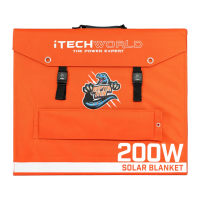
The primary function of the iTECHWORLD Solar Blanket Kit is to convert sunlight into electrical energy, which can then be used to charge 12V or 24V batteries via the included solar controller. The kit is available in two power output options: 200W and 300W, catering to different power needs. The solar blanket itself is a foldable panel made with monocrystalline solar cells laminated with ETFE Raptor Skin, providing durability and efficient energy conversion. The kit is designed for ease of use and portability, making it suitable for camping, caravanning, boating, and other remote applications where access to grid power is limited.
The solar blanket is equipped with a built-in stand, allowing users to easily position the panels towards the sun for optimal energy capture. The kit includes all necessary components for immediate use: the solar blanket, a solar controller, a 5-meter extension lead, and battery clamps. The solar controller acts as a crucial interface between the solar blanket and the battery, regulating the voltage and current to ensure safe and efficient charging, preventing overcharging and protecting the battery.
The iTECHWORLD Solar Blanket Kit is designed for straightforward setup and operation. To begin, the solar blanket needs to be extended and the built-in stand folded out. The solar cells should then be pointed towards the sun at an optimum angle to maximize solar exposure. This flexibility in positioning ensures that users can adapt to different sun angles throughout the day or in various locations.
Connecting the kit to a battery is a simple process. First, the battery clamps are connected to the battery terminals. Then, the solar controller is connected to the battery using the Anderson plug on the opposite end of the battery clamps. Finally, the solar blanket is connected to the solar controller. An included 5-meter extension lead provides additional flexibility in positioning the solar blanket away from the battery or shaded areas, if required. This modular connection system, utilizing Anderson plugs, ensures secure and easy connections, minimizing the risk of incorrect wiring.
The kit's portability is a key feature. The solar blanket is designed to fold compactly, making it easy to transport and store. The canvas material, 600D Ballistic Nylon, contributes to its ruggedness and ability to withstand outdoor conditions. The lightweight design, especially for the 200W model, further enhances its portability, allowing users to carry it without significant effort.
Disconnecting the system is equally simple, following the reverse order of connection: disconnect the solar blanket from the controller, then the controller from the battery clamps, and finally the battery clamps from the battery. After use, the solar blanket folds up into a compact size, and all accessories can be stored in the integrated bag on the solar blanket, ensuring that all components are kept together and ready for the next use.
Proper maintenance is essential to ensure the longevity and optimal performance of the iTECHWORLD Solar Blanket Kit. Users are advised to keep the solar blanket and controller clean at all times. Regularly checking the connectors for grit or debris before plugging them in is important to prevent damage and ensure a secure connection. The durable ETFE Raptor Skin lamination on the solar cells provides a protective layer, making the panels resistant to environmental elements and easier to clean.
To prevent damage, users should avoid bending the solar panel cells and refrain from scratching the solar blanket with sharp objects. During use, it's crucial to ensure that the solar blanket and controller are placed in a well-ventilated area and kept away from corrosive liquids. Additionally, care should be taken to ensure that no shade from buildings, trees, or other objects blocks sunlight from reaching the panels, as this can significantly reduce efficiency.
During transport and storage, it is important to protect the solar blanket from anything sharp or heavy that could potentially break or damage it. The robust canvas material and compact folding design help in safeguarding the panels when not in use. The product is not intended for use by children, emphasizing the need for adult supervision and proper handling. Following these maintenance guidelines will help preserve the kit's functionality and extend its lifespan, ensuring reliable power generation for many adventures to come.
 General
| Maximum Power Output | 200W |
|---|---|
| Open Circuit Voltage (Voc) | 23.7V |
| Maximum Power Voltage (Vmp) | 19.8V |
| Weight | 6.5 kg |
| Output Connector | Anderson Plug |
| Connector Type | Anderson |
| Type | Monocrystalline |
| Material | ETFE |
| Waterproof | Yes |
| Foldable | Yes |

 To Next Page