6
CUSTOMER SUPPORT TEAM: +44 (0) 333 220 6058
USING YOUR APPLIANCE
Charging the speaker
1. For best results, fully charge the speaker
before its rst use.
2. Connect the USB cord (included) to the
charging port of the speaker and insert
the other end into a USB port on your
computer or similar power source.
3. The Red LED at the back of the speaker
will glow indicating the battery is being
charged. Once it is fully charged, the Red
LED will turn o. It will take 5 to 6 hours to
fully charge the battery.
4. Once charged you can turn the speaker
on and o using the On/O switch on the
back of the unit.
Note: To preserve battery life do not charge the
product for over 8 hours.
Setting the Clock
1. Turn ON the speaker.
2. Press Mode button once to adjust the
clock. Press V+ / V- to adjust the clock
and press Mode button once to conrm
the clock settings. The steps are Hour –
Minute – Exit.
LED Disco Light
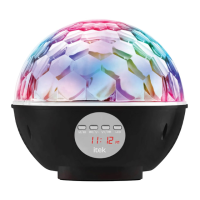
1. By default, the LED lights will turn on once
the speaker is powered on. If you wish to
turn o the LED lights, long press the LED
button until you see “LOFF” on the LCD
display panel.
2. To turn on the LED lights on, long press
the LED button until you see “LON” on the
LCD display panel.
3. Turn on the LED light to change the disco
light pattern. This can be done by short
pressing LED button each time to select
the desired pattern.
Pairing your device
1. Turn ON the speaker.
2. Long press mode button each time until
you see ‘bt’ on the LCD display panel.
3. You should hear a beep tone, which
indicates that the speaker is in pairing
mode.
4. Turn on the Bluetooth on your Mobile
Phone or Tablet or Computer.
5. It will search for various devices.
6. Select ‘I58031’ and pair it with your
device.
7. If required, enter the password ‘0000’ to
conrm to nalise pairing.
8. You will hear a beep tone once it’s
successfully paired.
9. Follow the above steps if pairing is
unsuccessful or if you want to pair the
speaker with a new device.
10. To listen to music, select music from your
device. Music will play back through the
speaker.


 To Next Page