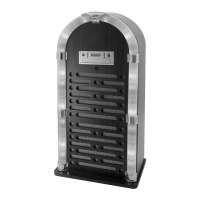
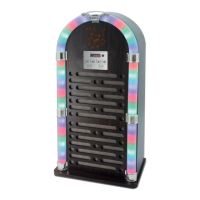
This document is the user manual for the Itek Bluetooth Jukebox, Model I60018CD. It provides essential information regarding product safety, technical specifications, operation, maintenance, and warranty.
Function Description:
The Itek Bluetooth Jukebox is a multi-functional audio system designed for domestic use. It combines the nostalgic aesthetic of a classic jukebox with modern connectivity options. The device supports CD playback, Bluetooth connectivity for wireless audio streaming, FM radio, and AUX-IN for connecting external audio sources. It features LED lights that can be switched on or off, adding to its visual appeal. The jukebox can be operated via a control panel on the unit itself or through a remote control.
Important Technical Specifications:
- Model: I60018CD
- Description: Bluetooth Jukebox
- Product Rating: DC 9V 1A
- Adaptor Input: AC 100-240V ~50/60Hz 0.5A MAX
- Adaptor Output: DC 9V 1A
- Radio FM Bandwidth: 87.5-108 MHz
- Remote Control Battery: 1x 3V CR2025 Lithium battery (included)
- Connectivity: Bluetooth, CD Player, FM Radio, 3.5mm AUX-IN
- Included Accessories: Instruction Manual, Speaker body, 3.5mm AUX-IN cable, Adaptor, Remote Control
Usage Features:
General Operation:
- Power On/Off: Long press the Power/Mode button on the control panel or press the Standby button on the remote control.
- Mode Selection: Short press the Power/Mode button on the control panel or use the Mode button on the remote control to switch between CD, BT (Bluetooth), FM, or AUX-IN modes.
- Volume Adjustment: Use the Volume+ and Volume- buttons on either the control panel or the remote control.
- LED Lights: Press the LED ON/OFF button on the control panel or remote control to toggle the LED lights on or off.
CD Player:
- Selection: Select CD mode using the Power/Mode or Mode button; "cd" will display on the LED screen.
- Playback: Press the Play/Pause button on the remote or control panel to start CD playback.
- Track Navigation: Use the Skip forward and Skip backward buttons to change tracks.
- Repeat Function: During playback, press the repeat button once to repeat the current track, twice to repeat all tracks, and three times to turn off the repeat function.
- CD Programming: Up to 20 tracks can be programmed. After stopping CD playback, press the program button, select desired tracks using skip buttons, and press program again to store. Play programmed tracks by pressing Play/Pause. Programmed memory can be cleared by pressing the Stop button repeatedly.
FM Radio:
- Selection: Select FM mode using the Power/Mode or Mode button.
- Antenna: Ensure the FM antenna (located on the rear panel) is fully extended for optimal reception.
- Station Tuning: Use the Skip forward and Skip backward buttons for manual tuning. Press and hold these buttons to scan for available stations, which will then be saved to memory.
- Auto Scan & Save: Long press the Play/Pause button during radio playback to scan and save available stations.
- Program Button: Use the Prog button on the remote control to save a radio station after scanning.
- Play Saved Stations: Press the Stop button to play previously saved radio stations.
Bluetooth Connectivity:
- Selection: Select BT mode using the Power/Mode or Mode button; "bt" will flash on the LED screen until a device is paired.
- Pairing: On your smartphone/tablet, search for "I60018CD" in the Bluetooth device list and select it to pair. A sound will confirm successful pairing, and the "bt" icon will light up steadily.
- Playback: Play or skip songs using your Bluetooth device, the remote control, or the jukebox control panel.
AUX-IN:
- Connection: Connect one end of the included 3.5mm AUX-IN cable to the AUX-IN jack on the jukebox and the other end to a smartphone or other audio source.
- Selection: Select AUX-IN mode using the Power/Mode or Mode button.
- Playback: Play or skip songs using your Bluetooth device (if connected to a smart-phone) or the connected audio source.
Remote Control:
- The remote control operates the unit by aiming it directly at the IR sensor on the front panel.
- It requires one 3V CR2025 Lithium battery. Ensure correct polarity when inserting the battery.
- Remove batteries if the remote control will not be used for a long time to prevent leakage.
Product Safety:
- Always check that the main circuit voltage matches the appliance rating.
- Use the appliance on a stable, level, and heat-resistant surface.
- DO NOT immerse cords, plugs, or any part of the appliance in water or other liquids.
- DO NOT leave the appliance unattended while operating.
- Close supervision is necessary when used by or near children or pets.
- Children aged 8 and above, and persons with reduced capabilities, can use the appliance with supervision and understanding of hazards.
- Children should not play with the appliance or perform cleaning/maintenance without supervision.
- Switch off at the wall socket and unplug when not in use or before cleaning.
- If the supply cord or appliance is damaged, stop use immediately and seek professional advice.
- DO NOT let the cord hang over edges or contact hot surfaces.
- DO NOT use accessory attachments not recommended by the manufacturer or extension cords.
- DO NOT pull the plug by the cord.
- DO NOT use the product for anything other than its intended use.
- This appliance is for household use only.
- DO NOT carry the appliance by the power cord.
- DO NOT use outdoors, in direct sunlight, or in wet/damp conditions.
- DO NOT sit the product on or near sources of electromagnetic pollution, vibration, or poor ventilation.
- DO NOT place liquid-filled containers on top of the product.
- Ensure hands are dry when handling electrical items.
- If water enters the product, switch off and consult a qualified electrician.
- In case of malfunction due to electrostatic discharge, switch off, wait 30 minutes for charge dissipation, then reconnect power.
- Ensure no metallic objects are placed inside the product.
- In case of a fault, stop using immediately and contact Customer Support.
Battery Safety (for remote control):
- Always: Ensure battery compartment is secured, use recommended batteries, observe correct polarity, replace full set of batteries at once, store unused batteries away from metal objects, remove dead batteries, remove batteries if not used for long periods, keep button cells/batteries away from children, seek medical attention if swallowed.
- Never: Dispose of batteries in fire, attempt to recharge ordinary batteries.
Maintenance Features:
Cleaning & Care:
- Always disconnect the equipment from the power supply before cleaning.
- Clean the equipment with a soft, damp, lint-free cloth.
- DO NOT use abrasives or harsh cleaners.
- DO NOT immerse any electrical part of the appliance (motor units or plugs) in water.
Troubleshooting:
The manual provides a troubleshooting table for common issues:
- No power: Check adaptor connection and mains power supply.
- No sound: Check volume level and adjust.
- Bluetooth pairing issues: Check device compatibility, ensure Bluetooth is on, and select correct mode ("bt" flashing, search for "I60018CD").
- Remote control not working: Check battery, replace if exhausted, ensure remote is pointed at the jukebox.
- Distorted sound: Reduce volume and/or bass levels.
- Electro-magnetic interference: Reset the product; if issues persist, move to a location free from interference.
Warranty:
- The product is guaranteed for 12 months from the date of original purchase against faulty materials or workmanship.
- Faulty products must be returned to the place of purchase. Refund or replacement is at the retailer's discretion.
- Conditions: Proof of purchase required, installed and used according to instructions, for domestic purposes only, does not cover wear and tear/damage/misuse/consumable parts, limited liability for incidental/consequential loss, valid in UK and Eire only.
- An extended warranty is available by registering online at www.itek-products.co.uk within 28 days of purchase.
Documentation & Compliance:
The product conforms to the following EU directives:
- 2014/30/EU (Electromagnetic Compatibility Directive)
- 2014/35/EU (Low Voltage Directive)
- 2011/65/EU (Restriction of Hazardous Substances Directive)
- 2014/53/EU (Radio Equipment Directive)
- Manufactured by RK Wholesale LTD, United Kingdom.
Disposal of the Unit (WEEE Directive):
- Appliances bearing the crossed-out wheeled bin symbol must not be disposed of with domestic rubbish.
- Dispose of old electrical and electronic appliances separately.
- Visit www.recycle-more.co.uk or www.recyclenow.co.uk (UK) / www.weeeireland.ie (Ireland) for recycling information.
- Take the appliance to your local Civic Amenity site for recycling at the end of its life.
Customer Support:
- Customer Support Team: +44 (0) 333 220 6058
- Website: www.itek-products.co.uk

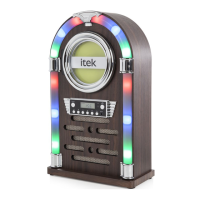

 To Next Page
 General