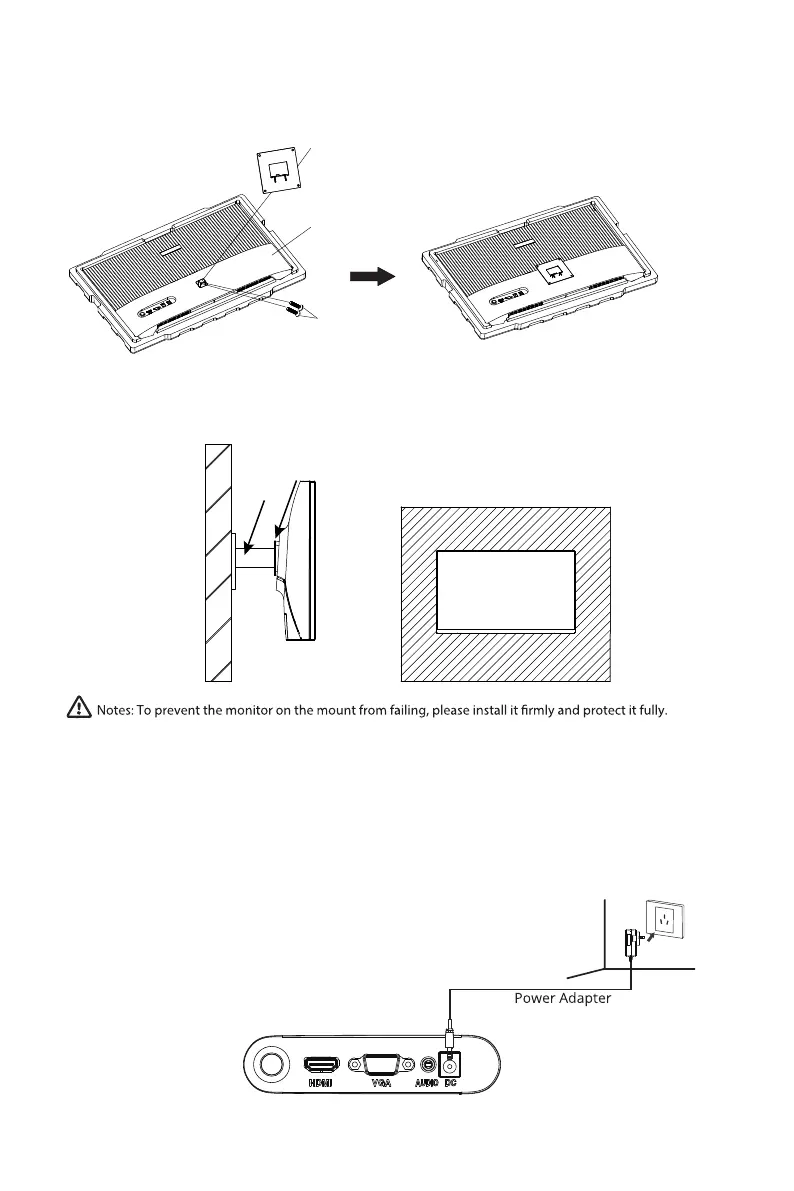
Connect the included power adapter to the power connector, and then plug the other
end into an wall outlet.
3. Do not pinch the screen directly with your hands during the process of hanging the
product to prevent the screen from breaking.
Wall bracket
Wall adapter
7. Connectivity Options
7.1
–
Connecting the Power Cable
Eng-6
Do not place or hang any object on the mount, and the using height of the mount should be less than 2 meters.
2. Remove the upper foam cover and put it aside, take out the monitor film bag, and
put the monitor in the lower foam cover. Take out the mount adapter and 2 screws
and tighten the mount adapter with 2 screws.
Screws
mount adapter
Monitor


 To Next Page