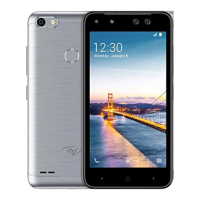
9 FINGERPRINT
Use a ngerprint to unlock the screen or to
encrypt your important data and privacy
information.
Add ngerprint or delete Fingerprints
You can enter Settings application, click
Security and select ngerprint to add
ngerprints.
You can also click on the Fingerprint
application icon directly to add ngerprints.
Note:
1.You need to choose your backup screen lock
method before adding Fingerprint.
2.You can click the ngerprint in Fingerprint
list and then choose to delete it.
You can use ngerprint to answer a call or to
take a photo or to start call recorder.
13


 To Next Page