14
14
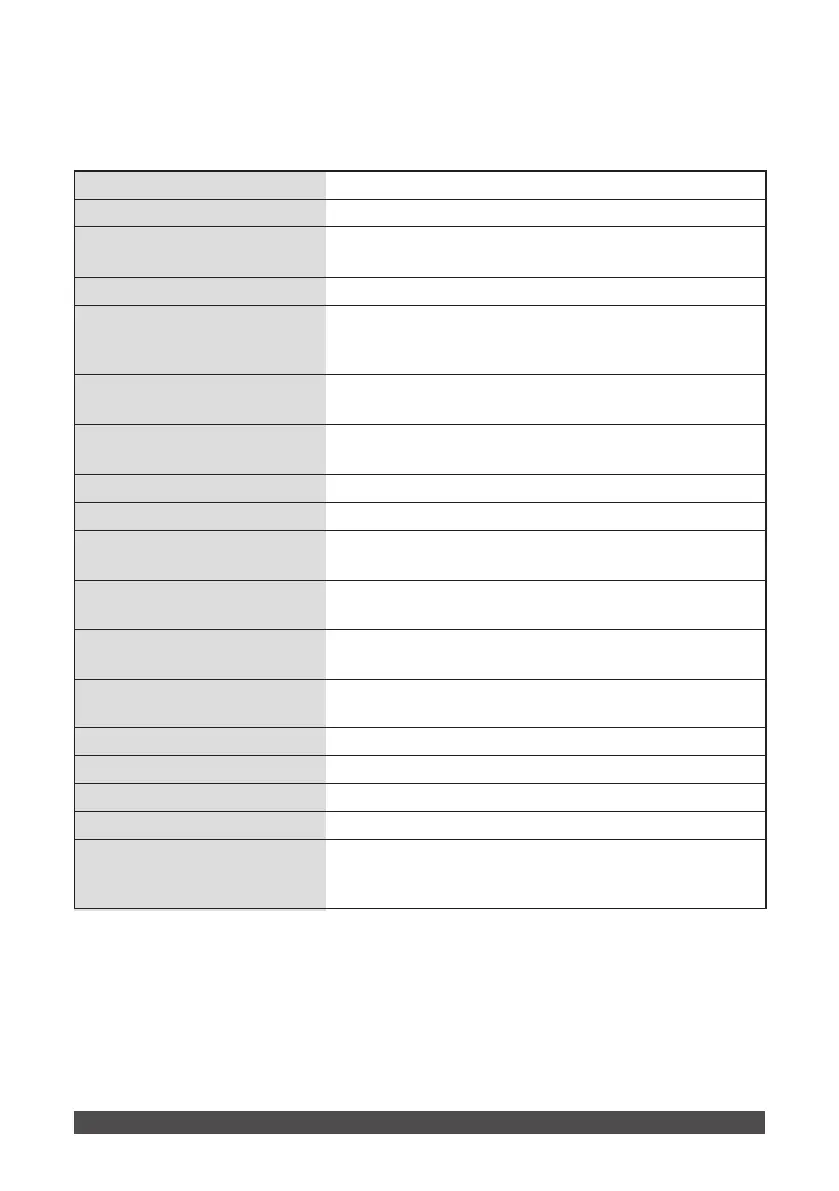
①Power switch
②Buzzer key
③Store key
④Recall key
⑤Battery check key
⑥Search/Stimulation
selector key
⑦
Search/Stimulation-mode
indicator lamp
⑧Output-mode selector key
⑨Output-mode indicator lamp
⑩Frequency key
⑪Phase duration key
⑫Timer key
⑬Error lamp
⑭Output intensity knob
⑮
Search/Stimulation probe insertion port
⑯Output ports
⑰Output-level selector switch
⑱Battery case cover
Turns the power ON/OFF.
(on the bottom of the unit) 4 alkaline LR 14 batteries are
installed under the cover (
load them as indicated by the
battery marks).
Switches the output level between High (H) and Low (L)
The electrode cords are inserted here.
The blue marked cord of the Search/Stimulation probe is inserted here.
Controls the output intensity.
The lamp comes on, when the output intensity knobs are
not in “0.”
Sets the timer (in 1-minute steps). Holding down this key
for over 0.5 sec varies the timer continuously.
Sets the phase duration. Holding down this key for over
0.5 sec varies the phase duration continuously.
Sets the frequency. Holding down this key for over 0.5 sec
varies the frequency continuously.
The selected mode lamp lights up.
Chooses from among 8 output modes.
The lamp lights up in this mode.
When CH1 is switched to the search mode,
CH2–CH6 cannot be used.
Checks the amount of battery power remaining.
The unit displays FF, F, L, and LL. When LL is displayed
on the right LCD, replace all the batteries.
Recalls stored data.
Saves displayed data and parameters that appear during
operation of the unit.
ON/OFF Turns the buzzer sound ON /OFF.


 To Next Page