5.6 Cleaning the Side Brush
- 12 -
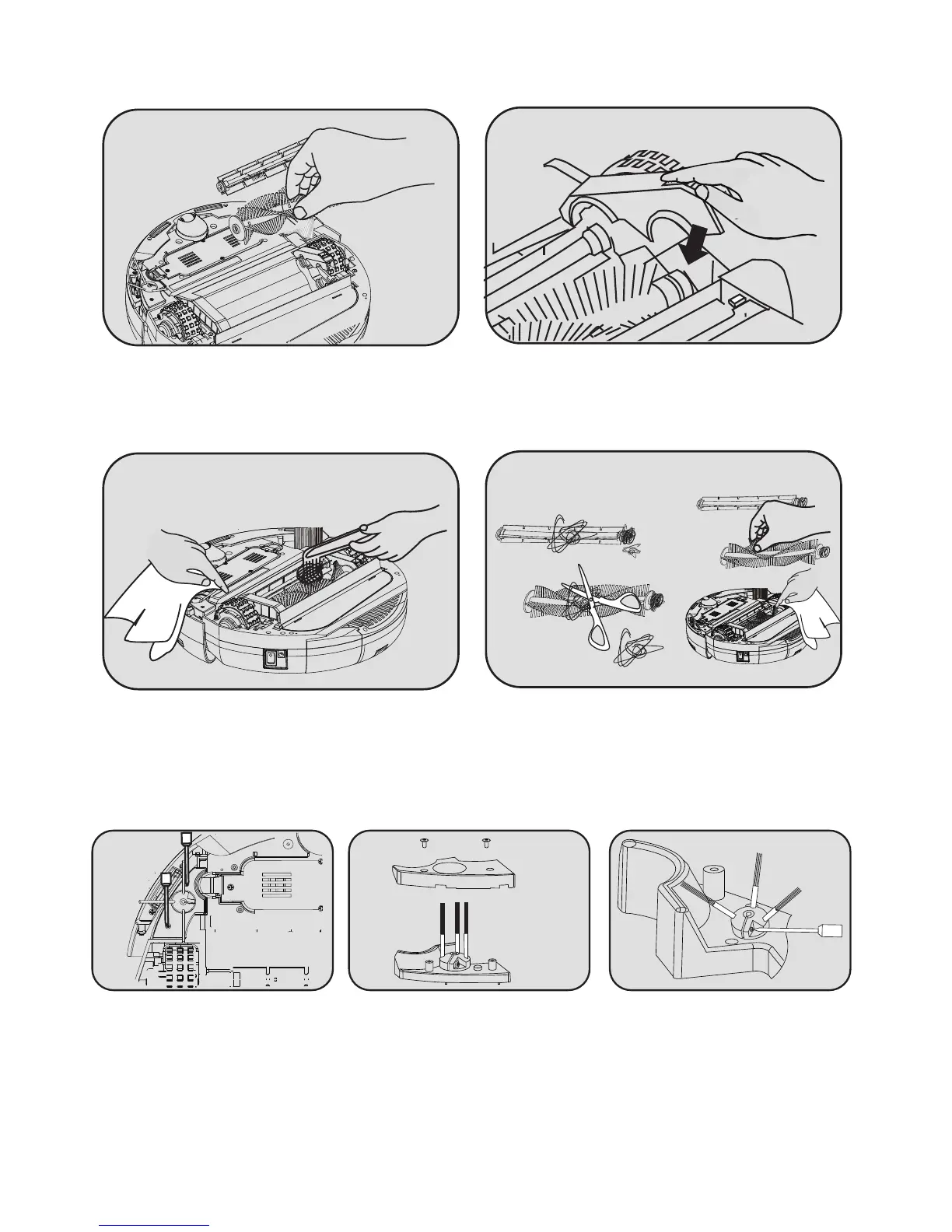
5.5.2 Cleaning the Middle Bristle Brush or Middle Rubber Brush
3. Remove the Main Brush from the
compartment.
4. To return the Main Brush, set it back into the
compartment and push the arm down until the
tab clicks.
1. To clean the Middle Bristle Brush or
Middle Rubber Brush, power the cleaner
off and turn it upside down.
2. Remove hair or string that has become
tangled around the brush by cutting the
hairs or string and pulling them out.
1.Use the screwdriver to
remove the Side Brush plate
screws.
2.Remove the Side Brush plate. 3.Unscrew the Side Brush screw
to remove the Side Brush.
Tip: After cleaning, carefully replace the Side Brush and plate.


 To Next Page