7
Product Operation Guide
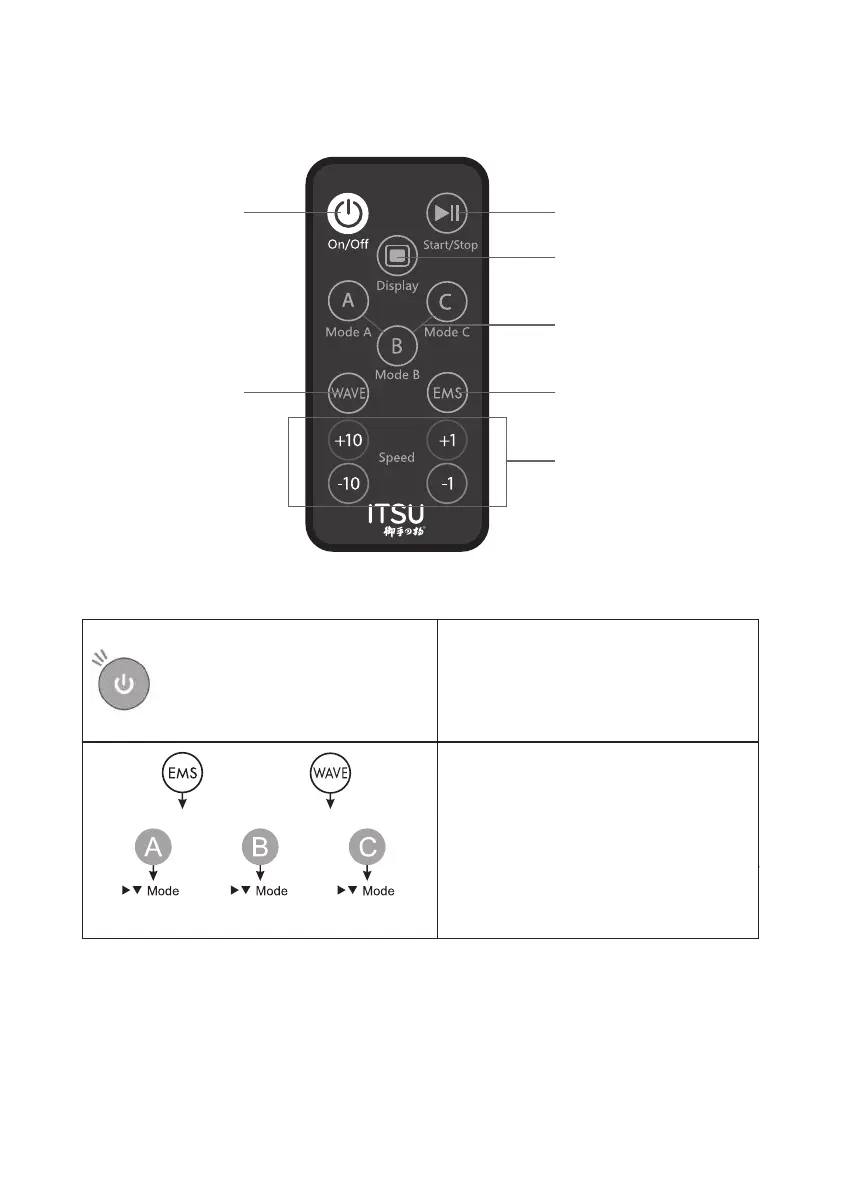
Power button
Oscillation button
(100 levels) (50 levels)
Pause button
Display switching button
Auto Mode
EMS button
Speed setting button
Please refer to page 6 for the first time
to remove the insulation paper. If the
insulation is retained, the power supply
will not be turned on.
Turn on the power
Press the power button to turn on the power.
* you cannot turn on the power just by turning
on the power to the main engine. Be sure to
press the "power button" on the remote
control.
EMS manual mode Oscillation manual mode
Operation starts immediately after each button is pressed.
Start the program
Simply press any button and the set
program mode will start immediately.
* EMS/manual vibration mode starts at
running speed 1.


 To Next Page