14
Product Operation Guide
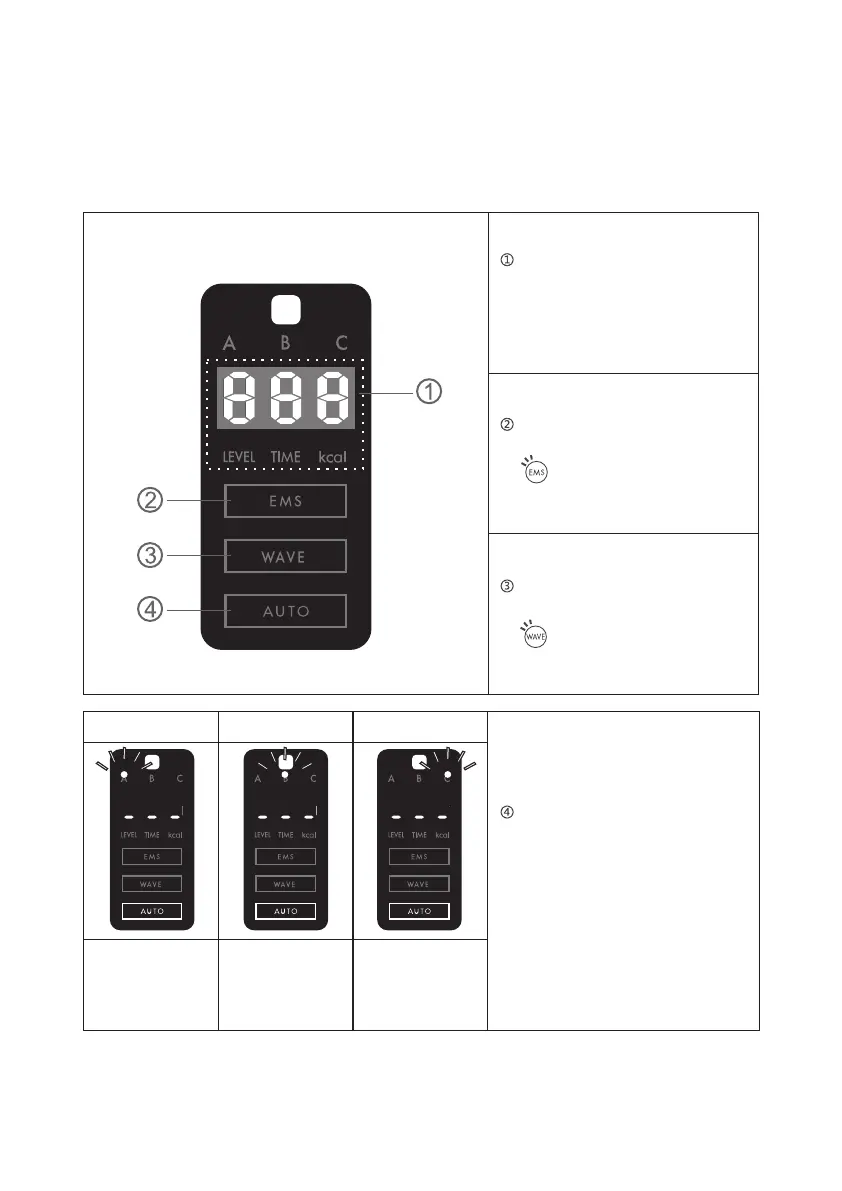
There is a mode display panel in the center of the host to show the operation status, and you can
check the mode used, output and calorie consumption.
Output/calorie display
Displays the output of the
selected mode and the calories
burned at the end of that mode.
EMS mode display
You can choose by pressing the
button on the remote control.
Oscillation mode display
You can choose by pressing the
button on the remote control.
A mode selection B mode selection C mode selection
The upper left
LED lights.
The LED in the
upper center lights
up.
The upper right
LED lights.
Automatic mode display
Press the desired button on the
remote control a-b-c to start the
selected mode.The current
selected mode on the output/
calorie display can be confirmed
by the LED mode light.


 To Next Page